Inventor User Guide | www.flashforge.com 0086‐ 0579‐82273989
22
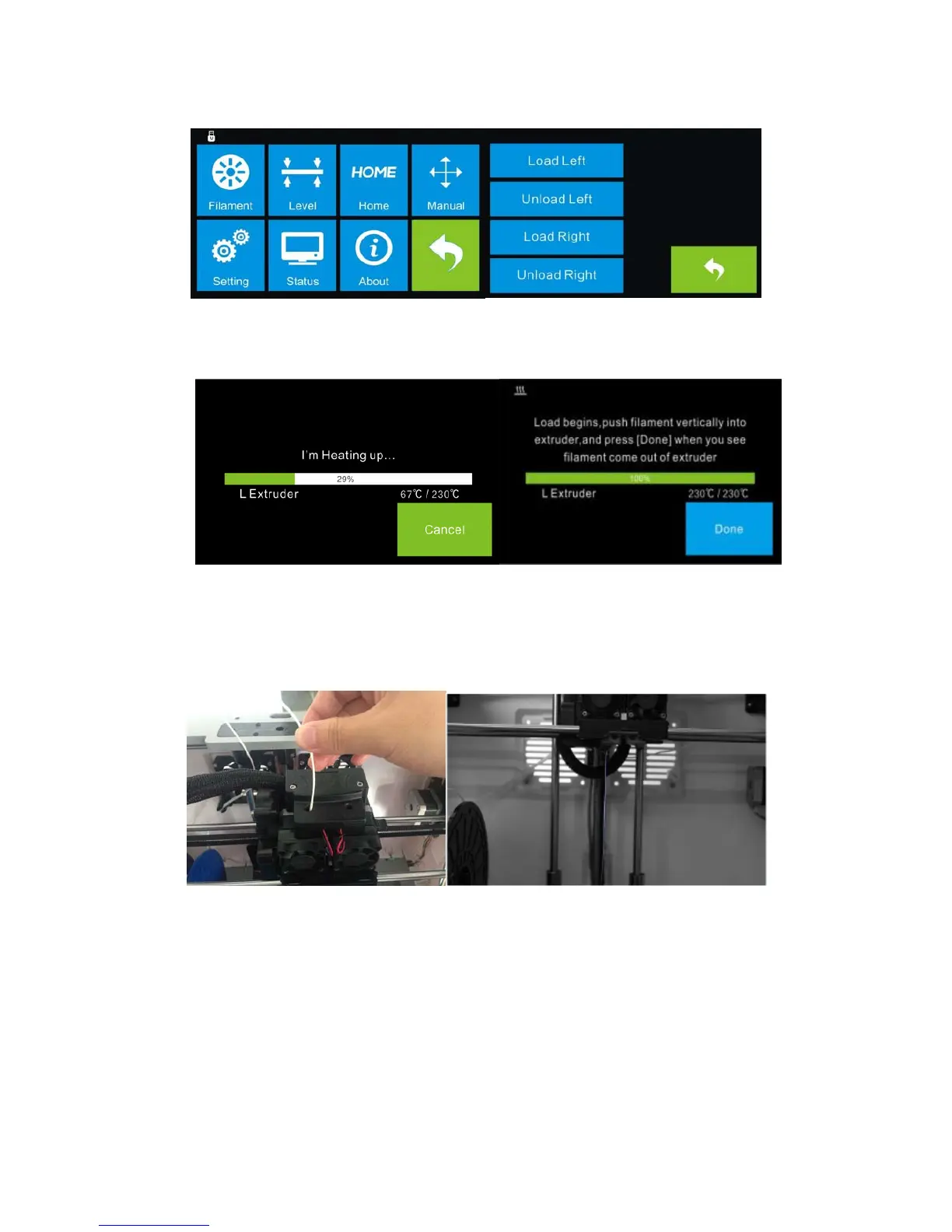
(4-10)Select [ Filament ] and [ Load Left ].
4-11
(4-11)Wait for the extruder to heat up to the operating temperature. The extruder will
alert you once it is at the operating temperature. Load the filament by inserting it into
the extruder at a n upright angle.
(4-12) Filament will start to extrude out of the nozzle. Continue loading to ensure that
the filament is extruding in a straight line. Refer to the troubleshooting section if the
filament is e xtruding at an angle.
4‐10
4‐12















 To Next Page