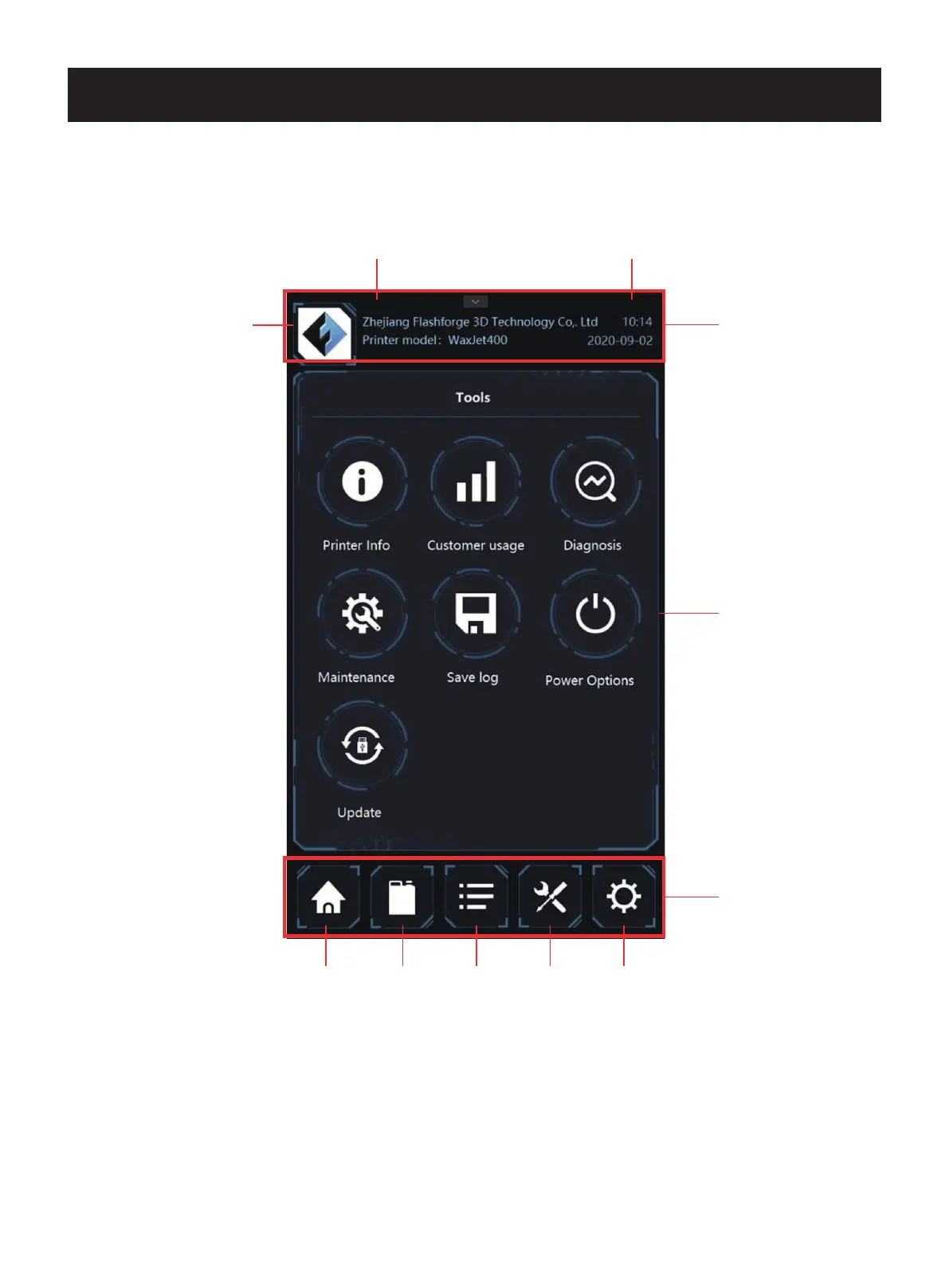
The user interface contains three sections: the top information bar, the bottom navigation bar, and the middle content area.
Chapter 4 User Interface
the top
information bar
the middle
content area
the bottom
navigation bar
Printer Status Quene
info
Tools Setting
LOGO
Time
Date
The top information bar contains manufacturer information, printer model, time and date display. The bottom navigation contains
the status of the device, material information, print queues, tools and settings. The intermediate content area displays what is
currently contained in the corresponding navigation based on the navigation switch.
01 02 03 04 05 06 07 08
09 10 11 12 13 14 15 16
17
18 19 20 21 22 23 24 25 26
27 28 29 30 31 32 33 34 35
36 37 38 39 40 41 42 43
44 45 46 47 48 49 50 51
52 53 54
55 56 57 58 59 60 61
62 63 64 65 66 67 68 69
70 71 72 73 74 75 76 77
78 79 80 81 82 83 84 85
86 87 88 89 90 91 92 93
94 95 96 97 98 99 100 101
102 103















 To Next Page