Chapter 5 WaxJetPrint Introduction
1. Software Download
There are two ways to obtain the packages of WaxJetPrint:
under the <support> button.
2. Software installation and start-up
Follow the prompts and complete the installation after download. The WaxJetPrint is ready for use after installation.
3. Initialization
Please ensure the normal connection between the printer and computer before initialization.
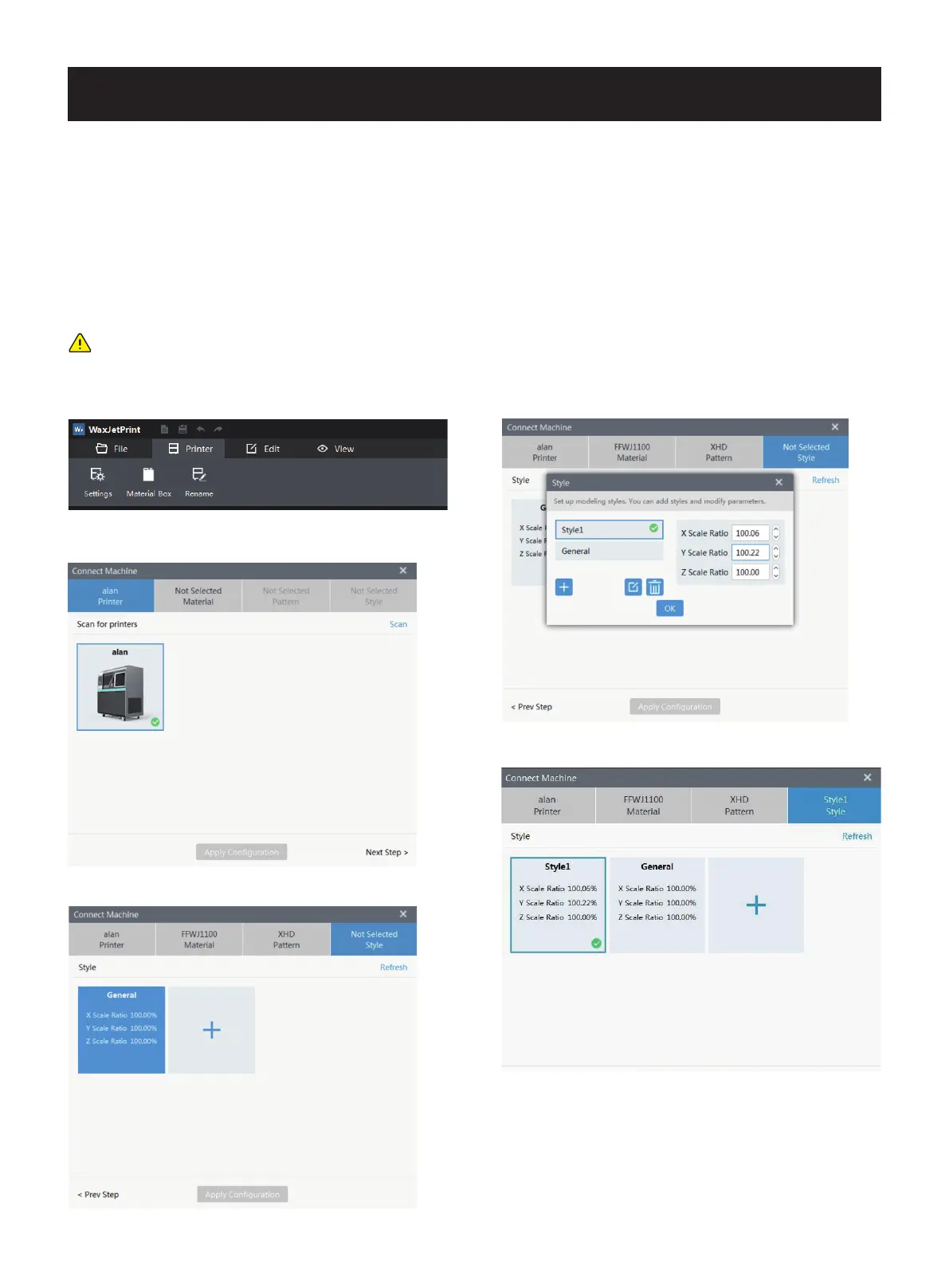
1. Open WaxJetPrint and click setting; 4. Choose the printing mode;
5. Choose the building mode and save the setting.
2. In setting interface, click scan and double click the targeted
printer;
3. Choose the material;
Note: when the printer cannot be connected to the computer, please first check the connection between the printer and the
factory net and next check whether the printer and computer are in the same local area network. In terms of the network
configuration, please refer to <network connection> on page16.
01 02 03 04 05 06 07 08
09 10 11 12 13 14 15 16 17
18 19 20 21 22 23 24 25 26
27 28
29 30 31 32 33 34 35
36 37 38 39 40 41 42 43
44 45 46 47 48 49 50 51
52 53 54
55 56 57 58 59 60 61
62 63 64 65 66 67 68 69
70 71 72 73 74 75 76 77
78 79 80 81 82 83 84 85
86 87 88 89 90 91 92 93
94 95 96 97 98 99 100 101
102 103















 To Next Page