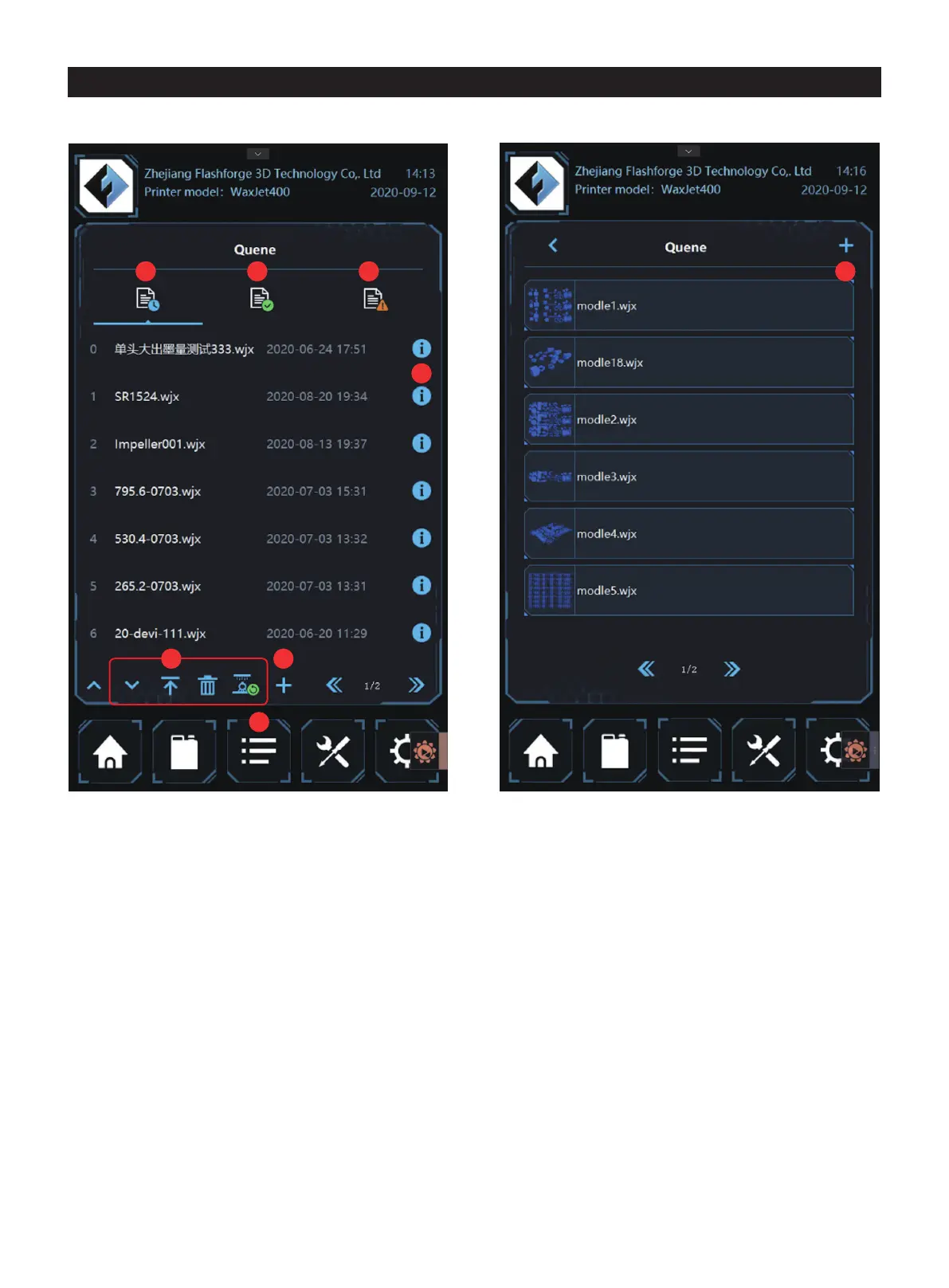
4.3 Printing list interface
1. Tap here to enter the quene
2. The waiting tasks list
3. The completed task list
4.The fail task list
5. Tap into the details page
7. Add new printing tasks from places such as USB sticks, as
shown in Figure 4.3.1
5
1
76
3 82 4
01 02 03 04 05 06 07 08
09 10 11 12 13 14 15 16 17
18 19 20
21 22 23 24 25 26
27 28 29 30 31 32 33 34 35
36 37 38 39 40 41 42 43
44 45 46 47 48 49 50 51
52 53 54
55 56 57 58 59 60 61
62 63 64 65 66 67 68 69
70 71 72 73 74 75 76 77
78 79 80 81 82 83 84 85
86 87 88 89 90 91 92 93
94 95 96 97 98 99 100 101
102 103















 To Next Page