3
9
4
5
6
7
8
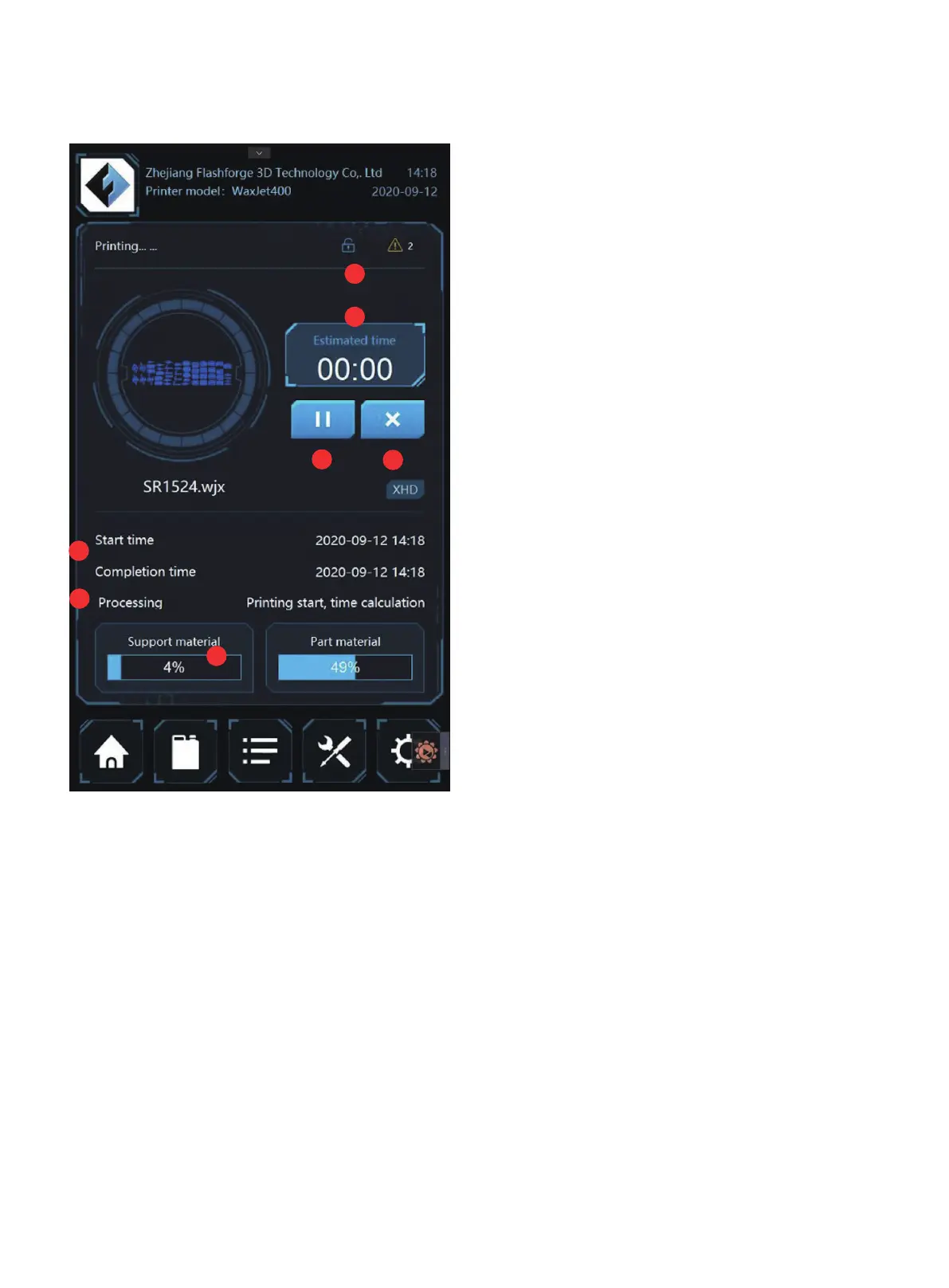
3. The remaining time.
4. Pause/Continue Printing: Click to pause/continue to print
the current print task.
5. Stop printing.
7. Print mode/layer: Displays the current layer and print mode
information.
8. Remaining material information.
9. Access platform: Press this button to access the printing
platform.
01 02 03 04 05 06 07 08
09 10 11 12 13 14 15 16 17
18
19 20 21 22 23 24 25 26
27 28 29 30 31 32 33 34 35
36 37 38 39 40 41 42 43
44 45 46 47 48 49 50 51
52 53 54
55 56 57 58 59 60 61
62 63 64 65 66 67 68 69
70 71 72 73 74 75 76 77
78 79 80 81 82 83 84 85
86 87 88 89 90 91 92 93
94 95 96 97 98 99 100 101
102 103















 To Next Page