Operating the Machine
218333 04/03/2020
39
Item
Image Type Function
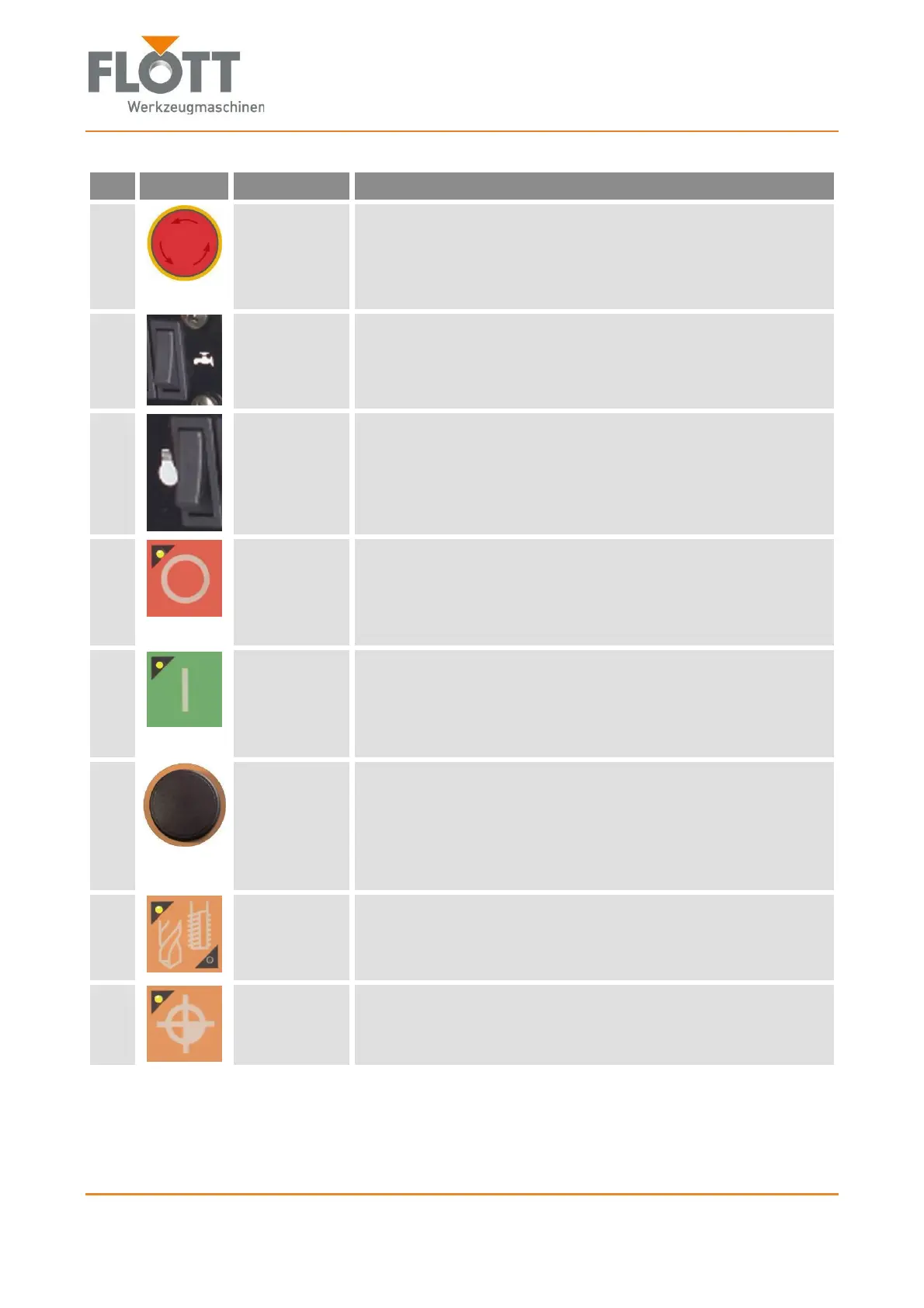
1
Emergency
stop button
Turns off the drive and the drill light. The display remains
switched on until the supply voltage of the frequency converter
dies off.
The button is used in every situation as an emergency stop
button.
2
Coolant
switch
Switches a connected coolant supply on or off.
In the machine, only electrical wiring is prepared for this.
3
Lighting
switch
Turns the LED lighting on or off.
4
Push-button
Stop
Switches the drive of the machine off.
The button lamp is off when the control system requires
input (e.g. speed).
The lamp lights up when the drive is off.
The lamp flashes when the drive is on.
5
Push-button
Start
Turns the drive of the machine on. The spindle is rotated.
The lamp is off when the control system requires input
(e.g. speed).
The lamp lights when the drive is on.
The lamp flashes when the drive is off.
6
Rotary
switch/push-
button
Must be rotated and/or pressed as required.
The button is used to
Set and acknowledge machine values
Confirm error messages
Switch the display on in standby mode
Select menu items of the control system.
7
Push-button
Drill type
Switches between drilling or tapping modes.
The top left lamp lights when the drilling mode is selected.
The bottom right lamp lights when the tapping mode is se-
lected.
8
Push-button
Zero point
Sets a given zero point (e.g. for workpiece surface).
The lamp lights up when a zero point is stored.
The lamp flashes when no zero point is stored.


 To Next Page