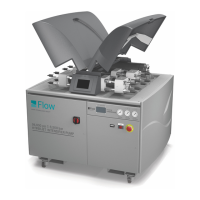
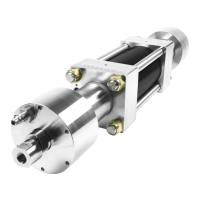
HyPlex Prime pump temperature input
offset adjustment routine
This routine applies to the Plus and Premium packages.
This software routine must be run each time the pump is
started at the beginning of a shift, and any time a
high-pressure pump component is replaced.
The routine reads the temperature inputs from the three
thermistors and calculates the relative value of each to
the lowest among the three. These relative values are
used in the calculation for continuous monitoring of the
cylinder temperature when the pump is running.
1. Make sure the pump is at room temperature. This is
important to get a uniform reading from each of the
thermistors.
2. Start FlowCUT, open a part file, and
go to the Run Machine screen.
3. Click on the Option Component
button in the sidebar. In the Option
Component dialog box that ap-
pears, scroll through the selections
to find the "Enable Temperature Sensor Offset Ad-
justment" option.
4. Enable the routine by clicking the numbered button.
Click Close to close the Option Component dialog
box.
5. Select low-pressure mode and click the Pump ON
button.
The pump will run at idle for about 45 seconds,
then go to low pressure. Pump pressure is indicated
in the status bar at the bottom of the FlowCUT Run
Machine screen.
6. When the pump goes to low
pressure, stop the pump, click
the Previous Screen button, then
click the Run Machine button to
make the routine adjustments ef
-
fective.
Calibrating the pump control system
This applies to the Plus and Premium packages.
This software routine must be run each time the PCV
poppet is replaced, and whenever the pump output
pressure is significantly off the commanded pressure set
-
ting.
The routine commands the pump to create pressure at
increasing set intervals and then adjusts the controls to
match each interval.
1. Start FlowCUT, open a part file,
and go to the Run Machine screen.
2. Position the cutting head away
from any material or tooling.
3. Click on the Option Component
button in the sidebar. In the Option
Component dialog box that appears,
scroll through the selections to find
the "Pressure Calibration" routine.
4. Enable the routine by clicking the numbered button.
Click Close to close the Option Component dialog
box.
WARNING
Waterjet nozzle will automatically open when finishing the
calibration routine. The cutting head must be positioned
away from any material or tooling.
5. Select low-pressure mode and click the Pump ON
button.
The pump will run at idle for about 45 seconds,
then go to low pressure (as specified by user settings
in Jet Setup). Pump pressure is indicated in the sta
-
tus bar at the bottom of the FlowCUT Run Machine
screen.
6. When the pump goes to low
pressure, stop the pump, click
the Previous Screen button, then
click the Run Machine button to
make the routine adjustments effective.
16 | M-416 ©FlowInternationalCorporation
HYPLEX PRIME PUMP
Maintenance & Service Manual



 To Next Page