1652C/1653B/1654B
Users Manual
36
Testing Phase Sequence
apx011f.eps
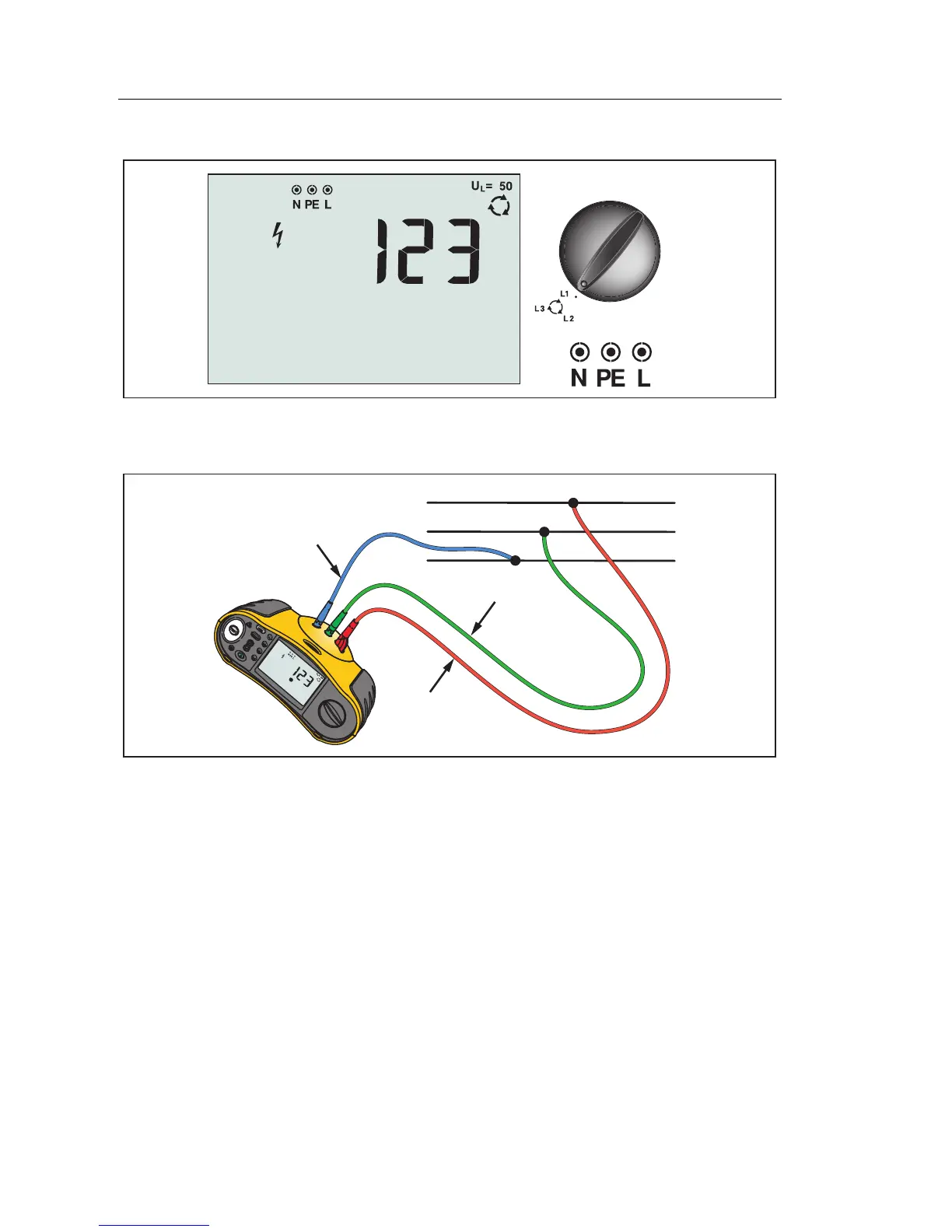
Figure 21. Phase Sequence Display/Switch and Terminal Settings
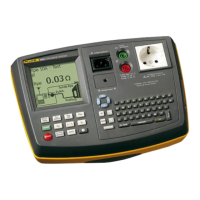
Use the connection shown in Figure 22 for a phase sequence test connection.
L1
L2
L3
PE (L2/Green)
L (L1/Red)
N (L3/Blue)
apx022f.eps
Figure 22. Phase Sequence Test Connection
To perform a phase sequence test:
1. Turn the rotary switch to the position.
2. The primary (upper) display shows:
• 123 for correct phase sequence.
• 321 for reversed phase sequence.
• Dashes (---) instead of numbers if insufficient voltage is sensed.


 To Next Page