1652C/1653B/1654B
Users Manual
40
Uploading Test Results
(Model 1653B and 1654B Only)
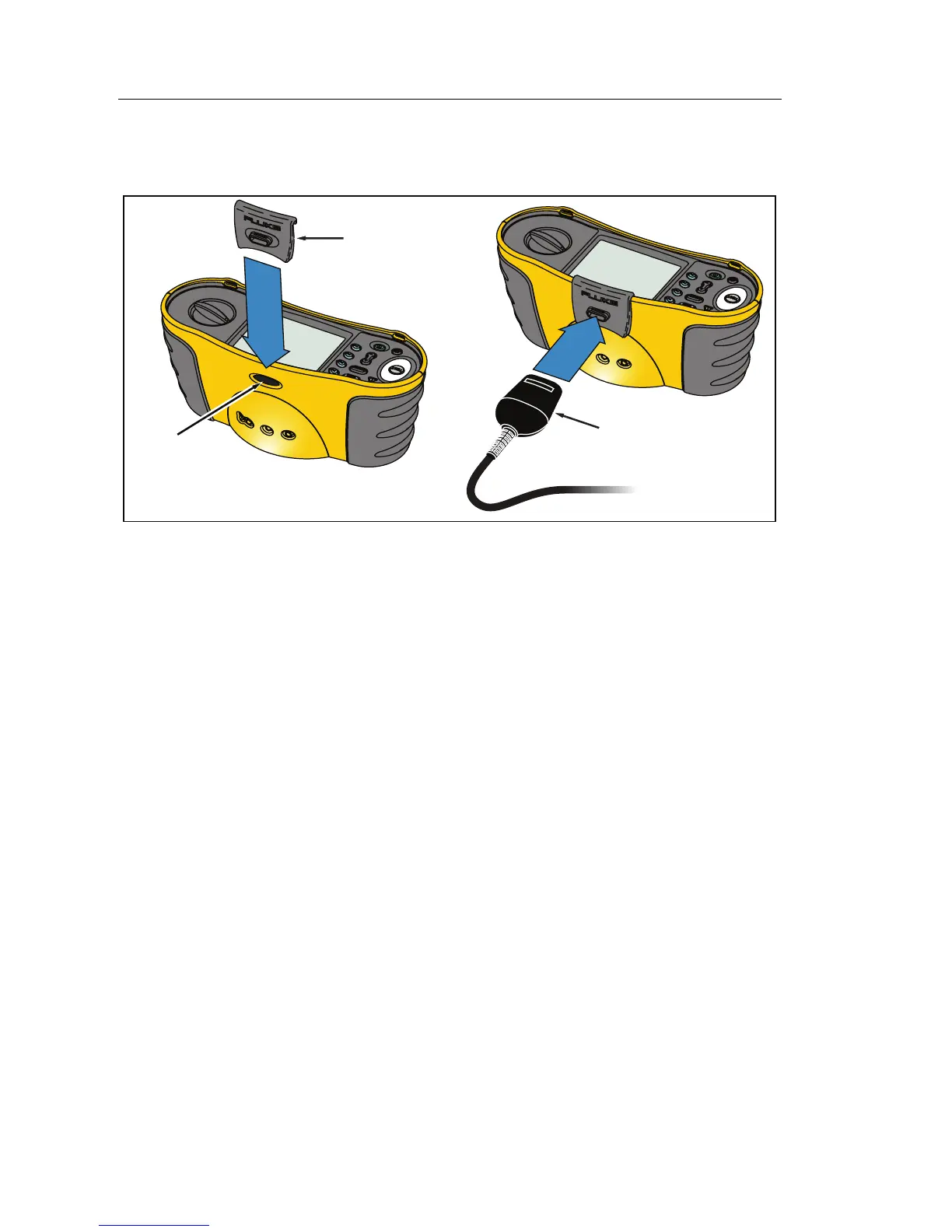
IR Adapter
IR Device
IR Port
apx031f.eps
Figure 23. Attaching the IR Adapter
To upload test results:
1. Connect the IR serial cable to the serial port on the PC.
2. Attach the IR adapter and the device to the tester as shown in Figure 23.
Be sure to align the IR adapter to the IR port on the tester.
Note
The IR data port is disabled when test leads are plugged in.
Disconnect test leads before attempting to upload test results.
3. Start the Fluke PC software program.
4. Press to turn on the tester.
5. Refer to the software documentation for complete instructions on how to
set the date/time stamp and upload data from the tester.


 To Next Page