Chapter 1: Get Acquainted
The Home Screen for CertiFiber Pro Modules
15
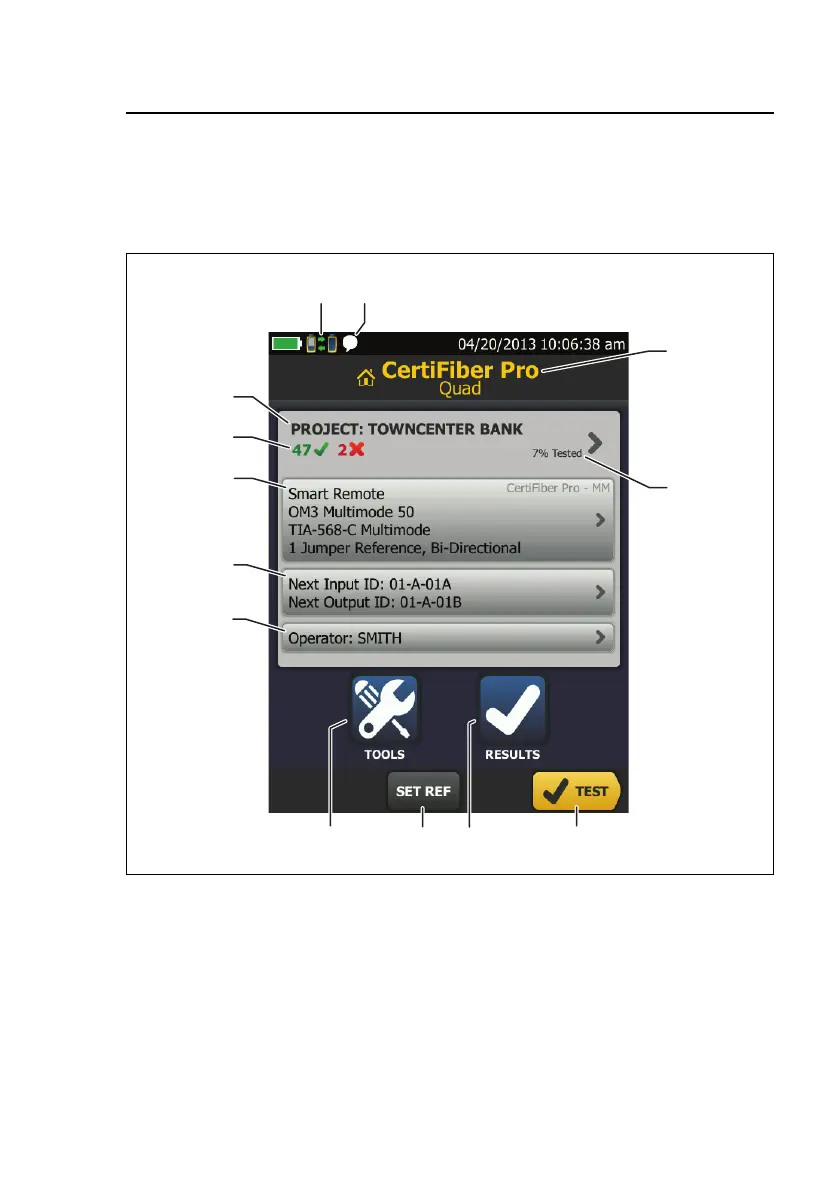
The Home Screen for CertiFiber Pro Modules
The home screen (Figure 3) shows important test settings. Before
you do a test, make sure these settings are correct.
GPU117.EPS
Figure 3. The Home Screen for CertiFiber Pro Modules
PROJECT: The project contains the settings for a job and helps
you monitor the status of a job. When you save test results, the
tester puts them in the project. Tap the PROJECT panel to edit
the project settings, select a different project, or make a new
project.










 To Next Page