Chapter 1: Get Acquainted
How to Install a Strap
29
How to Install a Strap
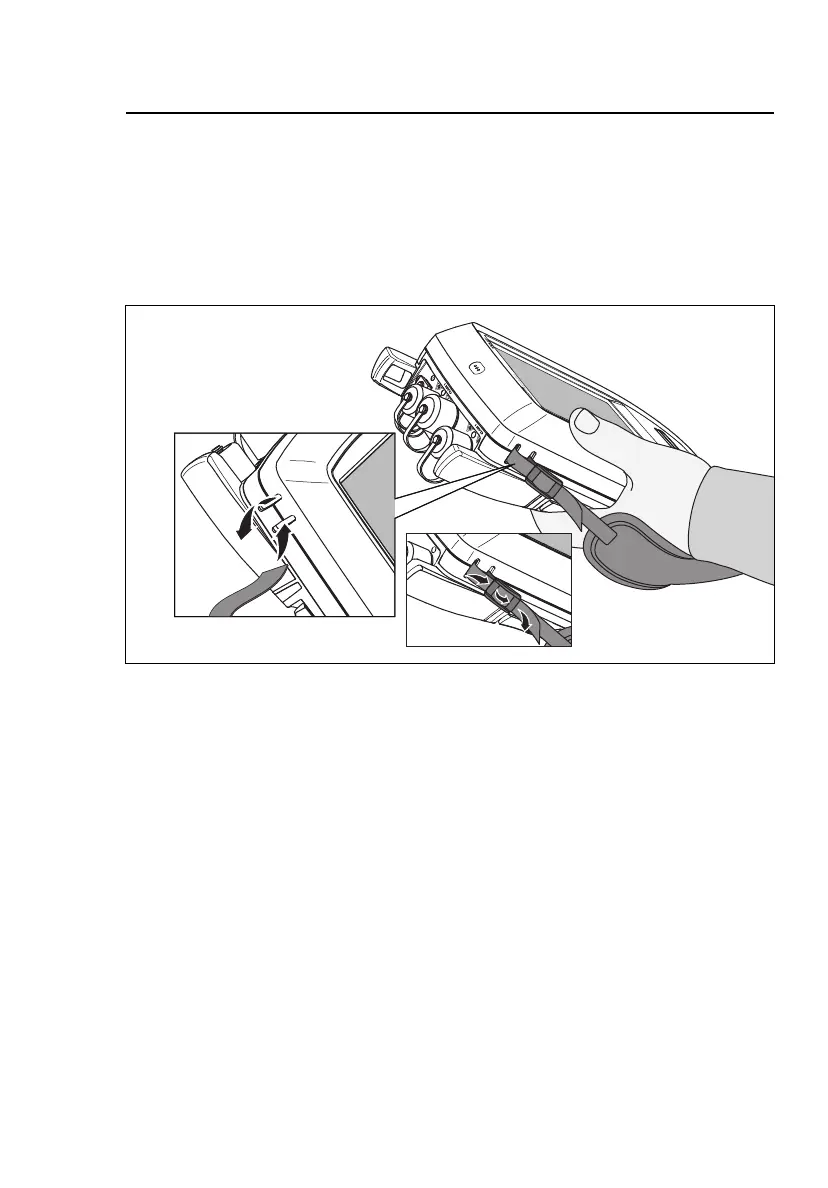
Two types of straps are available for the tester: a hand strap that
helps you hold the tester, and an optional carrying strap that lets
you carry and hang the tester. Figure 9 shows how to install a
strap and how to use the hand strap.
HGD43.EPS
Figure 9. How to Install a Strap and Use the Hand Strap
How to Remove or Install a Module
Figure 10 shows how to remove and install the module.
Note
It is not necessary to turn off the tester before you
remove or install a module.










 To Next Page