12
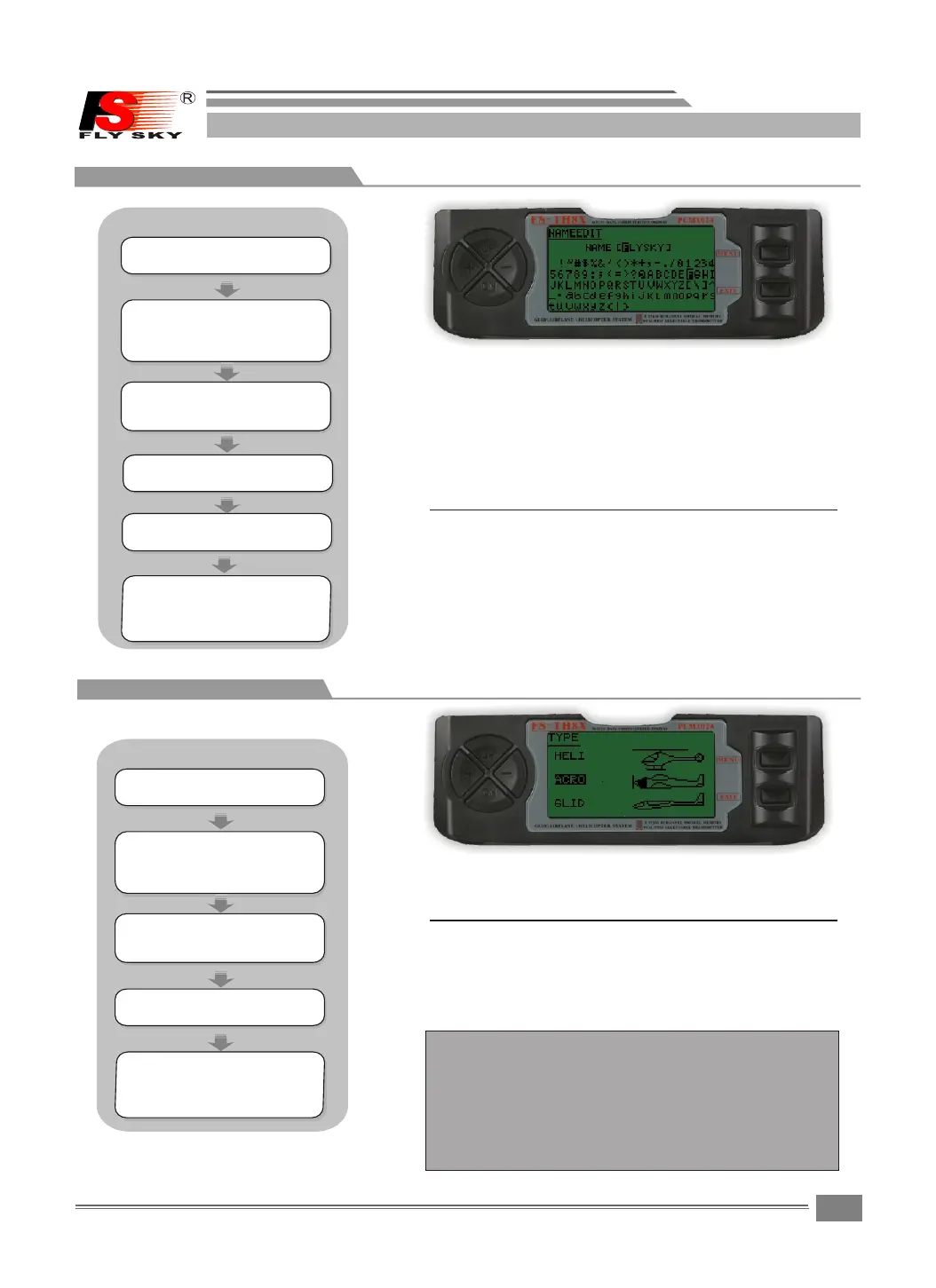
NAME EDIT:
The Model Name function is used to inpu t a n d
assign th e mo d e l ' s na m e to a sp e c ific me m o ry,
allowing e a s y identificatio n of each m o del's
program.Each model ' s n a m e i s d i splayed on the
main scr e e n when t h a t model i s selected U p to
eignt characters that include numbers and
letters are availabl e .
Press the UP o r DOW M key to move the curso r t o
the desired characte r ' s p o s i t ion.
Press the MENU k e y s ave and return last men u .
Press the EXIT k e y t o not keep and return las t
menu.
Press the "+ "or"- "ke y t o s e l e c t t he desired
character.
Press the MENU k e y f or long time enter.
7.2NAME EDIT
Und e r t h e state of t h e i n itial
pic t u r e,pres s M E N U key forl o n g ,
acc e s s t he main me n u .
Pre s s t h e UP or DOWM k e y t o m o ve
the c u r s or to the de s i r e d chara-
cte r ' s p ositio n .
Pre s s t h e "+"or" - " k e y to selec t
the d e s i red char a c t e r.Pres s t h e
MEN U k e y f or long ti m e e n t er.
7.3TYPE SELE
Pre s s t h e UP or DOWM k e y t o s e lect
the T Y P E s creen.
Und e r t h e state of t h e i n i tial
pic t u r e,pres s M E N U k ey forlo n g ,
acc e s s t he main me n u .
If choo se heli copt er mode , shor t to pres s MENU key en-
ter down the firs t clas s menu , choo se diff eren t conn -
ecti on meth ods of five kind s of the serv er, u.i. .
TYPE:
Sets the type of program m i n g u s e d f or this model.
Press the UP o r DOWM key to sele c t t h e
TYPE screen.
Press the MENU k e y t o save and return
last menu
Press the EXIT k e y to not keep and re-
turn last menu
Bec aus e ACR O and GLID hav e a kin d of cho ice onl y, so,
pre ss the men u key to sav e and ret urn las t men u .
NOTE:
STEPS:
STEPS:
SYSTEM SETTING
SYSTEM SETTING
Pre s s U P /DOWN ke y s e l e ct the SYS T E M
SET T I N G m enus,a n d p r e s s M ENU key
for s h o r t into nex t s u b m enu.
Pre s s U P / D O WN k ey t o s e l ect the
NAM E E D IT menu, a n d p r ess MENU k e y
for s h o r t into nex t s u b m enu.
Pre s s M E NU key for s h o r t t o keep
res u l t a nd retur n l a s t m enu.
pre s s E X IT key for s h o r t t o not
kee p a n d t reurn to l a s t m e nu.
Pre s s U P /DOWN ke y s e l e ct the SYS T E M
SET T I N G m enus,a n d p r e s s M ENU key
for s h o r t into nex t s u b m enu.
Pre s s U P /DOWN ke y t o s e l ect the
TYP E m e n u ,and pres s M E N U k e y
for s h o r t into nex t s u b m enu.
Pre s s M E NU key for s h o r t t o keep
res u l t a nd retur n l a s t m enu.
pre s s E X IT key for s h o r t t o not
kee p a n d t reurn to l a s t m e nu.
FS-TH9X


 To Next Page