14
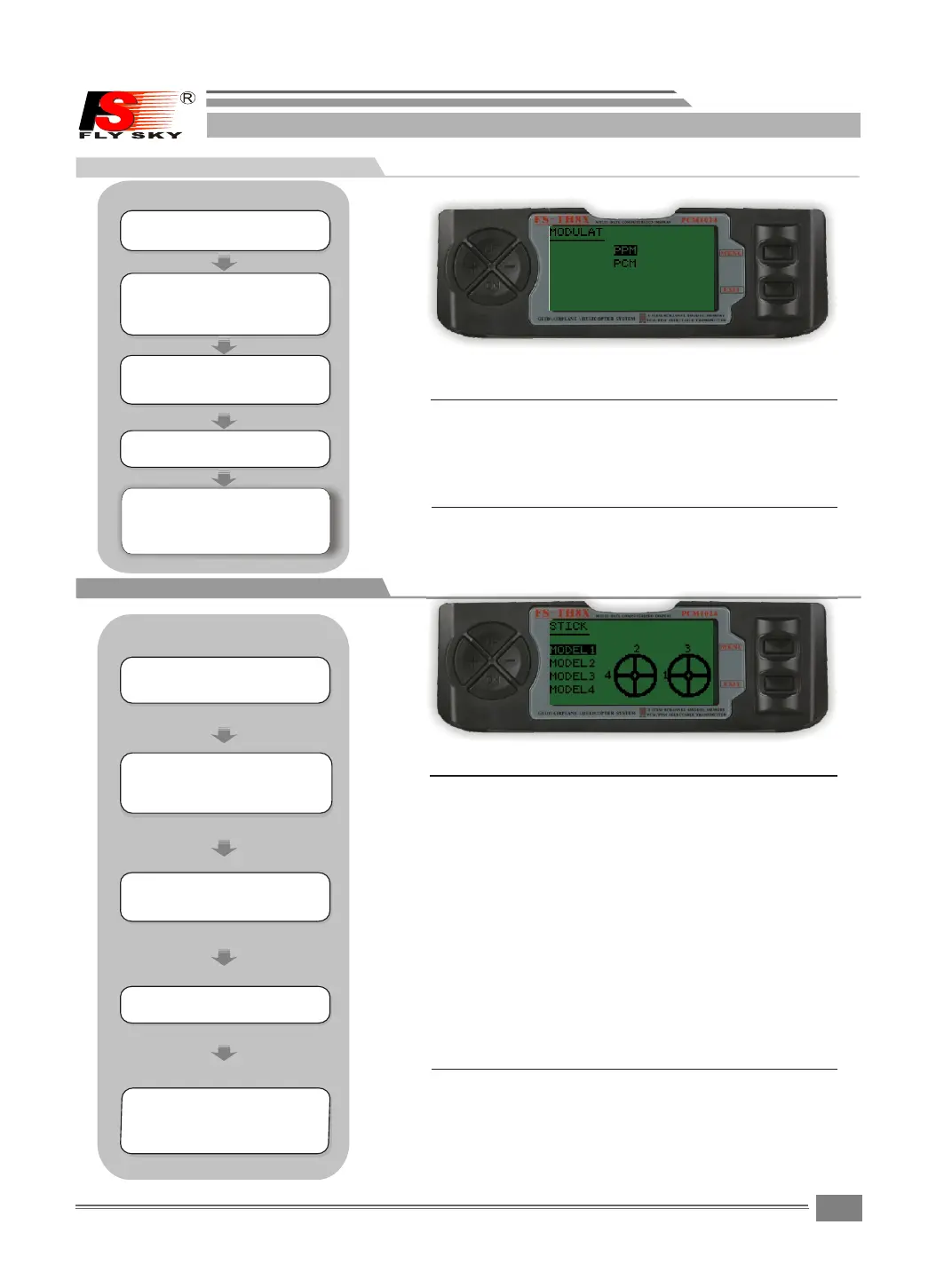
7.4 Modulation selection
Modulation select:
sets the type of modeula t i o n t r a n smittec.
PCM:P u l s e C o d e M odeulation
PPM:P u l s e P o s i tion Modulation(a l s o c a l l e d F M)
Press the UP o r DO WM k e y t o select the MODULAT
screen.
Press the MENU k e y t o save and return last
menu.
Press the EXIT k e y t o not keep and re-turn las t
menu.
7.5 Stick mode selections
Stick mode selections:
To change the Stick Mode .
Ri gh t a nd l e ft m o ve i s Rud der C ont rol
Le ft S ti c k UP a n d DO WN mo ve IS E lev ato r Con tro l
Ri gh t a nd l e ft m o ve i s Ail ero n Con tro l
Ri gh t S ti c k UP a n d DO WN mo ve IS T hro ttl e Con tro l
MODEL1
Ri gh t a nd l e ft m o ve i s Rud der C ont rol
Le ft S ti c k UP a n d DO WN mo ve IS T hro ttl e Con tro l
Ri gh t a nd l e ft m o ve i s Ail ero n Con tro l
Ri gh t S ti c k UP a n d DO WN mo ve IS E lev ato r Con tro l
MODEL2
Ri gh t a nd l e ft m ove i s Ail ero n Con tro l
Le ft S ti c k UP a n d DO WN mo ve IS E lev ato r Con tro l
Ri gh t a nd l e ft m o ve i s Rud der C ont rol
Ri gh t S ti c k UP a n d DO WN mo ve IS T hro ttl e Con tro l
MODEL3
Ri gh t a nd l e ft m o ve i s Ail ero n Con tro l
Le ft S ti c k UP a n d DO WN mo ve IS E lev ato r Con tro l
Ri gh t a nd l e ft m o ve i s Rud der C ont rol
Ri gh t S ti c k UP a n d DO WN mo ve IS T hro ttl e Con tro l
MODEL4
Press the UP o r DOWM key to sele c t t h e S T I C K
screen.
Pre s s t h e UP or DOWM k e y t o s e lect
the M O D U LAT scre e n .
Pre s s t h e UP or DOWM k e y t o s e lect
the S T I C K screen .
Press the MENU k e y t o save and return last
menu.
Press the EXIT k e y t o not keep and re-turn la s t
menu.
Und e r t h e state of t h e i n i tial
pic t u r e,pres s M E N U k ey forlo n g ,
acc e s s t he main me n u .
Und e r t h e s tate of t h e i n i tial
pic t u r e,pres s M E N U k ey for lon g ,
acc e s s t he main me n u .
Pre s s U P /DOWN ke y s e l e ct the SYS T E M
SET T I N G m enus,a n d p r e s s M ENU key
for s h o r t into nex t s u b m enu.
Pre s s U P /DOWN ke y s e l e ct the SYS T E M
SET T I N G m enus,a n d p r e s s M ENU key
for s h o r t into nex t s u b m enu.
Pre s s U P / D O WN k ey t o s e l ect the
MOD E U L AT menu, a n d p r ess MENU k e y
for s h o r t into nex t s u b m enu.
Pre s s U P /DOWN ke y t o s e l ect the
STI C K men u , a nd p r ess M ENU k ey
for s h o r t into nex t s u b m enu.
Pre s s M E NU key for s h o r t t o keep
res u l t a nd retur n l a s t m enu.
pre s s E X IT key for s h o r t t o not
kee p a n d t reurn to l a s t m e nu.
Pre s s M E NU key for s h o r t t o keep
res u l t a nd retur n l a s t m enu.
pre s s E X IT key for s h o r t t o not
kee p a n d t reurn to l a s t m e nu.
STEPS:
STEPS:
SYSTEM SETTING
SYSTEM SETTING
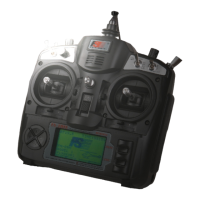
FS-TH9X


 To Next Page