FS-TH9X
16
8 FUNCTION SETTING(HELICOPTER)
8.1REVERSE
Und e r t h e state of t h e i n i tial
pic t u r e,pres s M E N U k ey forlo n g ,
acc e s s t he main me n u .
Pre s s " + "or"-" k e y t o r e verse th e
ser v o d i rectio n f o r t h at selec t e d
cha n n e l.
Pre s s U P /DOWN ke y t o c h o ose the R E V E R SE scree n .
REVERSE:
The reverse switch fun c t i o n a l l ows electronic
means of reversin g t h e s e rvo's throw .Ser v o
reversing is availab l e f o r a l l 9 c h annels.
Press the UP o r DOWM key to sele c t t h e R e v e r se screen.
Press the MEN U key to save and ret u r n l a s t m e nu
Press the EXIT k e y to not keep and return las t m e n u
Press "+"or"- " key to re v e r s e t h e s ervo direction
for that selected chan n e l .
AIL: Aileron
ELE: Elevator
THR: Throttle
RUD: Rudder
GEA: Retractable lan d i n g G e a r
PIT: Ptich(ch6)
AUX1: Auxiliary1
AUX2: Auxiliary2
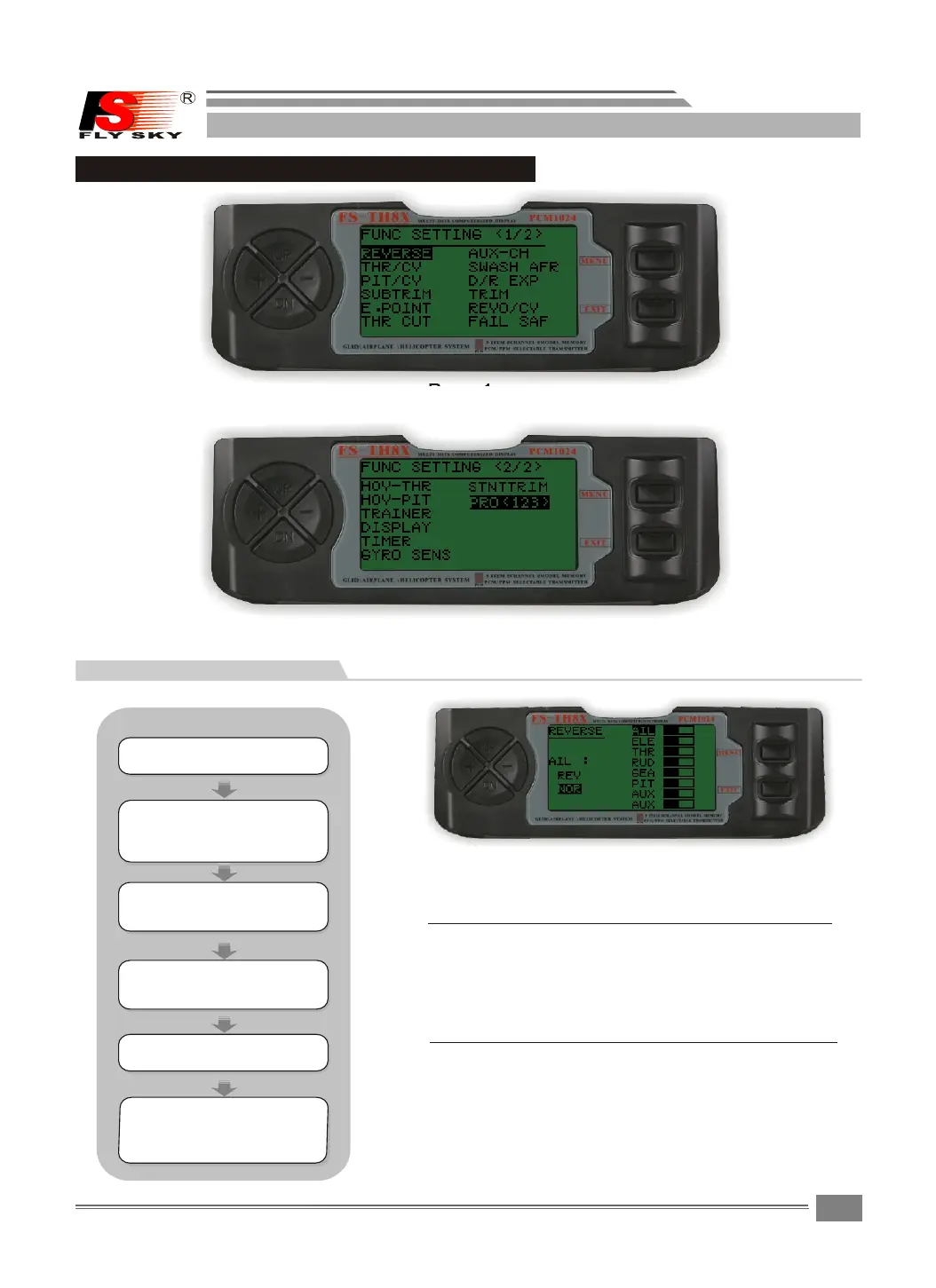
Page1
Page2
HELICOPTER
STEPS:
Pre s s U P /DOWN ke y s e l e ct the FUN C
SET T I N G menus , a n d press M E N U key
for s h o r t into nex t s u b m enu.
Pre s s UP/DO W N key t o s elect t h e
REV E R S E menu,a n d p r e ss MENU ke y
for s h o r t into nex t s u b m enu.
Pre s s M E NU key for s h o r t t o keep
res u l t a nd retur n l a s t m enu.
pre s s E X IT key for s h o r t t o not
kee p a n d t reurn to l a s t m e nu.


 To Next Page