29
Installation and Operation Manual
SystemsSystems
2001 and 2002
Normal Operation Summary
How to
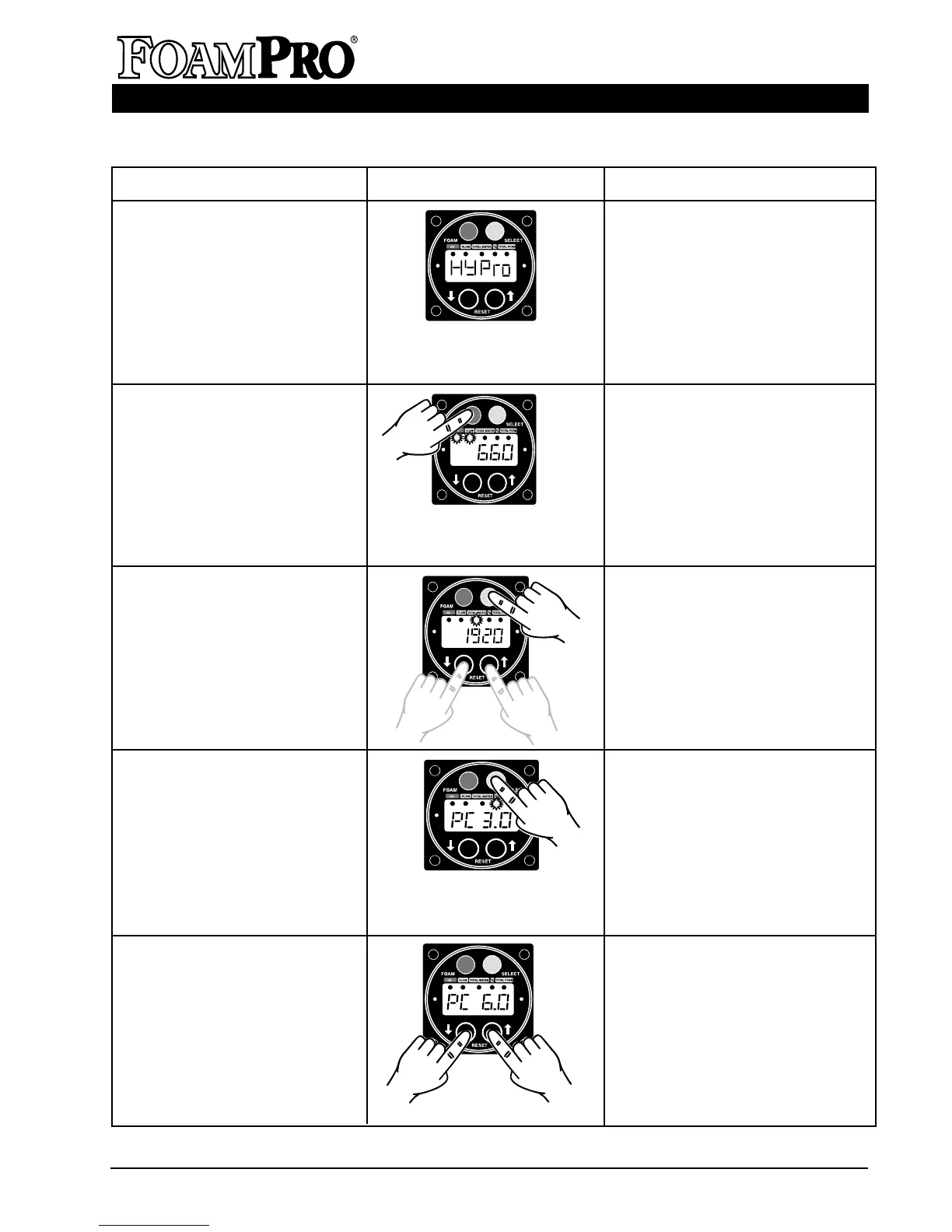
1. Turn FoamPro system on.
Action
1. Operate the apparatus engine to
develop hydraulic pressure. Turn
the FoamPro Main Power circuit
breaker switch on. HYPRO will
appear on the display
momentarily.
2. Make foam solution.
3. Read the total amount of water
flowed during the operation.
4. Read % of concentrate.
5. Change the % of concentrate.
Display
2. Establish water flow to the foam
capable discharge. The Digital
Display Control Module will
indicate the water flow rate. Press
the FOAM button (red upper-left
button). The LED lamps below
the ON and FLOW labels will
illuminate and the lamp below the
ON label will flash. The rate of
water flow will be displayed in
units per minute.
3. Press the SELECT button (grey
upper-right button) until the LED
lamp below the TOTAL WATER
label is illuminated. The total
amount of water will be displayed.
Reset this value to zero by
pressing the ▼ and ▲ buttons at
the same time.
4. Press the SELECT button
(grey upper-right button) until
the LED lamp below the %
label is illuminated. The
display will read percentage
of foam concentration. Foam
will continue to be injected.
5. Press the button beside the ▼
or ▲. The display will show the
new concentrate injection rate
chosen. The proportion of
concentrate injected will change
immediately.
Normal Operation Summary Continued on Next Page



 To Next Page