Navigation
Setting Preferences (cont’d.)
Setting Route Preferences
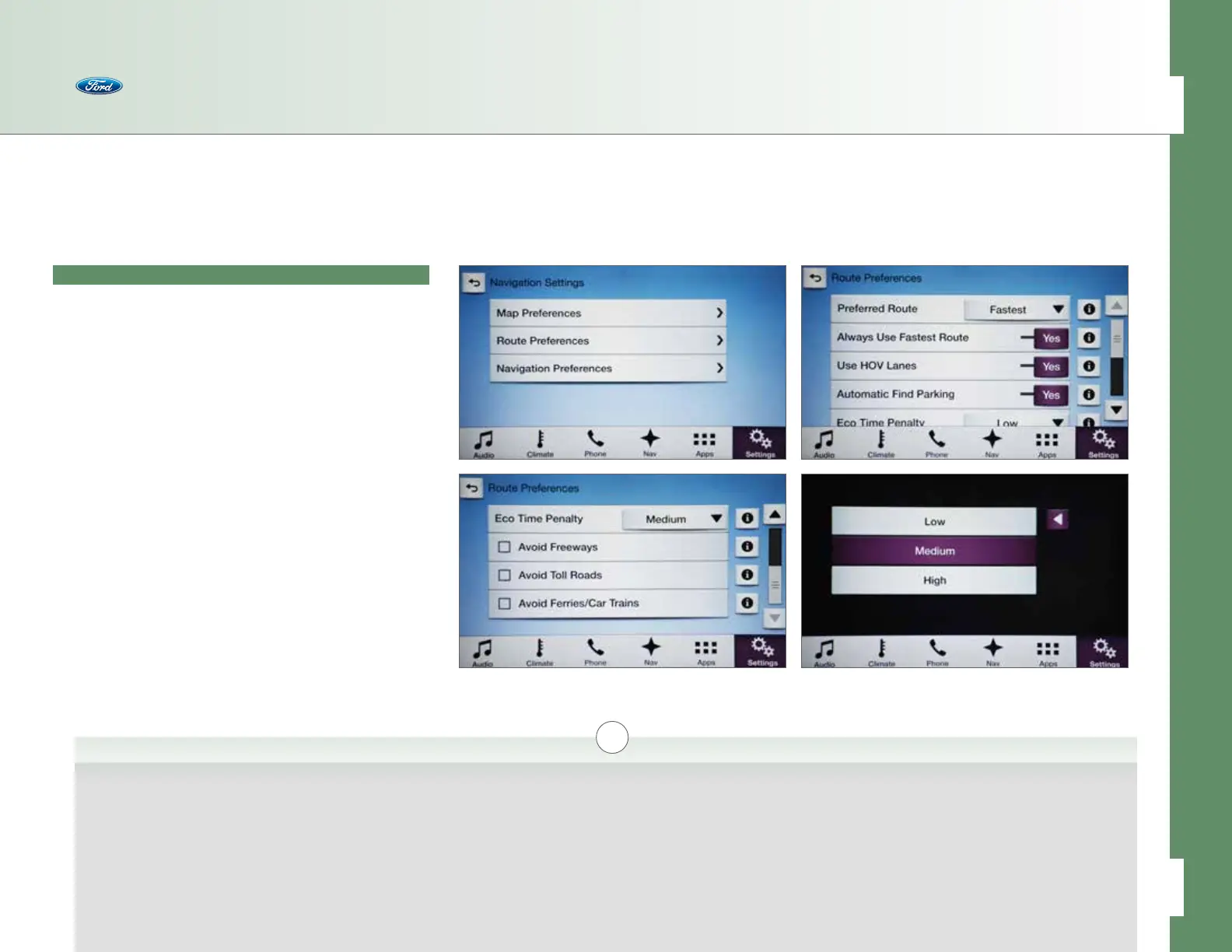
Press Nav > Menu > Navigation Settings to access:
• Route Preferences
– Preferred Route > [i]
• Fastest
• Shortest
• Eco
– Always Use (Saved Preference Name) Route > Yes/No [i]
– Use HOV Lanes > Yes/No [i]
– Automatic Find Parking > Yes/No [i]
– Eco Time Penalty > Low/Medium/High [i]
i
Preferred Route >
Fastest/Shortest/Eco
If enabled, SYNC will
automatically choose the
{type of route indicated
here} route when using
the Navigation System.
Always Use {type of route
indicated here} Route
If enabled, SYNC will
automatically choose the
{type of route indicated
here} route when using
the Navigation System.
Use HOV Lanes
If enabled, SYNC will use
the HOV (High-Occupancy
Vehicle/Carpool) lanes
when providing navigation
route guidance.
Automatic Find Parking
If enabled, SYNC will
search for and display
parking options as icons
on the navigation screen
as you approach your
destination.
Eco Time Penalty > Low/Medium/High
Select how much extra driving time is acceptable to
achieve an Eco route. If set to High, more drive time
may be added to accommodate an eco-friendly
route. If set to Low, the most eco-friendly route
may be avoided due to added driving time.
46 of 76
SYNC
®
3 TECHNOLOGY INFORMATION BOOK



 To Next Page