11
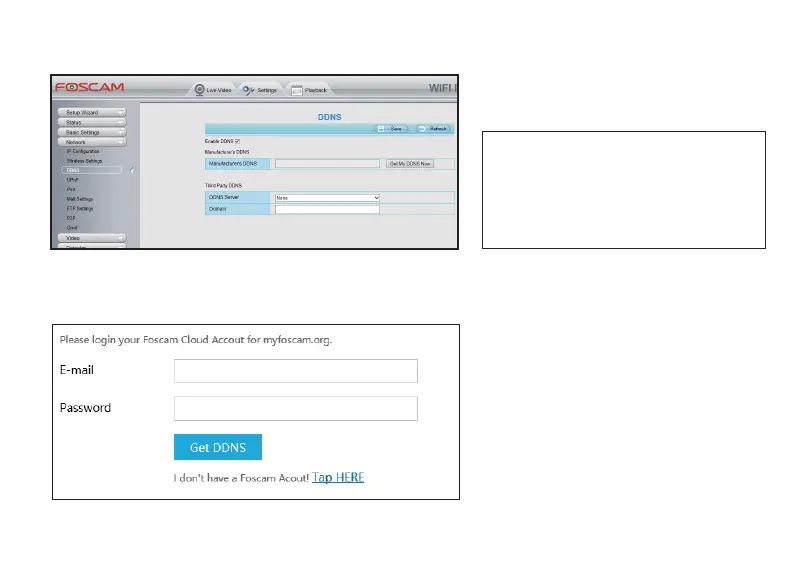
Step 2. Enable DDNS on your camera
Go to the Sengs > Network > DDNS
seng tag, check Enable DDNS.
NOTE: You can use Foscam DDNS server
(Foscam DDNS server is free for you), or you
can also select third party DDNS servers for
this seng (curently we can only support
some third partey DDNS servers, please check
the server list in DDNS Server secon).
Click Get My DDNS Now to start the Foscam DDNS applicaon process.
*During the applicaon process, you will
need to login with your Foscam Cloud
account, and this Foscam Cloud account
is the Foscam account you sign up via App;
*If you don’t have a Foscam Cloud account
yet, you can sign up one in DDNS
applicaon login page, or download the
Foscam App, which you can check the
details on Quick Start Guide.



 To Next Page