4
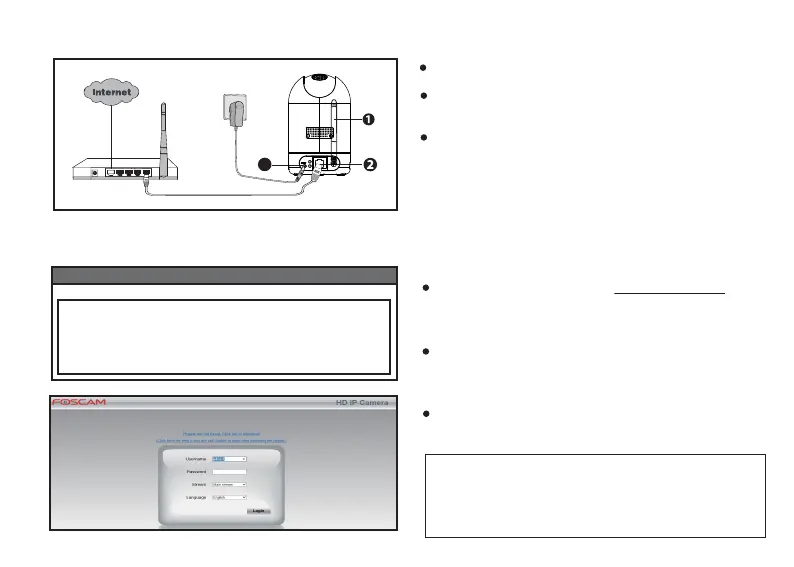
2.2.1 Hardware Installaon
3
Mount the antenna and make it stand vercally.
Connect the camera to the LAN network (Router
or Switch) via an Ethernet cable.
Connect the power adapter to the camera, and
wait for a few moments unl camera boots with
an automaca rotaon and a voice promot,
‘Wired connecon succeed’.
2.2.2 Connect to camera
Equipment Search Tool
Camera Name
P2 Hp://192.168.**.**:88 ************ IPC
IP Address Device ID Type
Visit Foscam official website ‘foscam.com/tools’, then
you can find the ‘Equipment Search Tool’; Download
it to your computer.
Open the Equipment Search Tool, and you will find
your camera in the device list if your camera and your
computer are connected to the same network.
Double click your camera, and your web browser
will be opened to the camera login page.
NOTE: If your computer runs the Windows OS, please
set the IE web browser as your default browser, or you
can copy the web address to this login page and open
it on your IE web browser.



 To Next Page