9
443
443
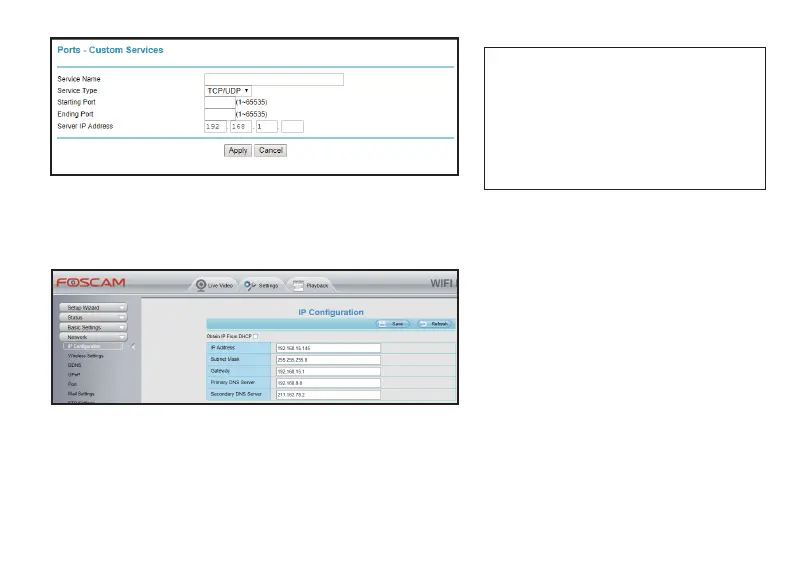
The default HTTPS port of your camera is
443; Server IP Address is the IP Address
your router assign to your camera; If you
need to access to several cameras remotely,
you will need to add different Port
Forwarding services and assign different
ports for each camera.
● Stac IP Address Sengs
Log in your camera via a web browser from a Local Area Network, go to the Sengs page, click Network
seng tag, and select IP Configuraon seng, uncheck the Obtain IP From DHCP and click Save:
* This IP Address is the one your router assign to
your camera, keep it as default;
* Change the Gateway to your router’s LAN IP
address;
* Change the DNS to 8.8.8.8 or keep it the same
as the Gateway.
3.1.3 Remote Access Methods
When your Port Forwarding Seng is successful, you can access to your camera remotely now!
There will be two remote access methods for you: WAN IP access and DDNS access.
● WAN IP Access Seng
You can type the WAN IP address in your web browser to get access to your camera, and the WAN IP address
would be:



 To Next Page