5
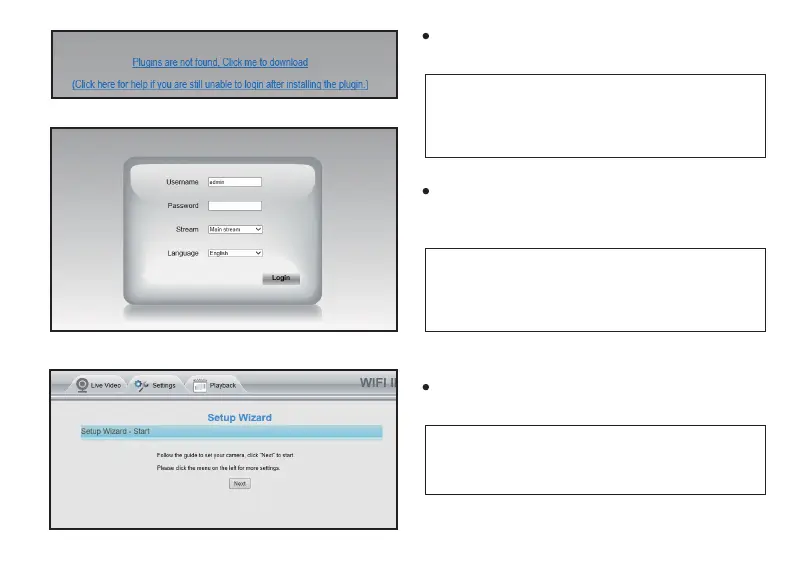
Donwload and install the plugins for your browser
(IPWebComponents.exe).
NOTE: During the plugins installaon, your browser will
be required to close, and aer installaon completed,
you will need to double click the camera in the search
tool list again.
Now you can log in your camera, the default
username is admin, and there is no password;
aer entering the default username, click Login.
NOTE: Aer you login the camera, you will be required
to change the username and the password for your
camera; Aer midifying, you can log into your camera
with this new username and password.
Aer login, there will be a Setup Wizard, which
will guide you to complete the camera setup.
NOTE: If you don’t want to do these sengs at this
moment, you can just click ‘ Next ’ to skip, and you can
update all of this sengs later in the camera system.



 To Next Page