16
● Configurate the WiFi from a Web Browser
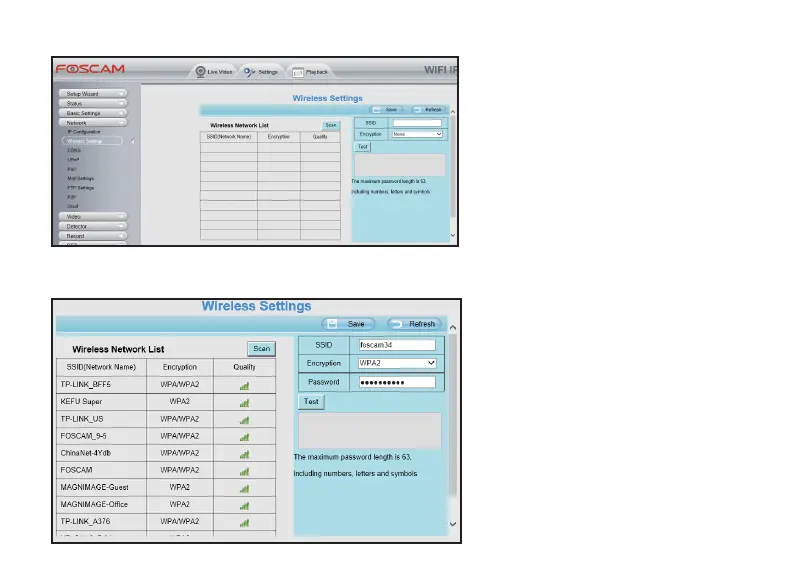
Access to your camera from a Web
Browser, and go to the Sengs page, click
Network tag, and select Wireless Sengs.
Step 1. Scan the available WiFi connecon
Click Scan buon on the Wireless Sengs
page, and the camera will start to scan all
the WiFi connecons; Aer the camera
done the searching, you will see a list of
wireless networks.



 To Next Page