140
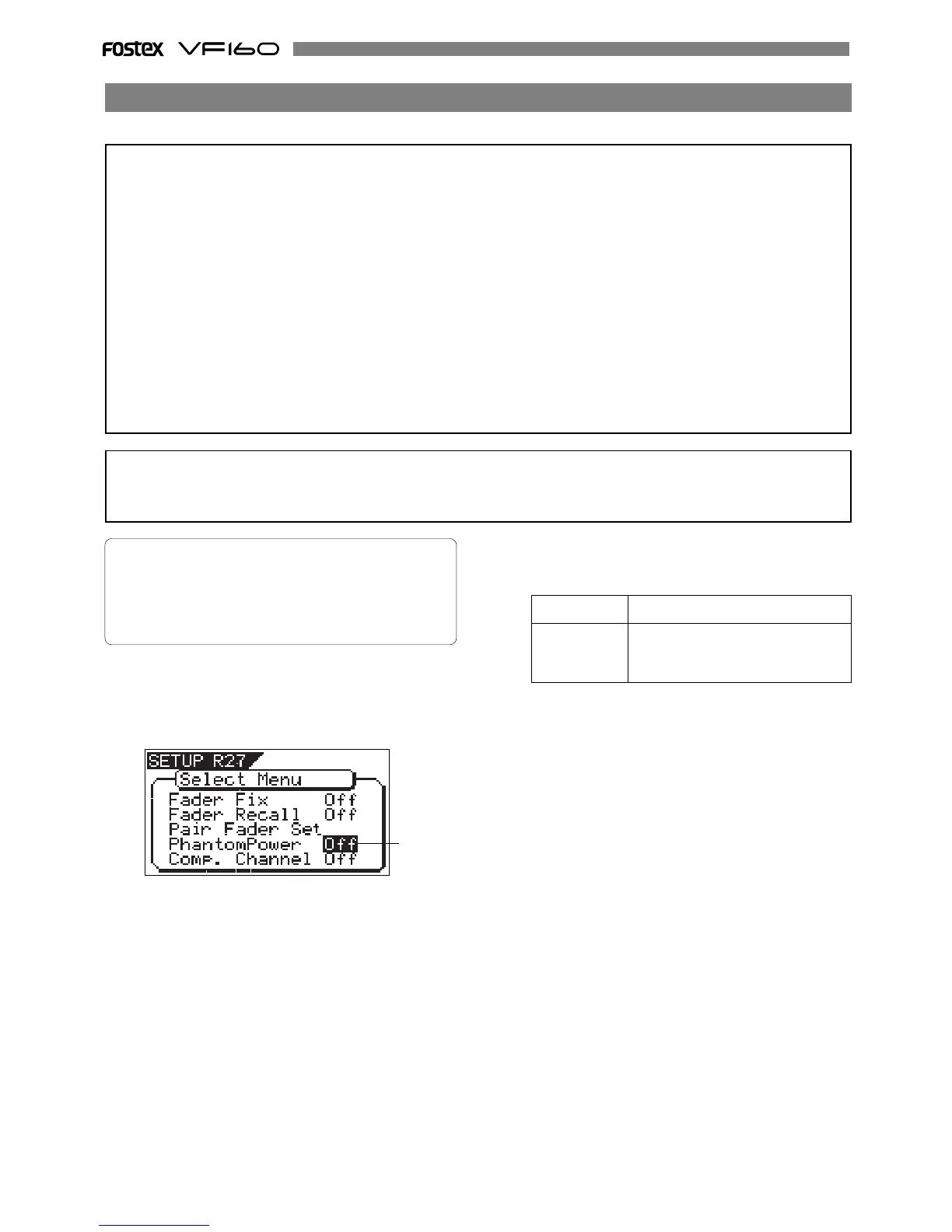
2. Select the desired item with the [JOG] dial and press the
[ENTER/YES] key.
The selected item will be set.
ON/OFF of phantom power provided at INPUT 7 and 8 (XLR-3-31) can be setup.
1. Select “Phantom Power” in the menu selection display and press
the [ENTER/YES] key.
The currently set will flash. “Off” will flash in the initial
setting.
3. Press the [EXIT/NO] key (or [STOP] key) to exit from the SETUP
mode.
Off (Initial setting) Phantom power will not be supplied.
On Phantom power is supplied to INPUT
7 and 8. The PHANTOM LED will be
lit.
<CAUTION!>
Do the following before using the phantom power:
• When connecting a condenser microphone to MIC INPUT 7 and 8 (XLR-3-31 type) of the VF160, be sure this
microphone requires phantom power (+48V).
• Switch ON the phantom power after connecting the condenser microphone.
• Always mute the VF160 output when switching ON-OFF the phantom power and when connecting or disconnecting
the microphone cable from the VF160.
• Always switch OFF the phantom power when connecting a dynamic microphone to INPUT 7 and 8 (XLR-3-31
type). Otherwise, a malfunction could occur.
Phantom power cannot be used with the following equipment:
• Unbalanced output microphones.
• High impedance microphones.
• In a microphone where there is voltage leak between pin 2/pin 3 and pin 1 of the microphone cable canon
connector.
• Old model ribbon microphones of the ground center tap output type.
• Initial setting: “Off”
• Options: “On” or “Off”
* You can set the value for each Program individually.
* The settings cannot be saved and loaded as part of
the song data.
* The settings are maintained after you turn off the
power to the VF160.
Flashing
On/Off of phantom power setting [“Phantom Power”]
<CAUTION!>
If the phantom power supply is switched ON, do not connect an unbalanced line dynamic type microphone to INPUT 7 or
INPUT 8. Be extremely careful of this as this could damage the internal microphone amplifier of VF160.



 To Next Page