17
Top Panel
Mixer Section
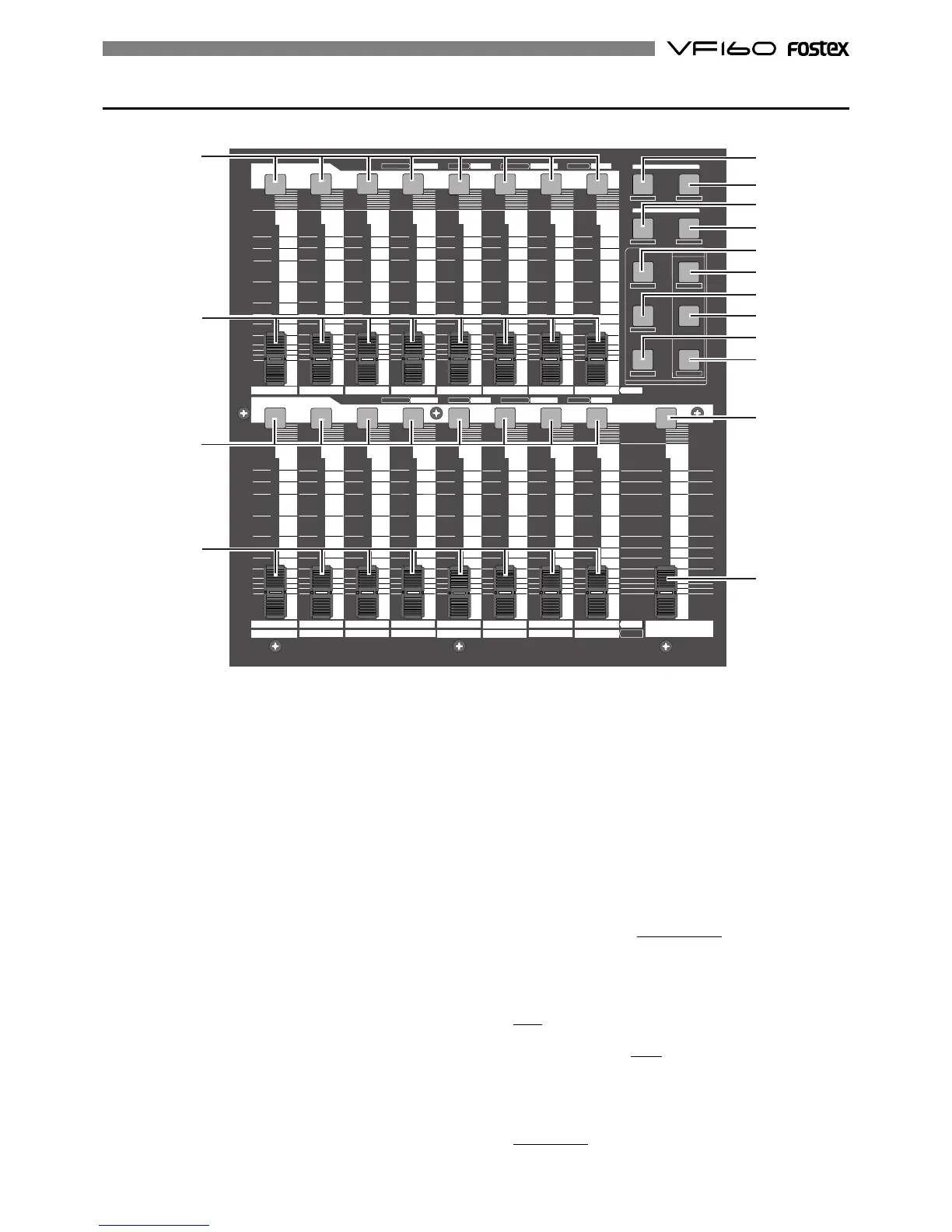
11. [CH STATUS/CH SEL] Key: channels 1-16
* ON/OFF key for each channel during normal display
(explained later).
* Select the channel to CHECK/CHANGE the setting with
([CH PARAM EDIT] Key (No. 17-22) when CHECKING/
CHANGING various PAN, equalizer and other mixer
parameters.
* Select the recorder track (1-16) for REC READY or REC
CANCEL (SAFE) status (flashing [REC ASSIGN-DIRECT]
key or [REC ASSIGN-BUSS] key]) when selecting the track
to record.
* Pressing the [CH STATUS/CH SEL] key alone switches
between on and off (mute) of the corresponding fader.
* Pressing this key while holding down the [SHIFT] key
switches between on and off the SOLO function.
* The flashing key illustrates the following STATUS:
[ORANGE]: The level of the input signals [INPUT] into input
A to H are adjustable. Only channels 9-16 are
adjustable with the fader.
[GREEN]: The level of the audio [TRACK (PLAY)] on the
track are adjustable with the fader. It will
continue to flash when the SOLO function is ON.
[OFF]: The signals to the fader are [MUTE] (no sound).
[RED]: The corresponding tracks (1-16) are READY (to
record). The [GREEN] and [RED] key will
alternately flash. The light will remain ON during
the recording process.
12. Channel Fader: channels 1-16
* The 1-8 channel faders are used to adjust the audio level
[TRACK] of tracks 1-8.
* The 9-16 channel faders are used to adjust the sound
level of signals input into A to H or audio levels [TRACK]
of 9-16. Use the [INPUT SEL] key to choose which level
to adjust.
13. [SCENE-RECALL/DIRECT RCL] Key
* This is used to recall the scene memory.
* Press this key while the [SHIFT] key is depressed for
direct scene memory recall.
* Simultaneously press this key and the [SCENE-STORE/
MAP] key to erase the scene memory.
14. [SCENE-STORE/MAP] Key
* This is used to store scene memory.
* Press this key while the [SHIFT] key is depressed to
CHECK/CHANGE the scene map.
* Simultaneously press this key and the [SCENE-RECALL/
DIRECT RCL] key to erase the scene memory.
CH PARAM EDIT
CH VIEWFADER
TRACK
LO-GPAN
PRE/POST
MID-G/F/Q
AUX1/AUX2
COMPPRE/POST
EFF1/EFF2 HI-G/F/Q
EQ/COMP
MUTE MUTE
EFF1 EFF2
EFF EDIT
MAP
DIRECT RCL
CLEAR
STORE
RECALL
SCENE
MUTEOFFPLAYGREENRECRED
INPUT
ORANGE
CH STATUS
CH STATUS/CH SEL
MUTE
OFFPLAYGREENREC
RED
INPUTORANGE
CH STATUS
CH STATUS/CH SEL
1
23
4
5
6
78
9
A
10
B
11
C
12
D
13
E
14
F
15
G
16
H
MASTER
TRACK
INPUT
-60
-50
-40
-30
-20
-10
0
+6
-60
-50
-40
-30
-20
-10
0
+6
-60
-50
-40
-30
-20
-10
0
+6
-60
-50
-40
-30
-20
-10
0
+6
-60
-50
-40
-30
-20
-10
0
+6
-∞
-∞
-∞
-∞ -∞
11
11
12
12
13
14
15
16
17
18
19
20
21
22
23
24



 To Next Page