143
• A warning message appears although it was only execu-
tion of copy-clip (or move-clip) ?
Correctly register the CLIPBOARD IN and OUT points.
The relation between CLIPBOARD IN point and OUT point
is "IN point<OUT point".
If it is registered in reverse relationship, copy-clip (or
move-clip) cannot be executed.
Having trouble Editing?
• Even though effect is selected for the sourc channel, ef-
fect cannot be applied ?
Raise the effect send level.
Initially, the effect send level of each channel will all be
at "0".
Select the channel for applying effect and raise the ef-
fect send level with the [JOG] dial. For details, read page
52.
• Cannot record external digital signals ?
• At playback of digital signals just recorded, sound pitch is
not normal ?
Record digital signals of sampling frequency identical
to that of the VF160.
The VF160 sampling frequency is 44.1kHz/16 bit. In a
sampling frequency other than 44.1kHz/16 bit, it will
be recorded with the wrong pitch. Time count will also
be incorrect.
• Ping pong recording cannot be executed ?
• When copy paste (or move paste) is executed, the sound
section located before head of the bar is missing ?
Use the ALIGN SEL function.
If the "ALIGN SEL" function is used at executing copy
paste (or move paste), the sound section located in front
of the bar head can be included at pasting.
Refer to page 74 for details.
• Cannot record analog signals ?
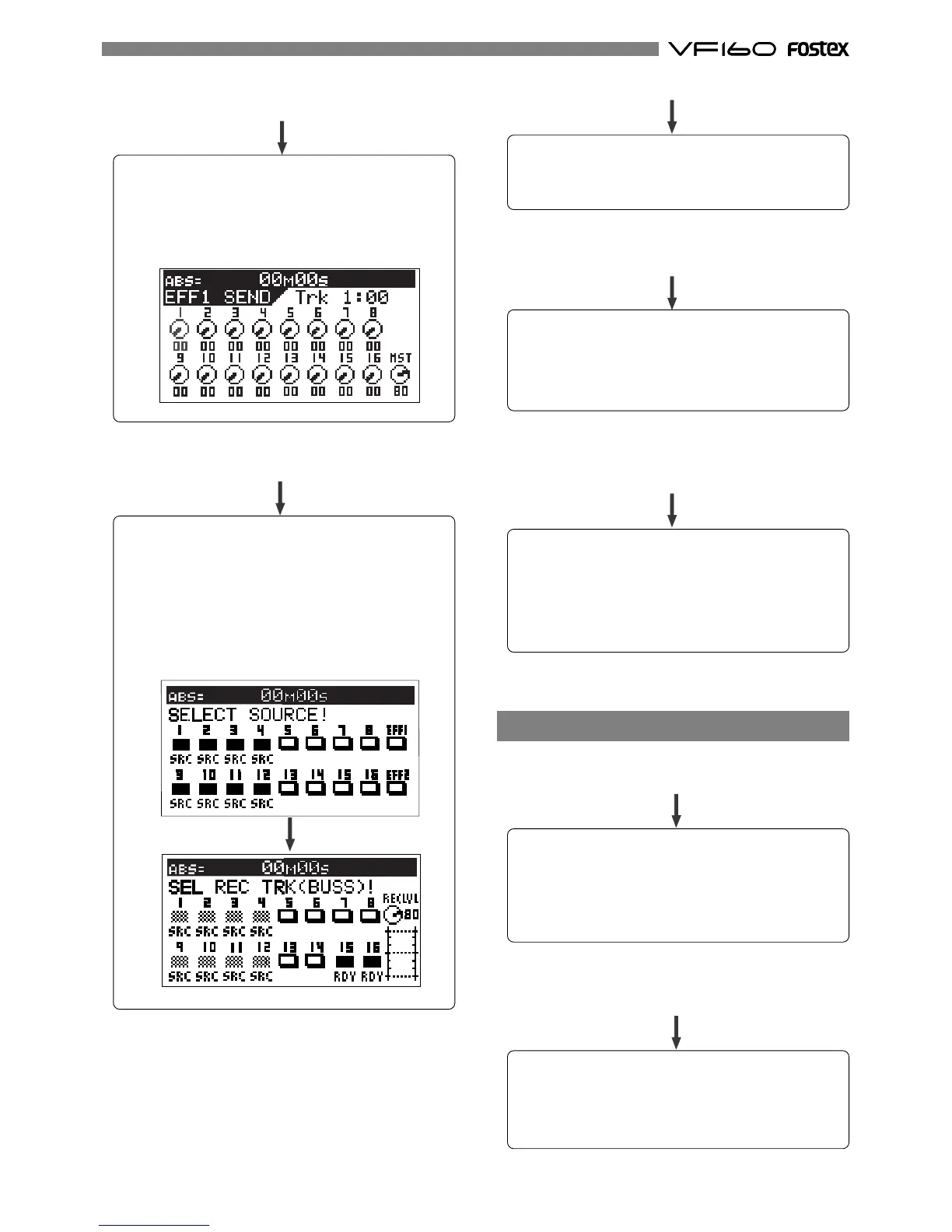
Is the playback track for ping pong set to source
channel?
Press the [BUSS-SOURCE] key and set the track for ping
pong to source channel.
Then, press the [BUSS-REC TRK] key and set the ping pong
objective track in the READY mode.
In the example below, tracks 1-4 and 9-12 are selected
for the source channel and their signals sent for ping
pong into tracks 15 and 16.
Match "Digital In" in the SETUP mode to the digital signal
(S/P DIF or adat) to be input.
Read page 134 for details.
Could the track about to be recorded still be set for
digital inputs ?
Analog signals cannot be recorded in a track set for
digital input by "Digital In" in the SETUP mode.
Reset the digital input to "Analog."



 To Next Page