146
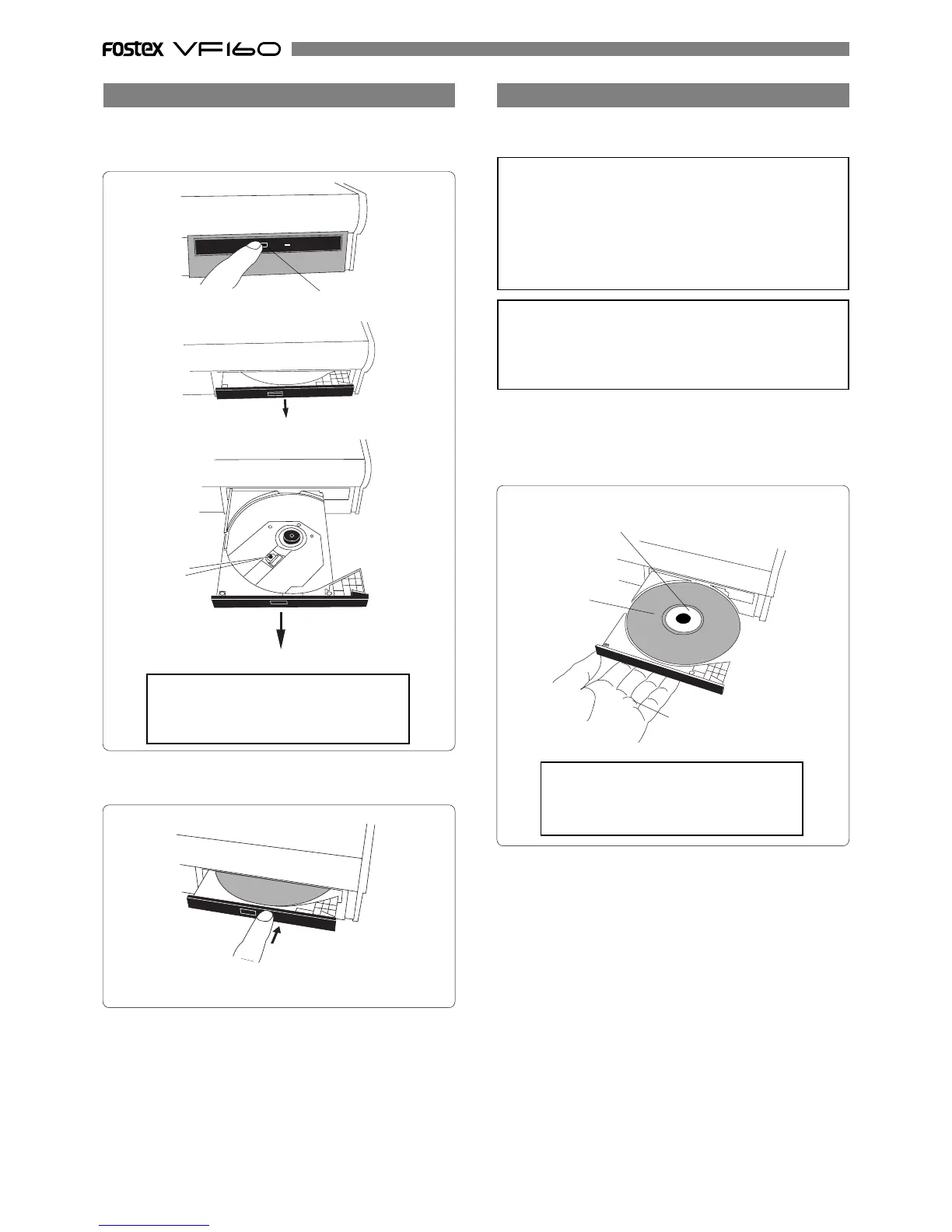
• To open the tray, press the eject switch lightly.
Pressing the switch will open the tray slightly.
Then pull out the tray gently by hand to fully open it.
Pull out the tray to fully open it.
Eject switch
The tray slightly opens.
Opening/closing the tray
• To close the tray, push the tray inside by hand until locked.
Push until it is locked.
<Caution!>
Do not touch the lens when pulling out
the tray, doing so may damage it and may
cause a malfunction.
lens
<IMPORTANT!>
When placing a disc on the tray, support the tray from
the bottom by your hand. If you push the disc to fit into
the pivot on the tray without supporting the tray, the
tray/drive may be damaged or broken. Also note that
the disc must be pushed until it clicks so that it is locked
into the pivot securely. Closing the tray without locking
the disc may damage the disc.
• Place the disc with the label side up.
When placing the disc, support the tray from the bottom by
your hand as shown in the illustration below, and push the
disc gently until it clicks so that the disc is locked into the
pivot.
disc
Support the tray from the
bottom by your hand.
Push the disc until it clicks so that the disc is locked
into the pivot.
<Note for removing a disc from the tray>
When removing a disc from the tray, also support the
tray from the bottom by your hand. Also be careful not
to unlock the disc from the pivot forcibly, which may
damage the tray.
Placing/removing a disc
The following are some notes on placing and/or re-
moving a disc.
<Caution!>
Do not touch the lens when placing a disc,
doing so may damaged may cause a mal-
function.



 To Next Page