123
<Warning message>
The warning message for copyright shown on the
screen is as follows.
Warning!
You are responsible for use of this digital device.
Be sure to abide by the copyright conditions of
the source material.
Press “Enter/Yes” key if you agree with the
above.
Loading from an audio CD
You can load a desired song to the unit from an audio CD you created by recording on a CD-RW/CD-R disc.
When a desired song is loaded, the unit automatically creates a new program on the current drive, and the song
are recorded on tracks 1 and 2 of the program. Loading data from an audio CD is operated via the “Load PGM”
menu in the Setup mode, which is the same way as loading backup data.
You can also load a material from a commercially
available audio CD in the same manner, however,
never use a material for which a copyright is re-
served for a commercial purpose.
Any unauthorized use will constitute infringement
of such copyright and will render the infringer li-
able to an action at low.
<Important note for copyright>
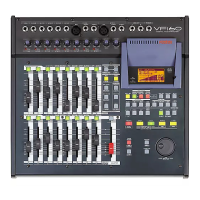
The following procedure is assumed that a CD-RW is
connected to the SCSI connector of the VF160 or the
optional CD-RW drive (CD-1A) is installed to the VF160
and you have an audio CD you made (or a
commercially available CD).
1. After turning on the power of both the VF160 and a connected
CD-RW drive, load a recorded audio CD disc to the CD-RW
drive.
2. Press the [SETUP] key to enter the Setup mode.
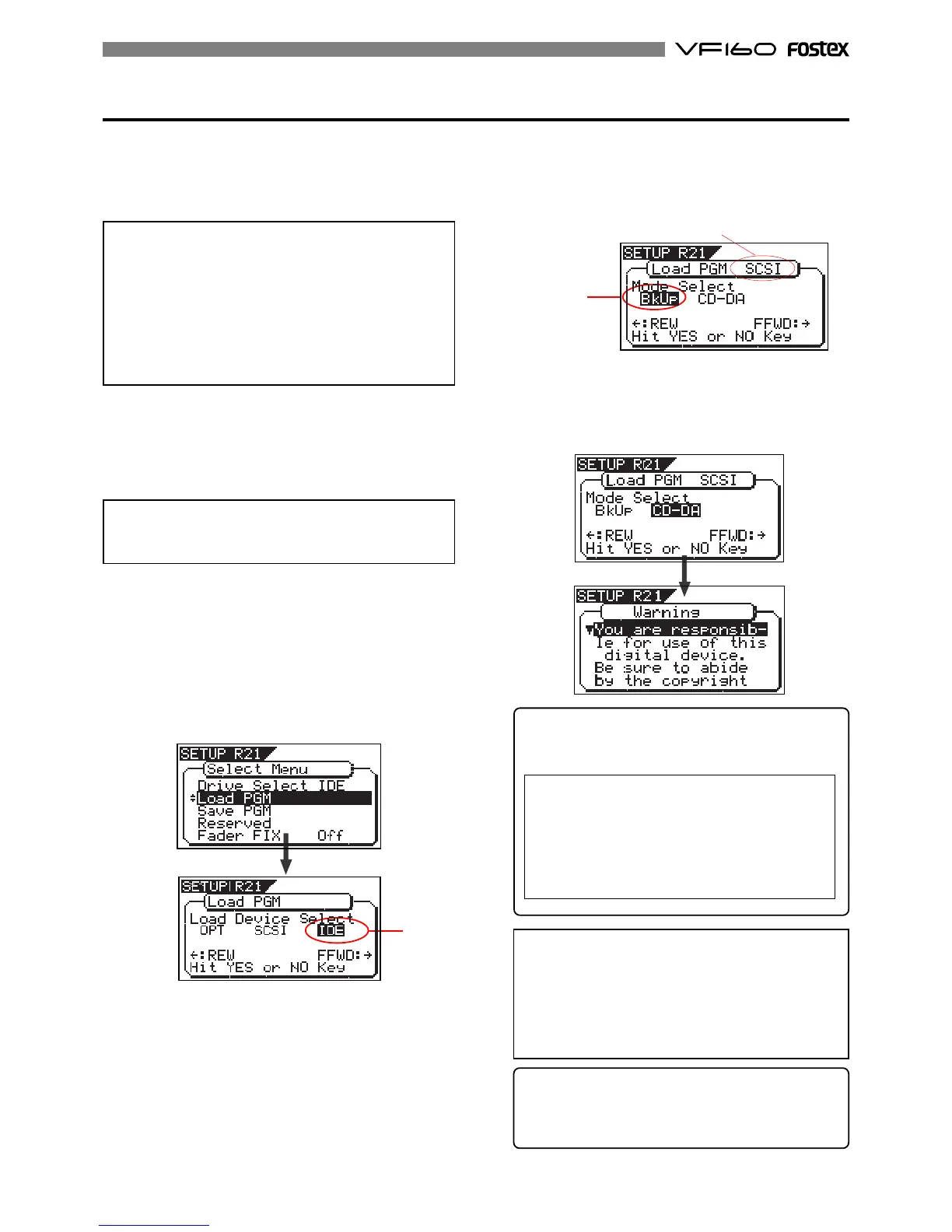
3. Use the [JOG] dial to select (highlight) the “Load PGM” menu
and press the [ENTER/YES] key.
The display shows the screen for selecting the device from
which the data is loaded. “IDE” flashes.
<Note>
Key operations of the VF160 should be done after com-
pleting access to a CD-RW/CD-R disc.
Flashing
Flashing
5. Use the [JOG] dial to select (highlight) “CD-DA”, then press
the [ENTER/YES] key.
A warning message for copyright appears.
You can scrolls the message to read all message by rotating
the [JOG] dial.
<Note>
If you do not agree with the warning message con-
tents, press the
[EXIT/NO]
key to quit loading.
The display briefly shows “
Set Disable
” and “
Can’t Load-
ing
”, then returns to the mode select screen.
If you agree with the warning message contents, go
to the next step to continue the operation.
<Hint>
When loading data using the S/P DIF digital signal,
the same message also appears after selecting the load
device to “SP DIF” and pressing the [ENTER/YES] key.
4. Press the [REWIND] key/ [F FWD] key to select "IDE" or
"SCSI" and press the [ENTER/YES] key.
Select "SCSI" if a SCSI-type CD-RW drive is used. Select
"IDE" if the optional CD-RW drive is used.
By pressing the [ENTER/YES] key, the display shows the
CD-RW drive name, and then changes to the load mode
select screen where "Bkup" (Backup) flashes.
To loading a song from an audio CD, select “CD-DA”.
"SCSI" or "IDE" is shown according to the drive used.


 To Next Page