Foundry Hardware Installation Guide for the FES, FESX, and FWSX
3 - 8 © 2008 Foundry Networks, Inc. December 2008
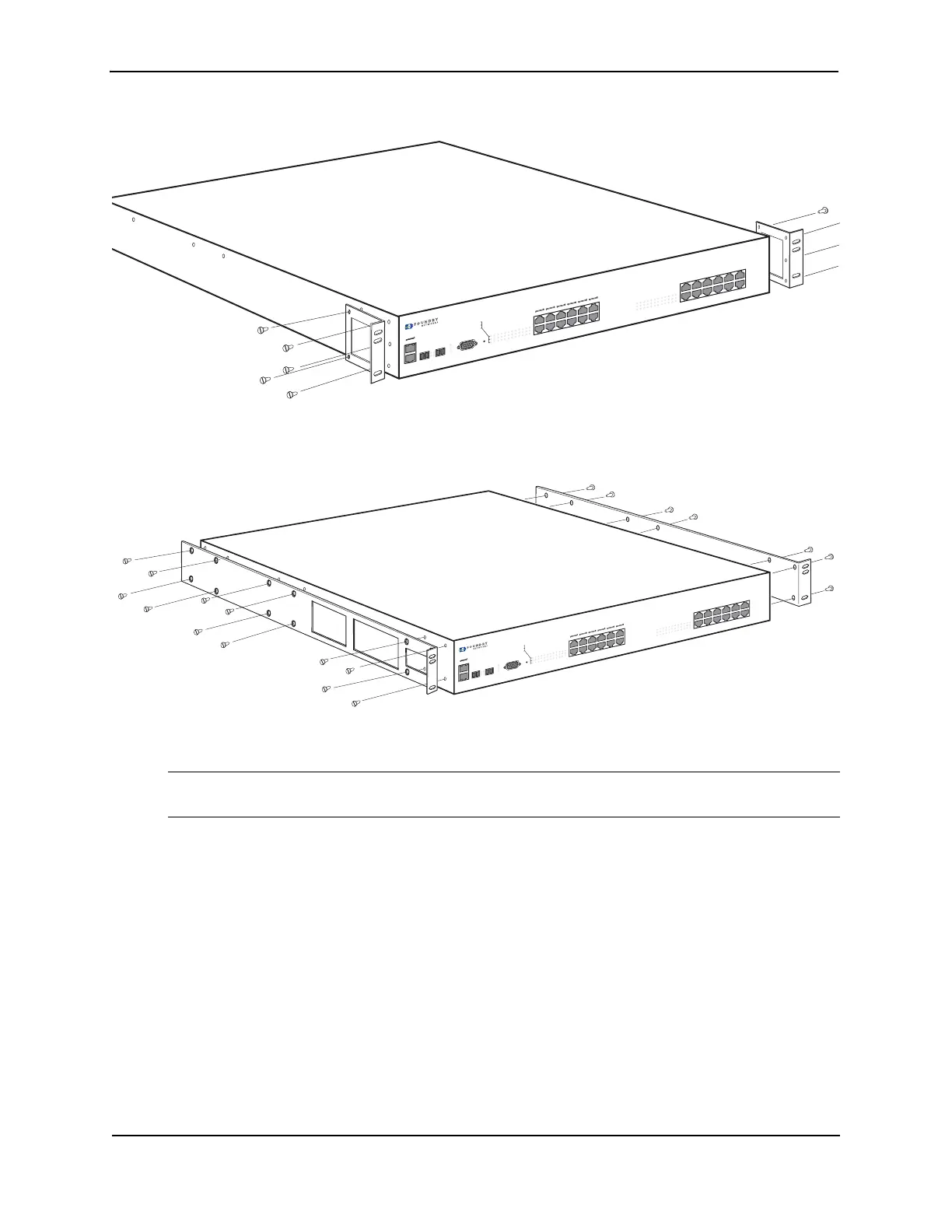
Figure 3.1 Attaching the Short Mounting Brackets
Figure 3.2 Attaching the Long Mounting Brackets
3. Mount the device in the rack as illustrated in Figure 3.3.
NOTE: Although Figure 3.3 shows a device with short mounting brackets, the procedure for securing a
device with long mounting brackets is the same.
C
ON
SO
L
E
P
O
W
E
R
P
S
1
P
S
2
A
C
T
L
I
N
K
2
5
F
2
6
F
FastIron Edge 2402 PO
E
1
2
3
4
5
6
7
8
9
1
0
11
12
2
4
17
1
4
15
16
1
8
2
3
1
9
2
0
2
1
2
2
1
3
1
2
5
2
3
4
6
1
1
7
8
9
1
0
1
L
ink
/
A
c
t
F
DX
P
o
w
e
r
2
5
C
26
C
C
ON
SO
L
E
P
O
W
E
R
P
S
1
P
S
2
A
C
T
L
I
N
K
2
5
F
2
6
F
FastIron Edge 2402 POE
1
2
3
4
5
6
7
8
9
1
0
11
12
2
4
17
1
4
15
16
18
2
3
1
9
2
0
2
1
2
2
1
3
1
2
5
2
3
4
6
1
1
7
8
9
1
0
1
L
ink
/
A
c
t
F
DX
P
o
w
e
r
2
5
C
26
C
C
ON
SO
L
E
P
O
W
E
R
P
S
1
P
S
2
A
CT
L
I
N
K
2
5
F
2
6
F
FastIron Edge 2402 POE
1
2
3
4
5
6
7
8
9
1
0
11
12
2
4
17
1
4
15
16
18
2
3
1
9
2
0
2
1
2
2
1
3
1
2
5
2
3
4
6
1
1
7
8
9
1
0
1
L
ink
/
A
c
t
F
DX
P
o
w
e
r
2
5
C
26
C



 To Next Page