Foundry Hardware Installation Guide for the FES, FESX, and FWSX
A - 4 © 2008 Foundry Networks, Inc. December 2008
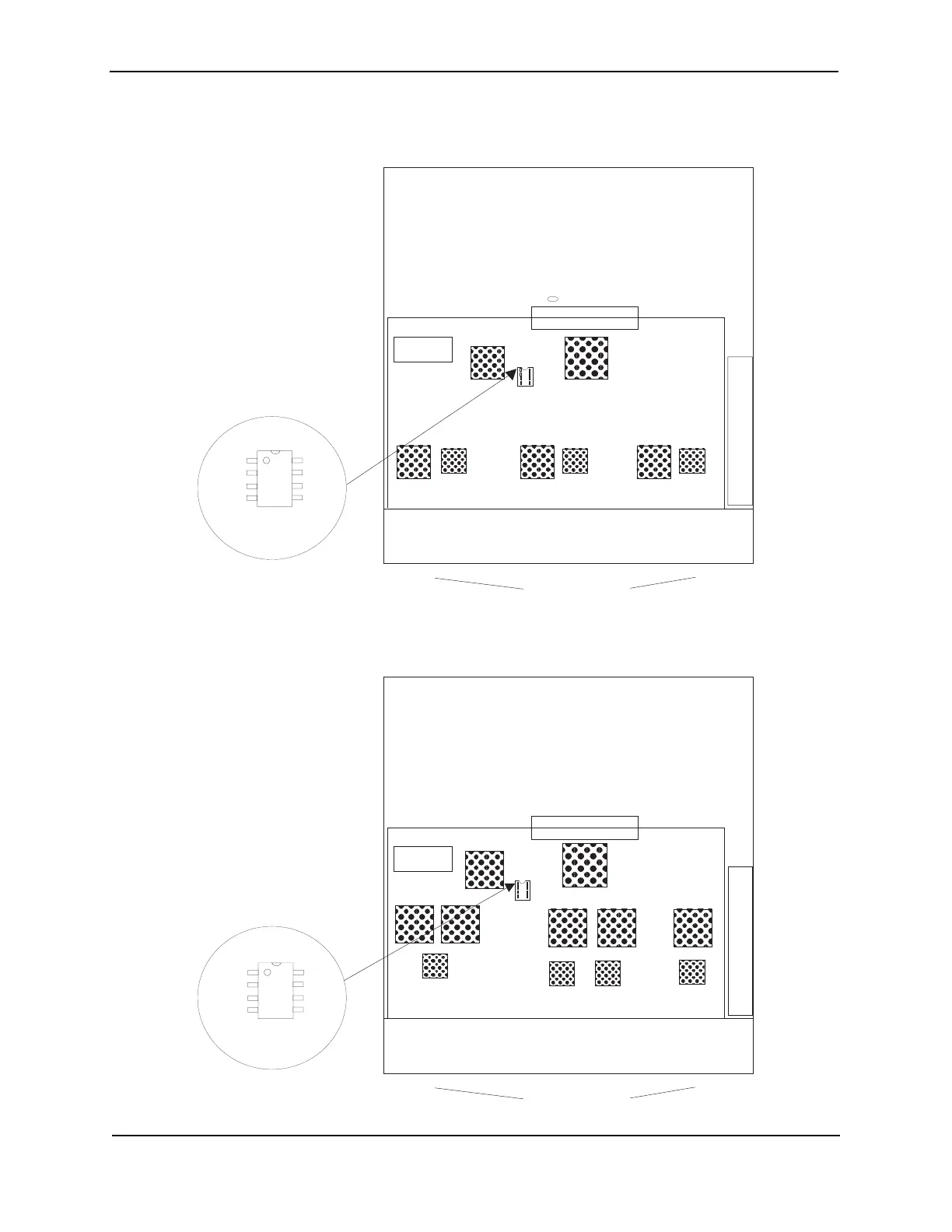
Figure A.2 DIP Key Insertion for FES12GCF
Figure A.3 DIP Key Insertion for FES2402 and FES2402-POE
Rear
Port Connectors
Memory
U21
Fan
CAUTION: PIN 1
MUST GO HERE!
If you accidentally insert
the upgrade DIP backwards,
the device will not work and
may be damaged when you
power it on.
DIP key
for upgrade
Pin 1
Rear
Port Connectors
Memory
U22
Fan
CAUTION: PIN 1
MUST GO HERE!
If you accidentally insert
the upgrade DIP backwards,
the device will not work and
may be damaged when you
power it on.
DIP key
for upgrade
Pin 1



 To Next Page