13
Premier Diagnostic Platform i70Pro User's Manual V1.01
IMPORTANT
Do not use solvents such as alcohol to clean display. Use a mild nonabrasive
detergent and a soft cotton cloth.
2.2 VCI Dongle Descriptions
i70Pro connects to the vehicle and get data through the VCI dongle either by
Bluetooth or USB communication.
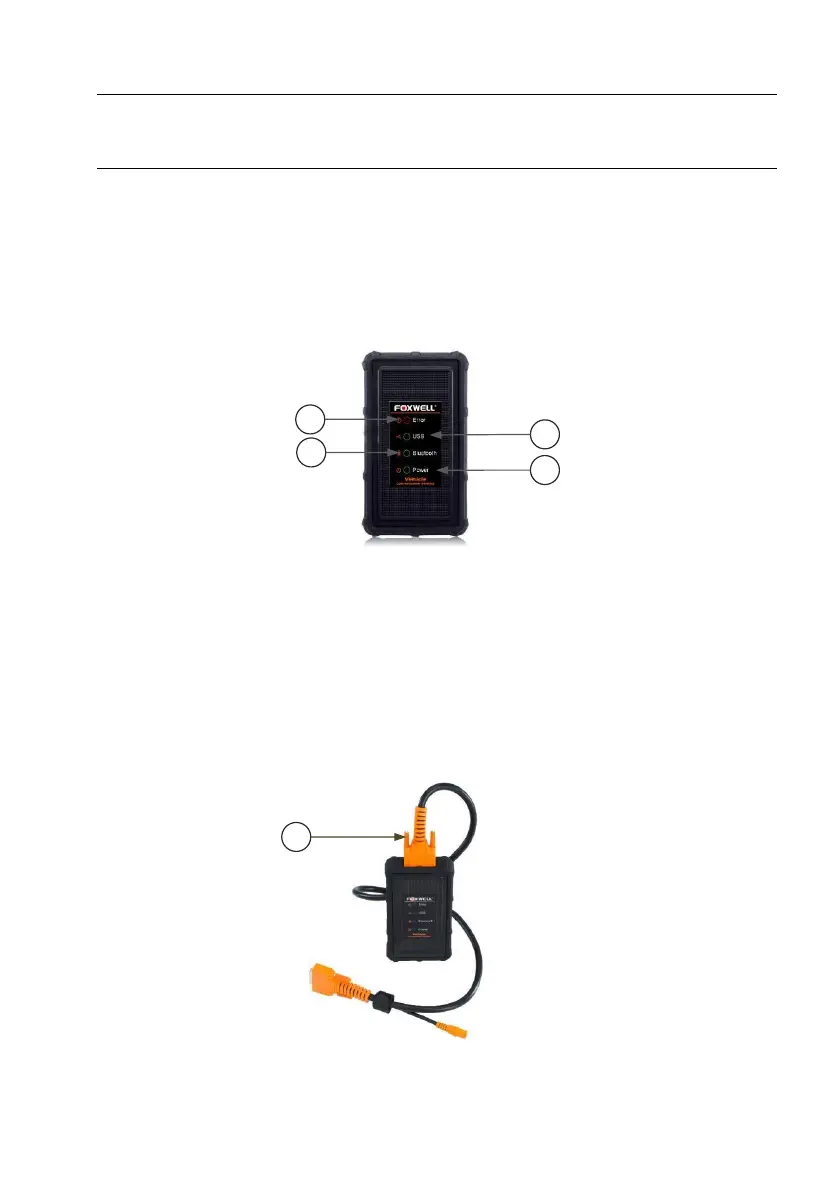
Figure 2-5 Front View of VCI dongle
1 Error Light - illuminates constantly when serious hardware failure occurs.
2 USB Light - turns green when the VCI dongle is properly connected and
communicating with the i70Pro tablet via USB cable.
3 Bluetooth Light - turns green when the VCI dongle is properly connected
with the i70Pro tablet via Bluetooth communication.
4 Power Light - turns to green when powered on.
Figure 2-6 Top View of VCI














 To Next Page