24
Premier Diagnostic Platform i70Pro User's Manual V1.01
prompts and make a series of choices. Each selection you make advances
you to the next screen. Exact procedures may vary somewhat by vehicle.
It typically identifies a vehicle by any of the following means:
●
VIN Reading
● Manual Selection
● History Records
NOTE
Not all identification options listed above are applicable to all vehicles.
Available options may vary by vehicle manufacturer.
4.1 VIN Reading
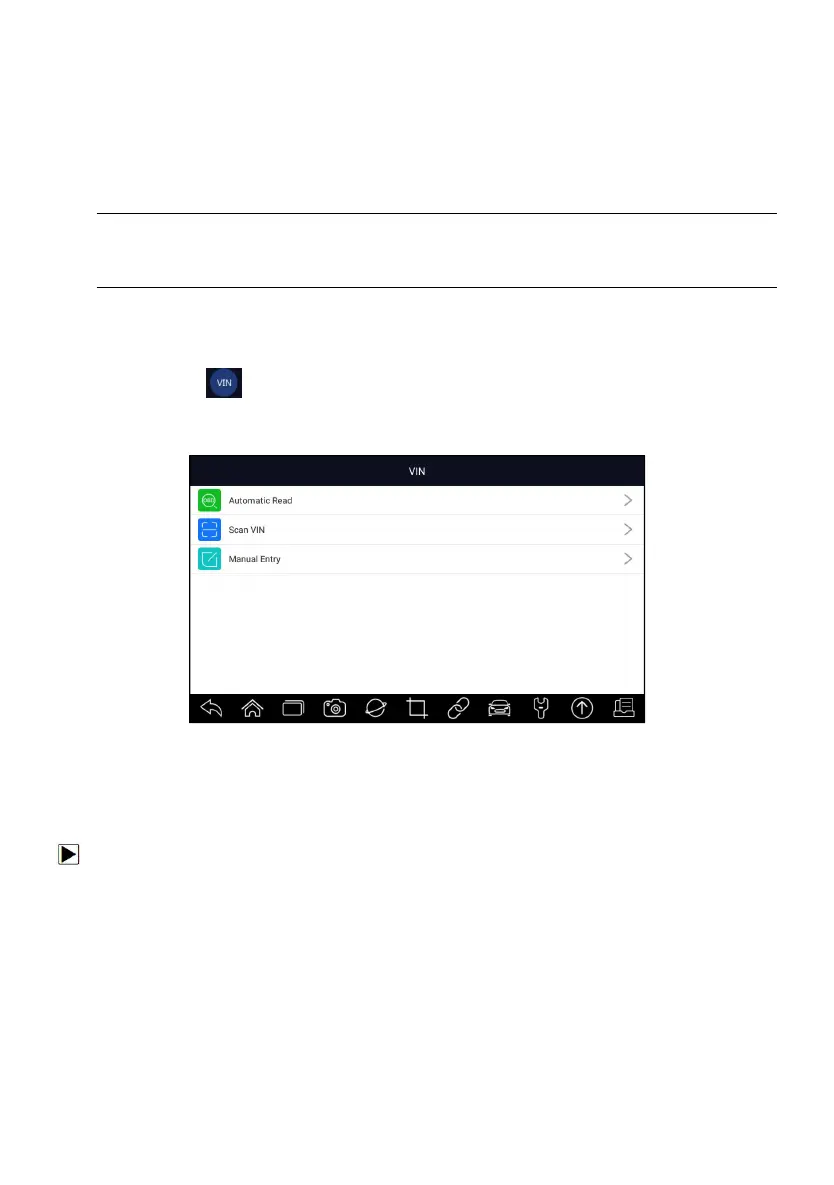
VIN button on the title bar is a shortcut for VIN reading menu, which
includes Automatic Read, Scan VIN and Manual Entry, eliminating the need
for navigating through complicated car identification process.
Figure 4-1 Sample VIN Hotkey Screen
4.1.1 Automatic Read
Automatic Read allows to identify a vehicle by automatically reading the
vehicle identification number (VIN).
To identify a vehicle by Automatic Read:
1. Select Diagnostic from home screen of the i70Pro application.
2. Click VIN and choose Automatic Read from the option list.














 To Next Page