20
Premier Diagnostic Platform i70Pro User's Manual V1.01
Figure 3-6 Sample VCI Indicator Status Screen
NOTE
If the VCI Indicator isn’t green, it indicates that the signal strength of the
transmitter is too weak to be detected. In this case, try to get closer to the
device, or check the connection of VCI dongle, and remove all possible
objects that cause signal interference
3.3.1.2 USB Communication
The USB connection is a simple and quick way to establish communication
between the tablet and the VCI dongle. Connect the dongle and tablet with
the USB Type B cable, and the VCI Indicator will turn green, indicating the
dongle has connected to the tablet.
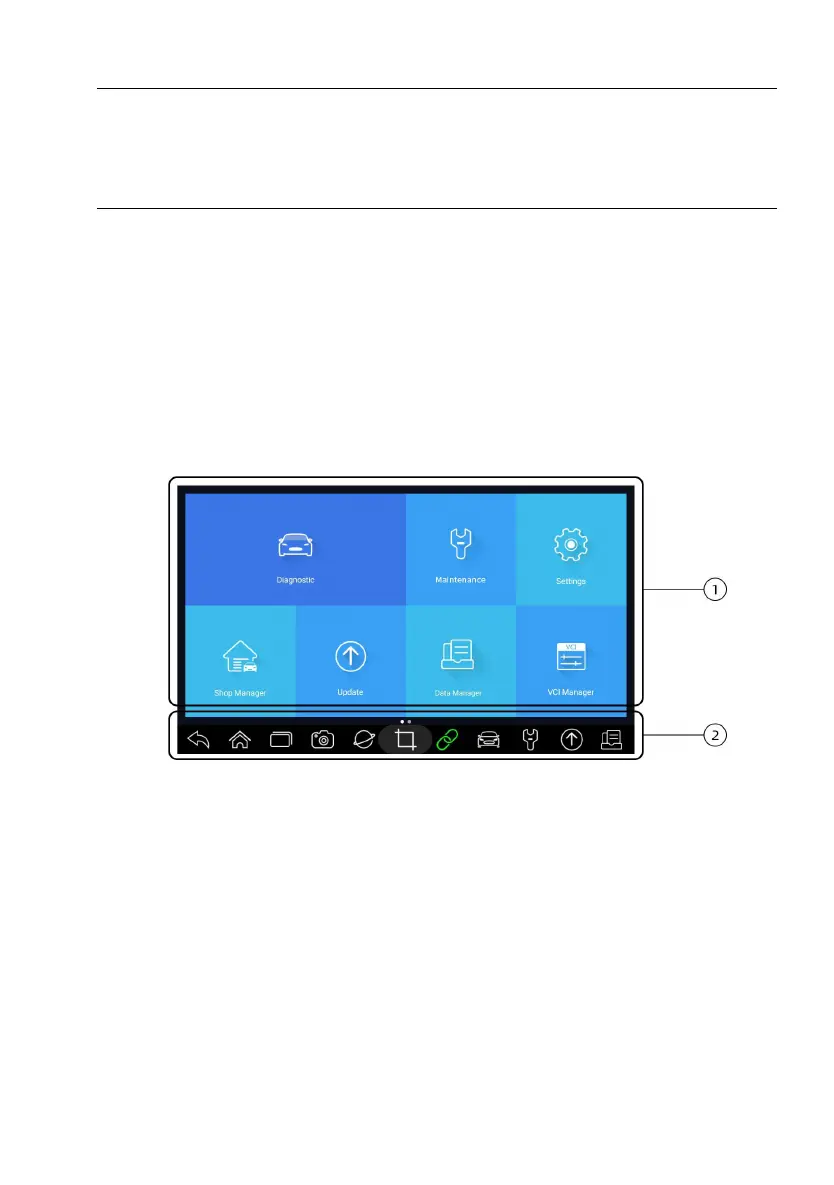
3.4 Screen Layout of Home Screen
When the tablet boots up, press the i70Pro desktop icon to launch the
diagnostic application.
Figure 3-7 Sample Home Screen
1. Application Menu
2. Navigation Toolbar














 To Next Page