PostBase mailing system with Dynamic Scale
20
Installing the print system
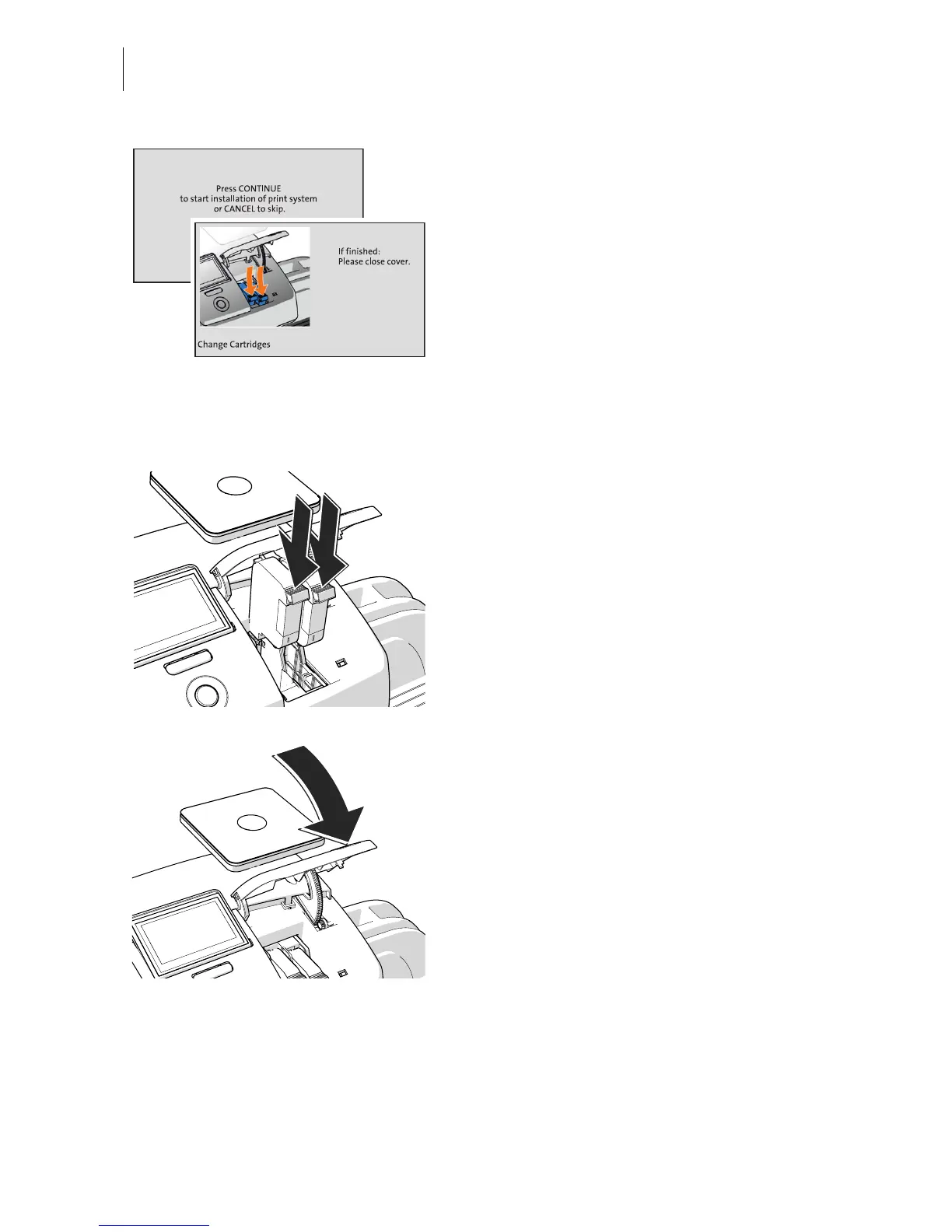
• Start the procedure for inserting and align-
ing the ink cartridges with the C
ONTINUE
button.
PostBase opens the flap of the print system.
• Take the ink cartridges out of the packing.
• Shake each cartridge vigorously six times.
Pigments, which may have settled, thus
immingle optimally.
• Remove the protective strip from the ink
cartridges.
• Hold the ink cartridges so the contacts are
facing to the rear of the franking machine.
• Insert the ink cartridge into the socket.
• Push the ink cartridge all the way down.
You can feel the ink cartridge engage.
• Insert the second ink cartridge in the same
way.
• Close the flap of the print system by push-
ing it down on the lower right corner.



 To Next Page