Installation and commissioning
21
PostBase calibrates the ink cartridges and
prompts you to perform a test print to align
the ink cartridges.
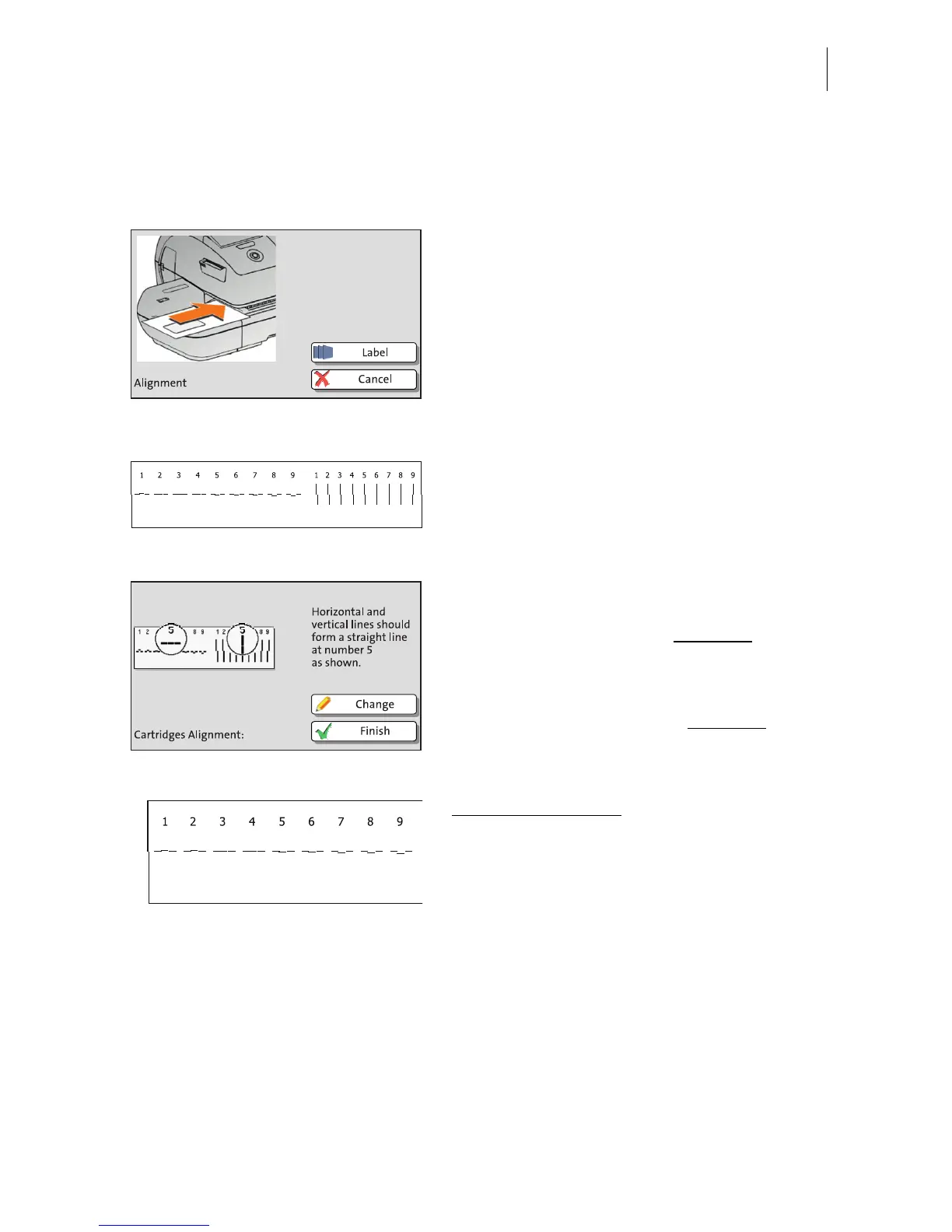
• Feed an empty envelope.
PostBase feeds the envelope, prints a test
print, and and exits the envelope to the right
side.
Test print (example) • On the test print, determine the numbers
where
– the horizontal lines are as exactly next to
each other as possible and
– the vertical partial lines are as exactly
above each other as possible.
The ink cartridges / print heads are correctly
aligned when horizontal and vertical partial
lines form one line each at number 5
.
• Press F
INISH to quit the procedure.
When horizontal and / or vertical partial lines
do not form one line each at number 5
:
• Press C
HANGE to continue the alignment
procedure.
Horizontal alignment
:
• Type the number where the horizontal par-
tial lines are as exactly next to each other
as possible.
In the example, this is number “4”.
(If necessary: Press CE to clear the dis-
played number.)
• Confirm with C
ONTINUE.



 To Next Page