1. The meter
does not
enter test
mode after
inserting a
test strip.
• Test strip is inserted
upside down, or bottom
end in, or not fully
inserted into the meter
1. Insert test strip print side up, top end in.
• No battery is installed
• Battery is installed
incorrectly
1. Install battery with (+) facing up.
• Dead battery 1. Replace battery. Reset date and time, if
necessary.
2. If meter still does not enter test mode,
contact Customer Care.
• Defective test strip or
meter
• Blood or foreign objects
put in the test strip port
1. Contact Customer Care.
English
English
Contact Customer Care Toll Free at 1-888-522-5226 www.MyFreeStyle.com
21-22 1:29 PM
21
22
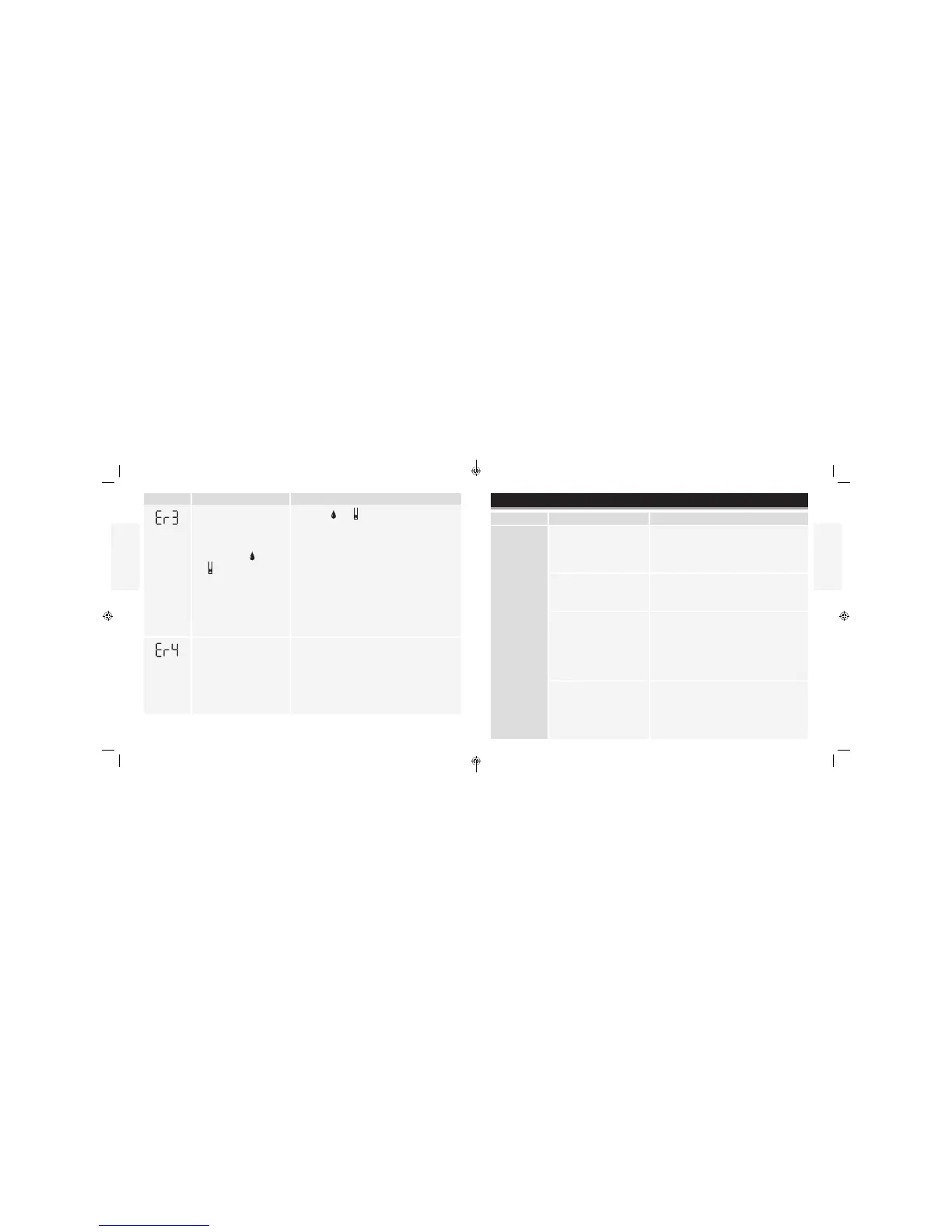
Message What It Means What To Do
• Incorrect test procedure.
For example, putting
blood on the test strip
before inserting it into
the meter or applying
blood before
and
appear
• There may be a problem
with the test strip
• Meter error
1. Wait for and to appear before applying
blood or control solution.
2. Perform a control solution test using a new
test strip. If the test results are within the range
printed on the test strip vial, retest using blood
and a new test strip.
3. If the control solution result is out of range or the
error reappears, contact Customer Care.
• There may be a problem
with the test strip
• Meter error
1. Perform a control solution test using a new
test strip. If the test results are within the range
printed on the test strip vial, retest using blood
and a new test strip.
2. If the control solution result is out of range or the
error reappears, contact Customer Care.
Troubleshooting
What It Means What To Do
11/9/16ART22813-003_rev-A.indd



 To Next Page