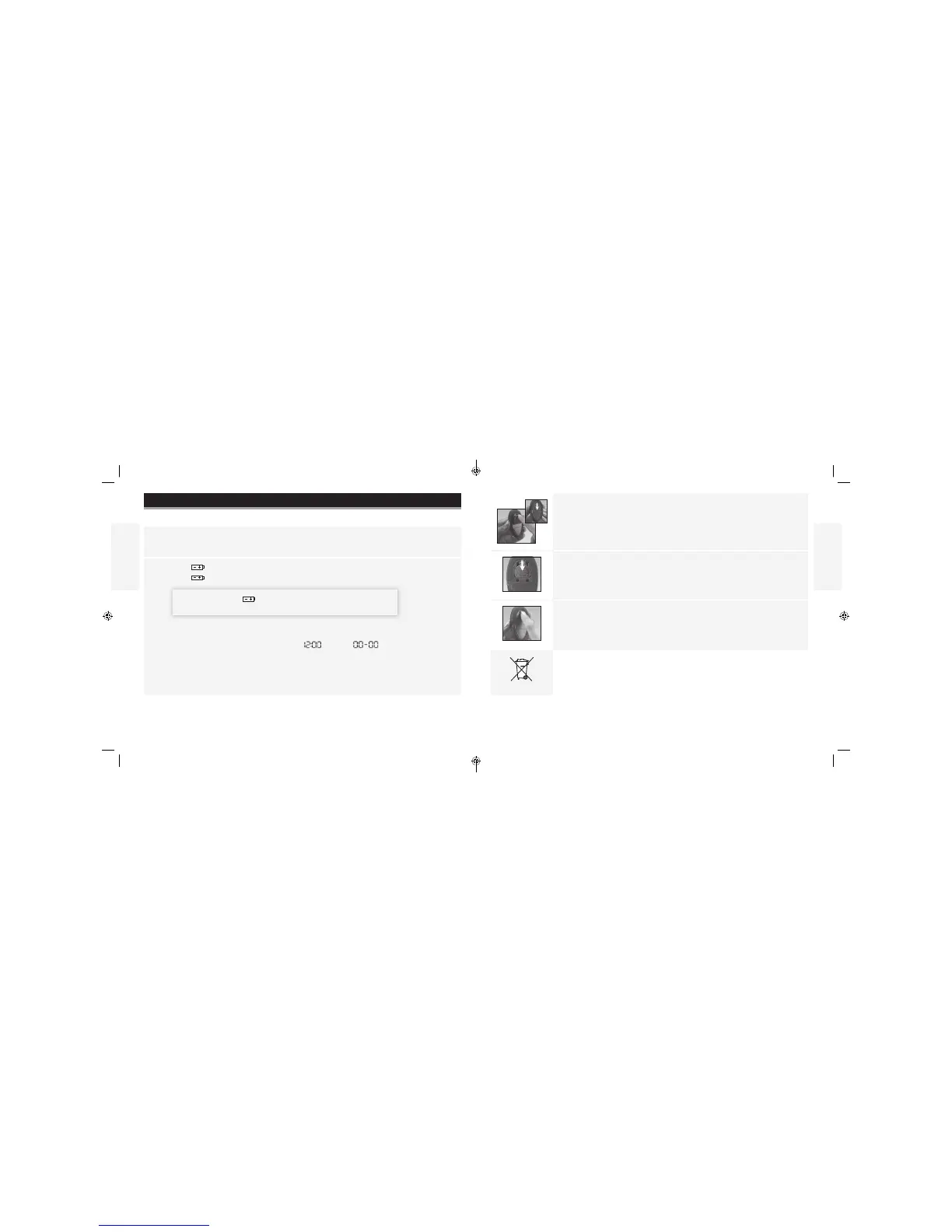
1. Press in the battery door clip and move the battery door away from
the meter.
2. Push the battery toward the bottom of the meter to remove it.
3. Insert a new battery: (+) facing up.
4. To close, angle the battery door back onto the meter and snap into place.
Note: The battery in this product should be removed and disposed in accordance
with local regulations for separate collection of spent batteries.
English
English
Contact Customer Care Toll Free at 1-888-522-5226 www.MyFreeStyle.com
Maintaining the Meter
Replacing the Battery
The meter comes with a #2032, 3-volt, lithium battery installed. It provides power for about
500 tests.
• When appears on the display, the battery is low.
• When appears, the display light and test light dim, or fail to turn on.
IMPORTANT: When appears, or when the display light and test
light dim, replace the battery immediately.
• When you are ready to install a new battery, remove the old battery and install the new
battery within 60 seconds to avoid losing time and date settings.
• If time and date settings are lost, both time and date will ash until reset.
Reset time and date to get the correct 7-, 14-, and 30-day averages. If the time and date
settings are lost, you may still perform an accurate blood glucose test.
• Memory log and previously stored user settings, such as date and time format, are not
aected by removing the battery.
33
34
ART22813-003_rev-A.indd 33-34 1:29 PM11/9/16



 To Next Page