995367 – Revision A Page 17 of 39
Step 4 - Remove the cable from any clips that are routing it along the Hoist.
Refitting / Replacement
Step 5 - Refitting is a reversal of the removal process noting the following points:
A) When fitting the Cable into the Actuator port, ensure the locator is facing away from
the Actuator.
9.2.3 – Cable – Leg Actuator
Removal
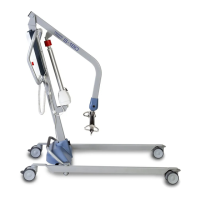
Step 1 – Remove the Jack End of the Cable which ports the Control Box by pulling
downward. (This is the port on the right hand side of the Control Box as shown in the image)


 To Next Page