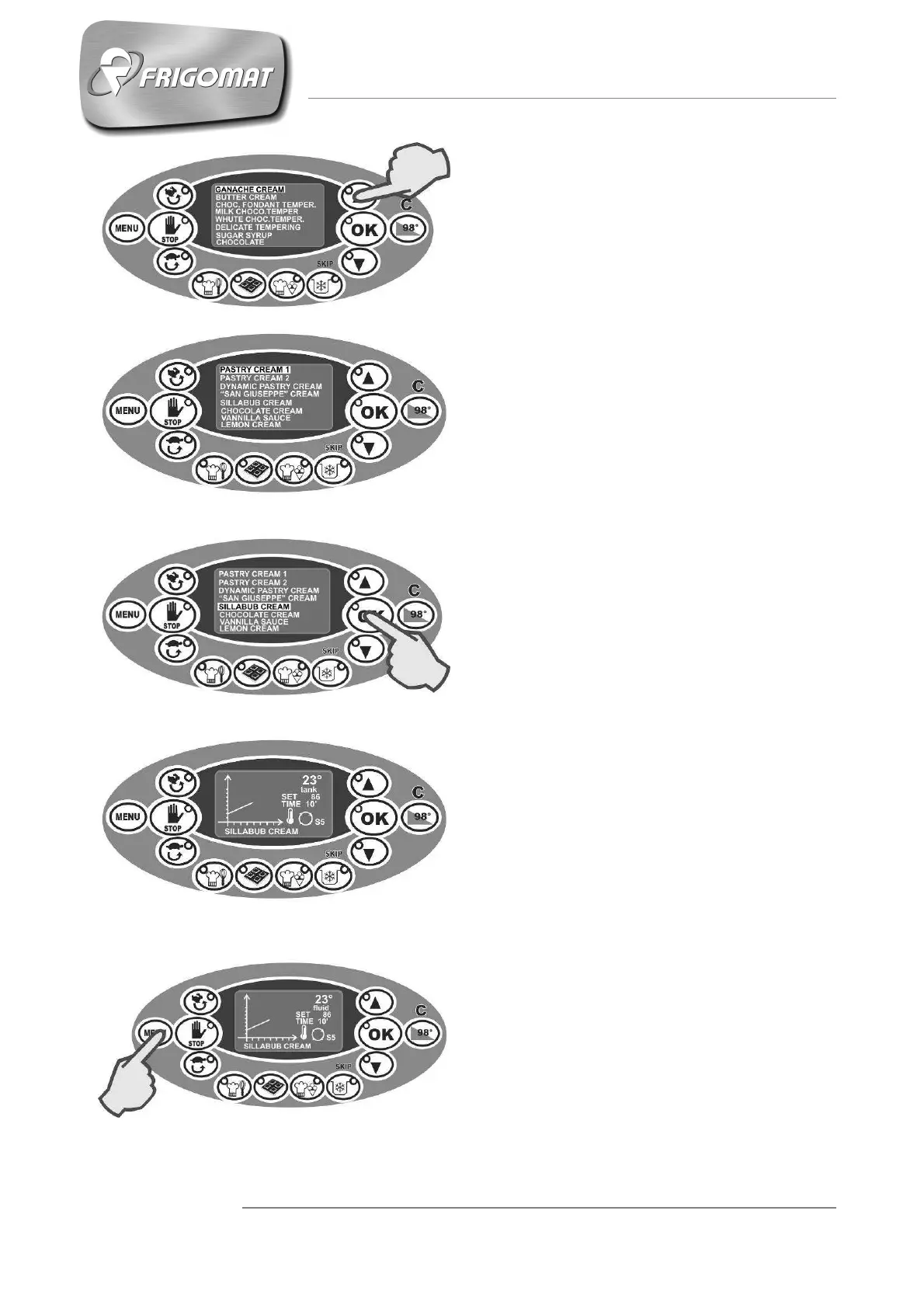
When the first recipe on a page has
been selected, pressing “UP”
accesses the previous page (fig.6-7).
When the desired recipe has been
selected, for example “SILLABUB
CREAM” as in the figure, press “OK”
to start the corresponding cycle
automatically (fig.8).
During execution of the selected
recipe, along with information
regarding temperature, stand-by time
and stirring, the cycle graphic is traced
in real time (fig.9).
During execution of a recipe, if you
press “MENU”, the display of the
temperature of the product in the tank
is replaced by the temperature of the
fluid of the water bath system (fig.10).
During any phase of execution of a
recipe, pressing “STOP” cancels the
cycle in progress and stops the
machine.
Fig.6
Fig.7
Fig.8
Fig.9
Fig.10











 To Next Page