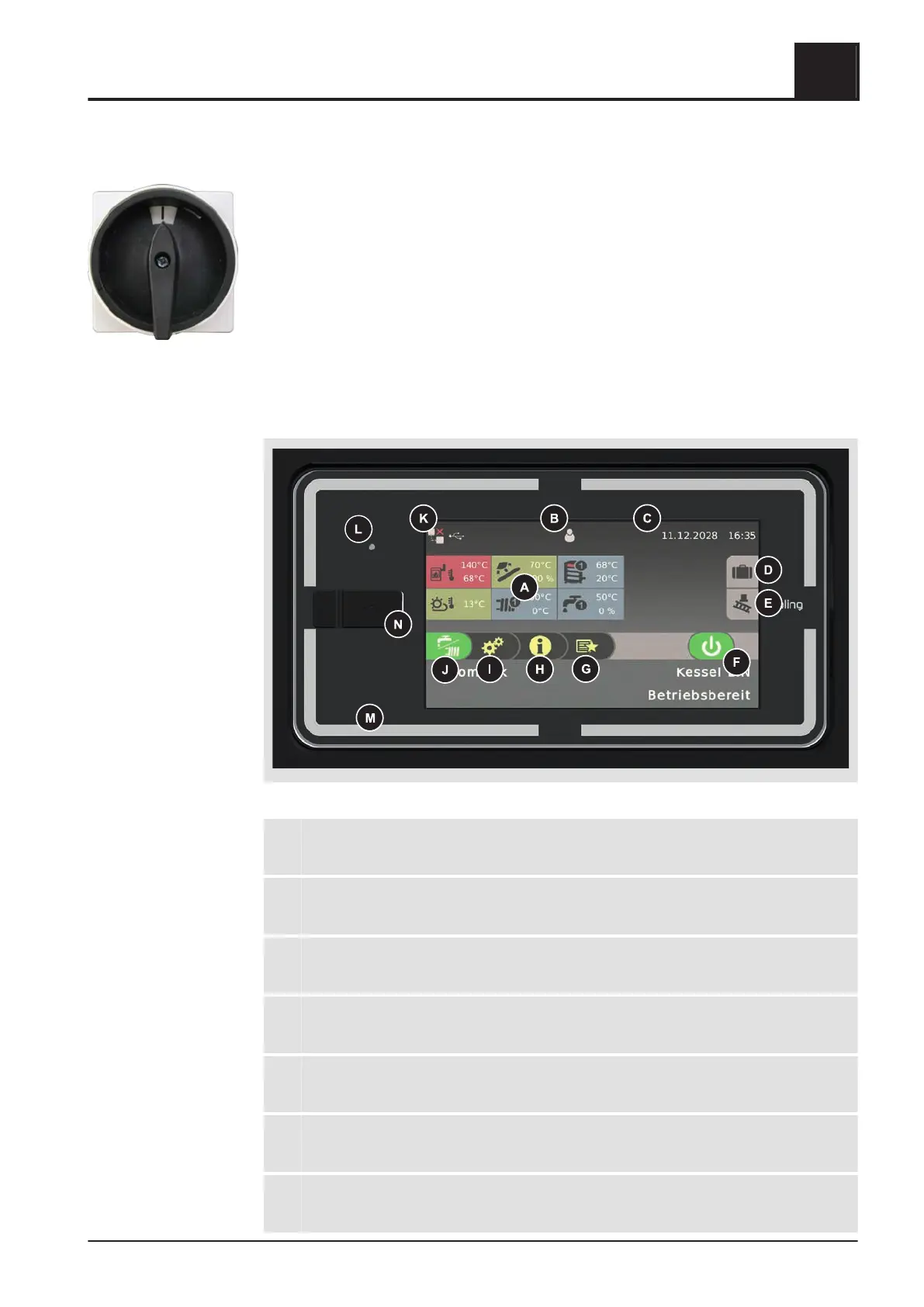
4.3 Switching on the power supply
❒ Turn on the main switch
➥ There is voltage at all of the boiler's components
➥ When the control has completed the system start, the boiler is ready for
operation
4.4 Operate the boiler using the touch display
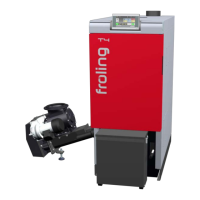
4.4.1 Overview of the touch display
A Display of freely selectable information
⇨ See "Select information displays" [page
35]
W Display and change the current user level
⇨ See "Lock display/switch user level" [page
44]
C Display and change the current date/time
⇨ See "Change date and time" [page 39]
D Holiday program
⇨ See "Configure the holiday program" [page
45]
E Chimney sweeper function
⇨ See "Emissions measurement by chimney sweep or regulatory body" [page
70]
F Display of current operating status, boiler ON/OFF
⇨ See "Switch boiler ON/OFF" [page 37]
G View available functions in the quick menu
⇨ See "Quick menu" [page 34]
Operating the System
4
Switching on the power supply
Operating Instructions T4e | B1560520_en 29





 To Next Page