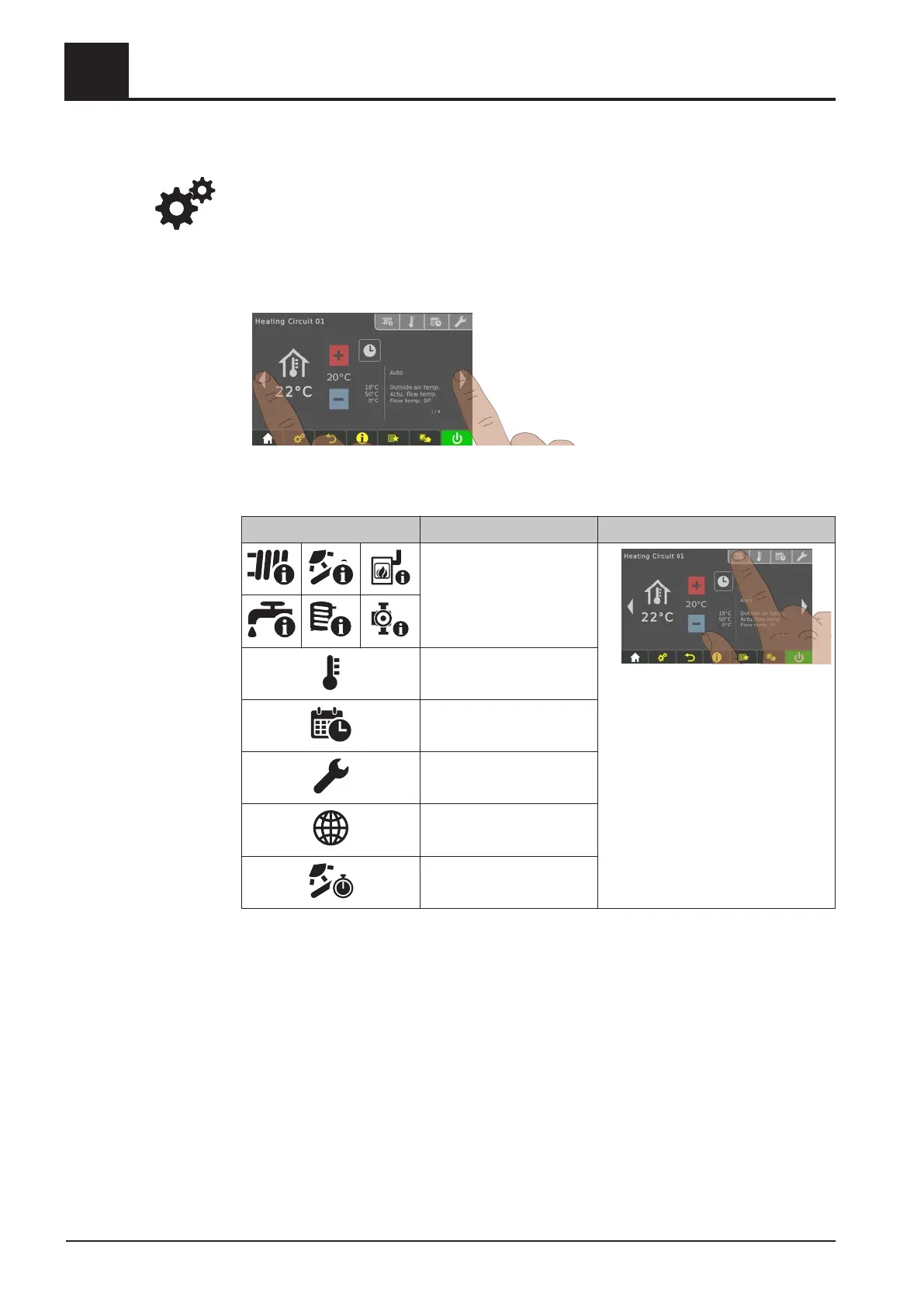
Navigation within the system menu
The system menu shows the menus available depending on the user level and the
system configuration. Use the right and left arrows to navigate to the individual menus.
Tap the corresponding icon to open the menu. Within the individual menus, the status
display is shown with current values. If, for example, several heating circuits are
installed, you can use the right and left arrows to navigate to the desired heating
circuit.
Tap the respective tab to carry out settings in the menus.
Icon Tab
Status
Temperatures
Times
Service
General settings
Solar heat meter
4
Operating the System
Operate the boiler using the touch display
32 Froling GesmbH | A-4710 Grieskirchen, Industriestraße 12 | www.froeling.com





 To Next Page