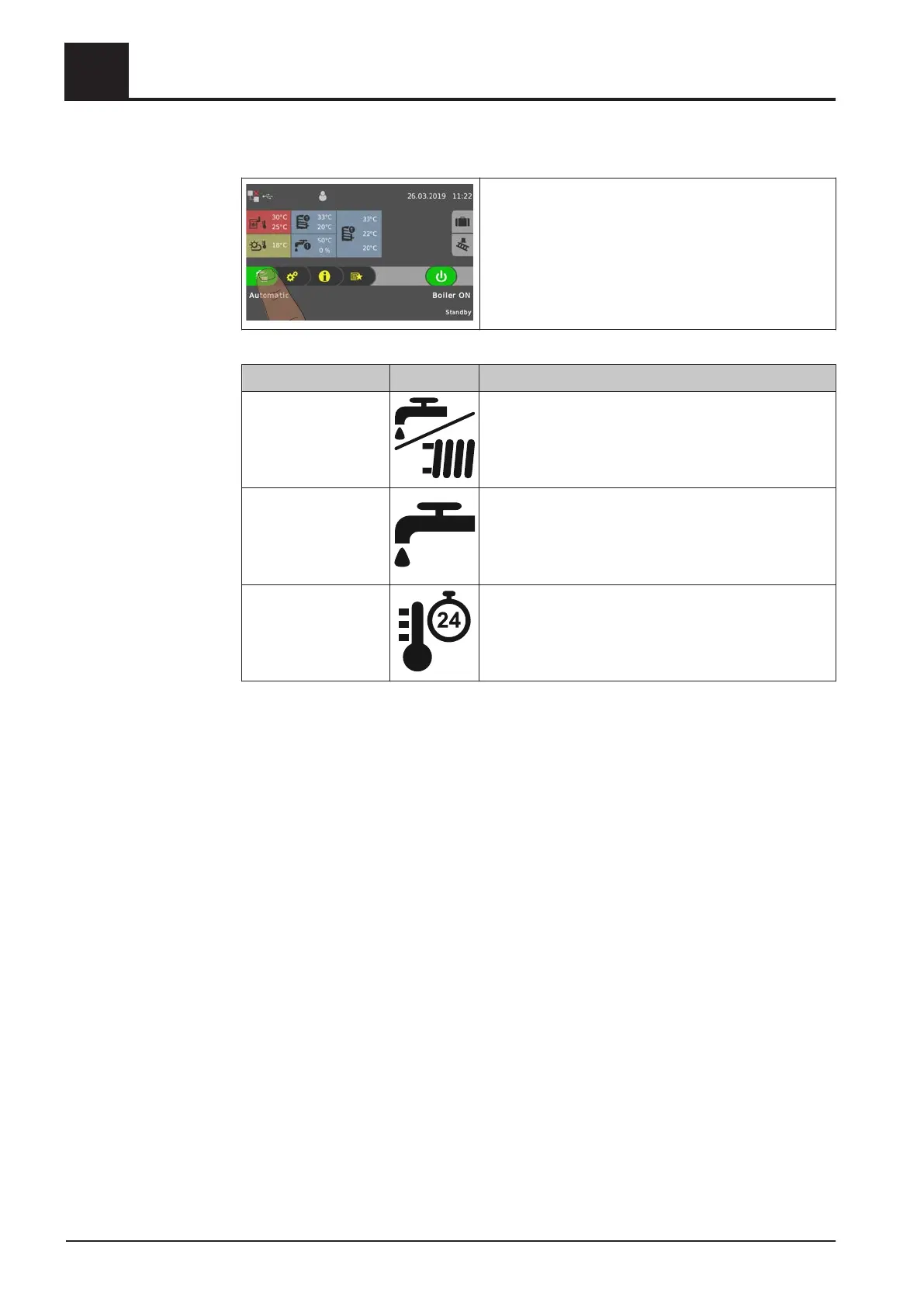
4.4.4 Change boiler mode
Depending on the type of boiler, there are several
modes available which can be changed directly in the
basic display of the touch display.
Mode Icon Description
Automatic Supply heating circuits and domestic hot water tanks
with heat according to the selected heating times.
Domestic hot water The domestic hot water tank is supplied with heat within
the selected loading times. Heating circuits are switched
off, frost protection remains active.
Continuous load The boiler continuously maintains the selected boiler
temperature setpoint and only shuts down for cleaning
purposes. Supply heating circuits and domestic hot
water tanks with heat according to the selected heating
times.
NOTICE! Consult the enclosed operating instructions for the boiler controller for a
detailed description of the boiler modes.
4
Operating the System
Operate the boiler using the touch display
38 Froling GesmbH | A-4710 Grieskirchen, Industriestraße 12 | www.froeling.com




 To Next Page