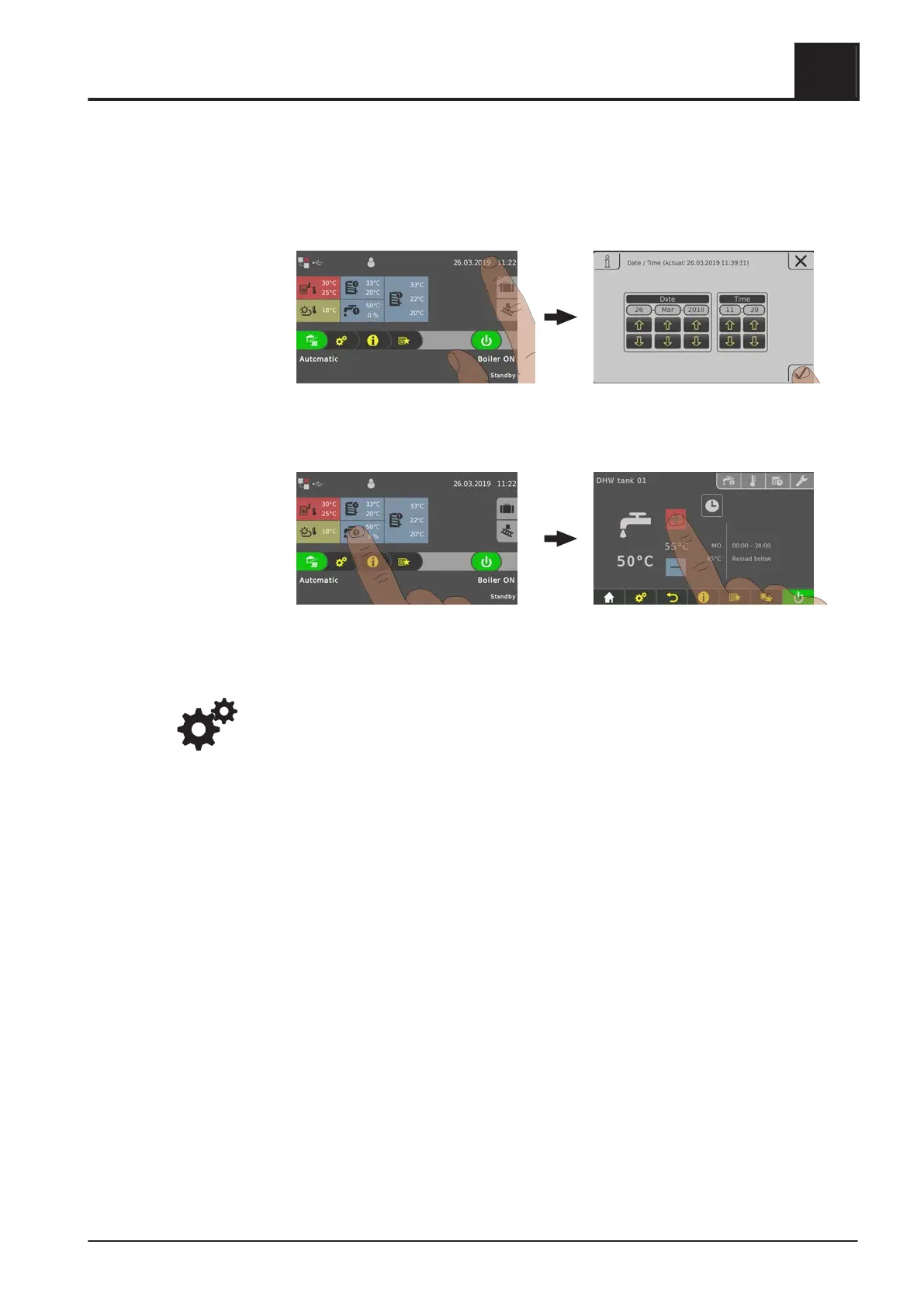
4.4.5 Change date and time
Tap on the displayed date and time to change the date and time in the basic display.
Use the up and down arrows to adjust the settings and tap on the “Confirm” icon to
save.
4.4.6 Change desired DHW tank temperature
❒ Tap the information display for the desired DHW tank
❒
Adjust the temperature setpoint by tapping on “+” or “-”
NOTICE! If this selection is not configured in the information display in the basic
display, open the components in the system menu.
Operating the System
4
Operate the boiler using the touch display
Operating Instructions T4e | B1560520_en 39





 To Next Page