Changing parameters
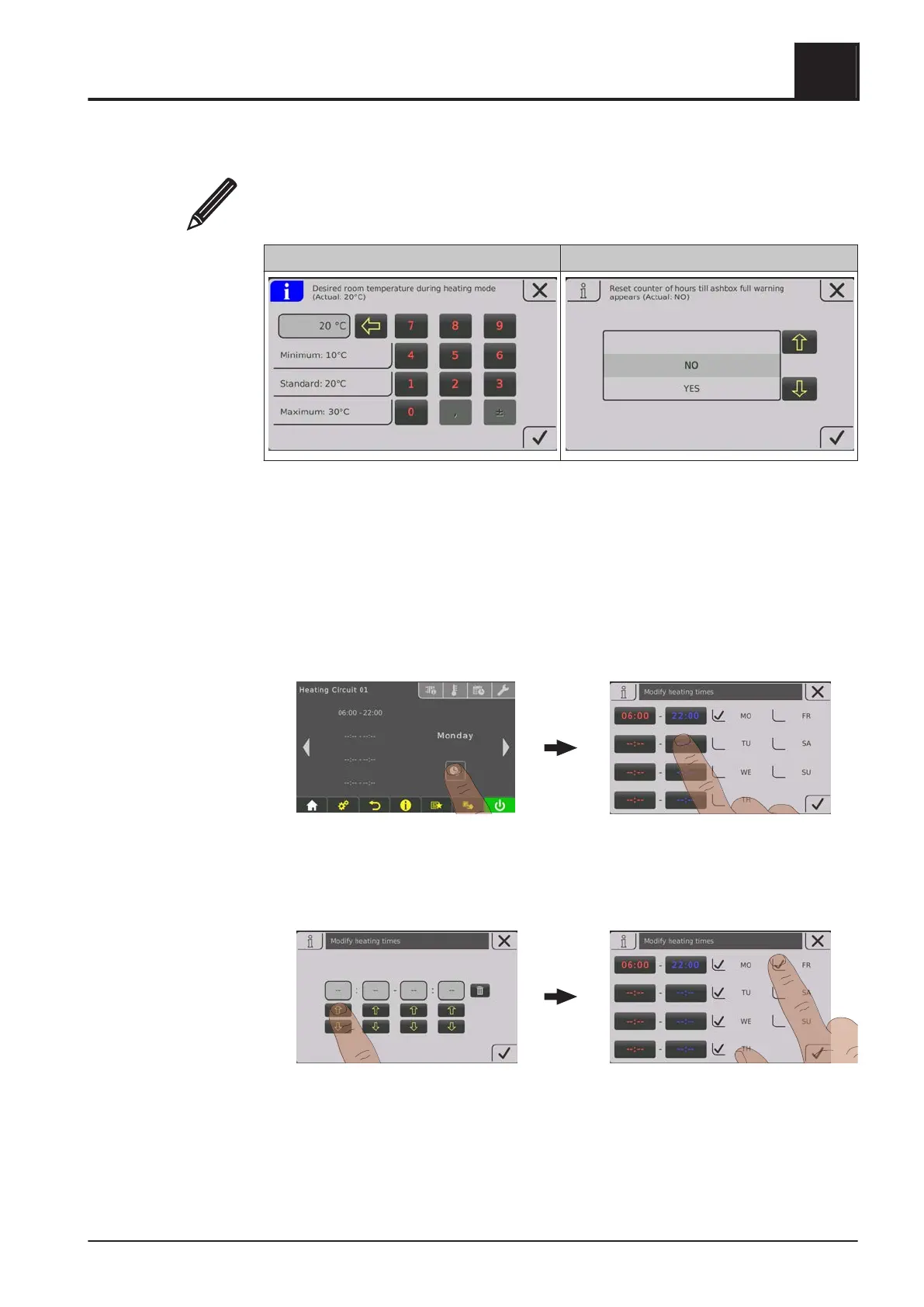
If there is a “pencil” symbol next to a parameter text, the parameter can be edited.
Depending on the type of parameter, it can be edited using the numeric keypad or by
selecting from a list and then tapping on the “Confirm” symbol.
Numeric keypad Dropdown list
Change time window
The desired time window can be set in the “Times” tab in the menus of the heating
components (heating, water, …). Up to four time windows are possible per day.
❒ Use the left or right arrow to navigate to the desired day of the week
❒ Tap the time window or icon under the day of the week
❒ Tap on the time window to be changed
❒
Use the up and down arrows to set the start and end time and save by tapping on
the “Confirm” icon
The time window set is saved for all selected days of the week.
Operating the System
4
Operate the boiler using the touch display
Operating Instructions T4e | B1560520_en 33





 To Next Page