Flluid 1
9
USING YOUR FLLUID
Powering the display
To Switch On and Off
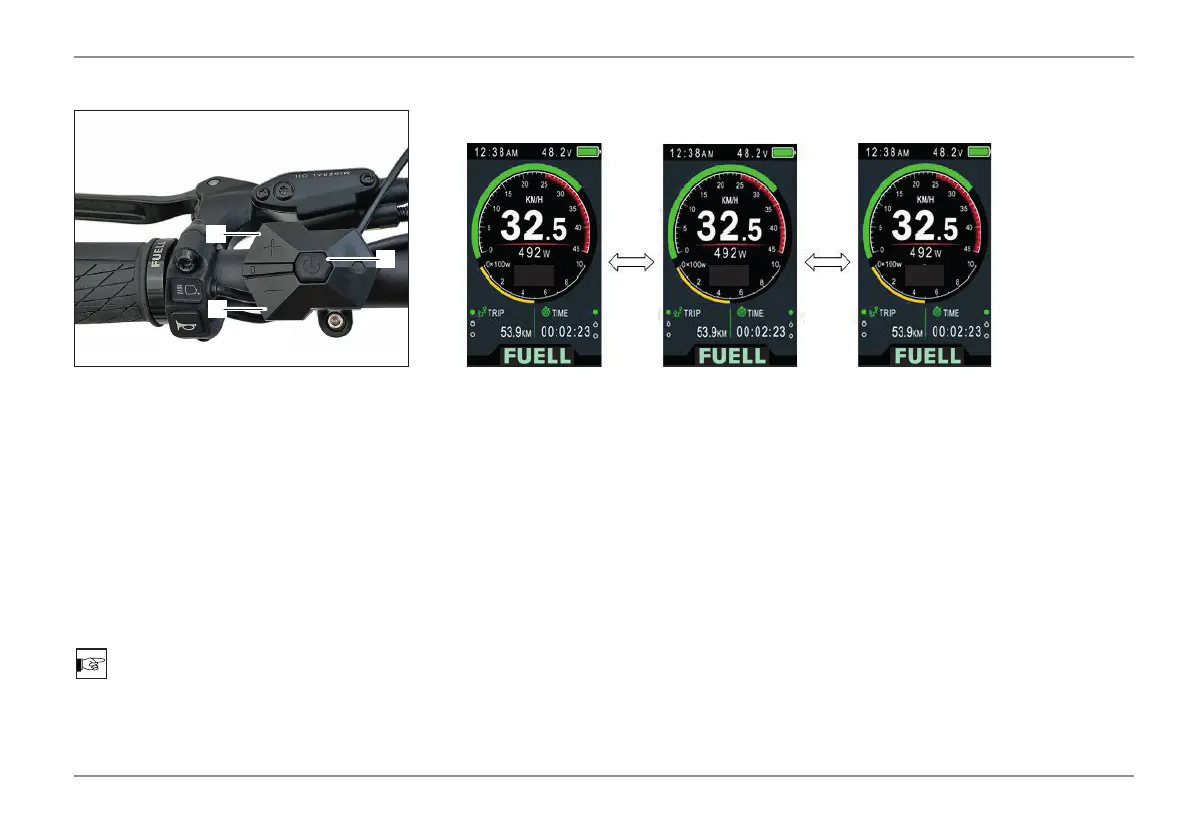
1. ON / OFF Button
2. DOWN / - Button
3. UP / + Button
Press and hold button (1) for 1.5 seconds
to turn the display and the drive system
on or off.
The display will auto shut off after 5 minutes
of inactivity. This setting can be adjusted in
the display menu.
NOTE
Head light and tail light turn on automa-
tically when display is powered on.
Driving with Motor Assistance
Briey press the keys DOWN/- (2) or UP/+ (3) to change the assist level. The strongest
assist is available at level 5; at level 0 there is no rider assist.
TOUR
3 50
2
3
1


 To Next Page