Flluid 1
12
USING YOUR FLLUID
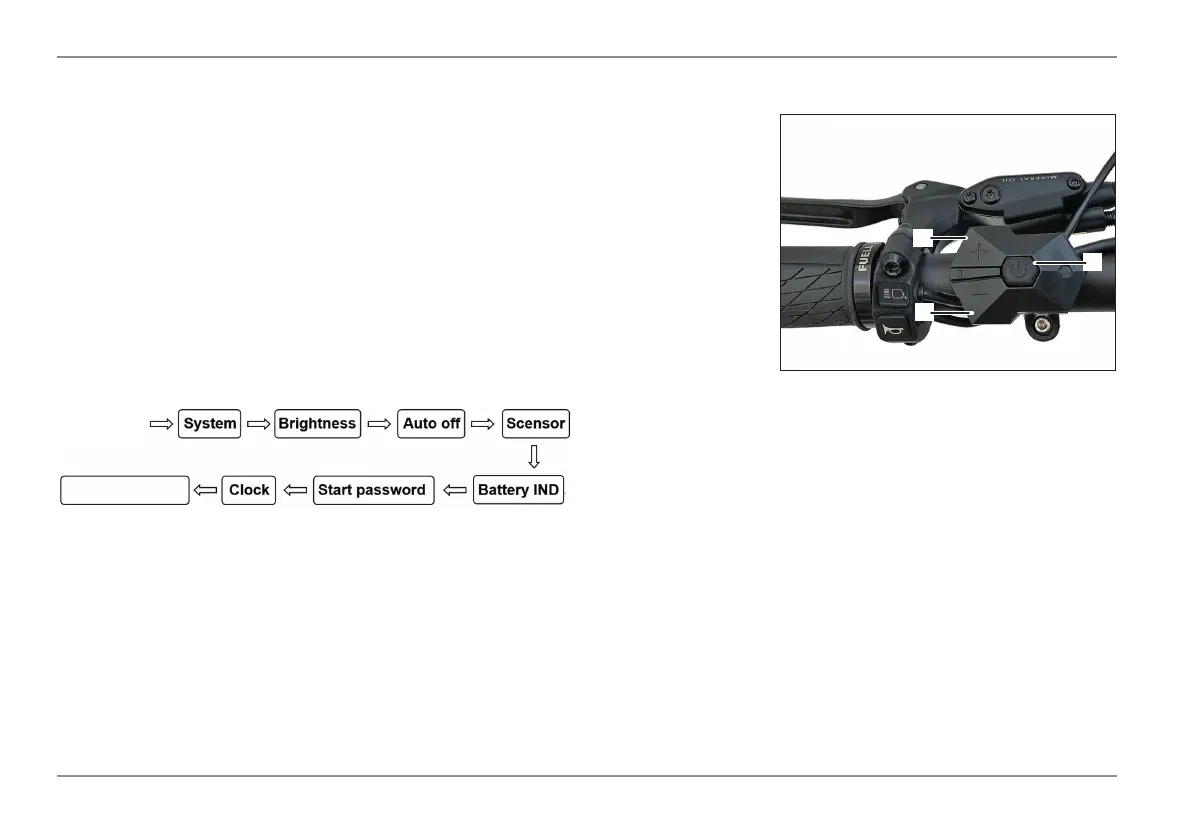
Press the power button (1) in quick succession twice (within 0.3 seconds) to access the
setup menus. Use the UP / DOWN (2/3) buttons to change the parameter setting and
to move to the next parameter. Press the power button (1) twice, to exit the menu.
- The display closes the menu automatically if no operation is performed for 30 sec-
onds.
- For safety reasons, the menu can not be acceseed while riding.
- The menu automatically closes if the bike starts moving.
The parameters are displayed in the following order:
Setting up your Display
2
3
1


 To Next Page