Fax/Internet Fax Options
261
Fax
4
Secure Polling (F Code Method)
1
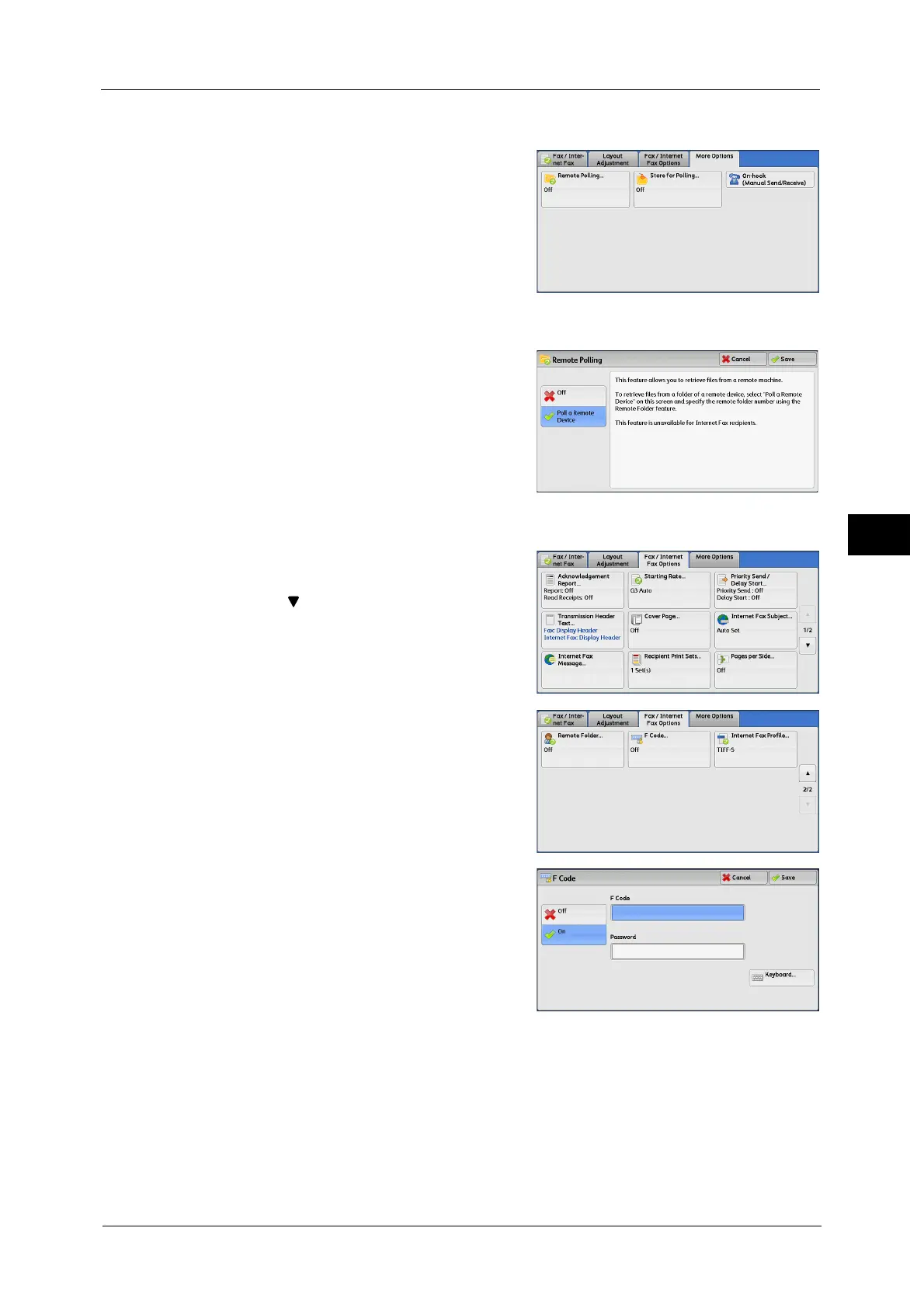
Select the [More Options] tab to display the
[More Options] screen.
2 Select [Remote Polling].
3 Select [Poll a Remote Device].
4 Select [Save].
5 Select the [Fax/Internet Fax Options] tab to
display the [Fax/Internet Fax Options] screen,
and select [ ] to display the next page.
6 Select [F Code].
7 Select [On].
8 Select the [F Code] box, and enter the F Code using the displayed keyboard or the numeric
keypad.
Note • You can enter up to 20 digits for the F Code.
9 If necessary, select the [Password] box, and enter a password using the displayed keyboard
or the numeric keypad.
Note • You can enter up to 20 digits for the password.



 To Next Page
 Loading...


