22
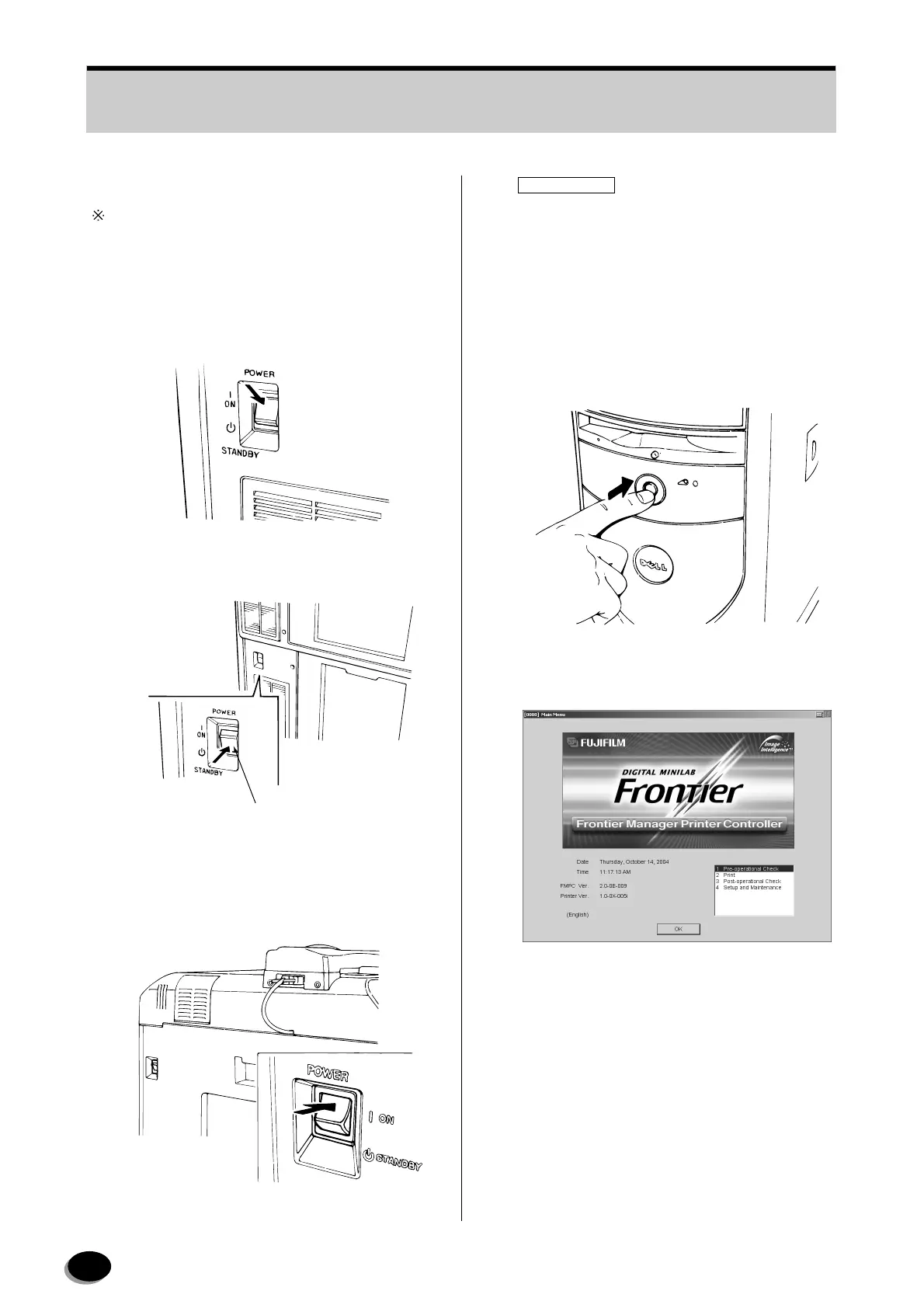
3.1.2 Printer (LP) Start-up
The following procedures are not necessary when the
FRONTIER is start up with the timer setting.
[FRONTIER 350/370/355/375]
1
Check if the built-in breaker is turned ON, then
turn ON the power switch.
2
Turn the power switch to STANDBY after the
machine starts up.
[FRONTIER 570]
1
Check if the built-in breaker is turned ON, then
turn ON the power switch.
IMPORTANT
When starting up the LP5700, set the power
switch to [STANDBY] during the post-operational
check.
3.1.3 FMPC Start-up
1
Make sure that the monitor is turned ON, and
then turn ON the FMPC.
• The FMPC Main Menu screen will appear.
EZ627
Power Switch
EZ626
L2987
NMP010
distributed by www.minilablaser.com



 To Next Page