67
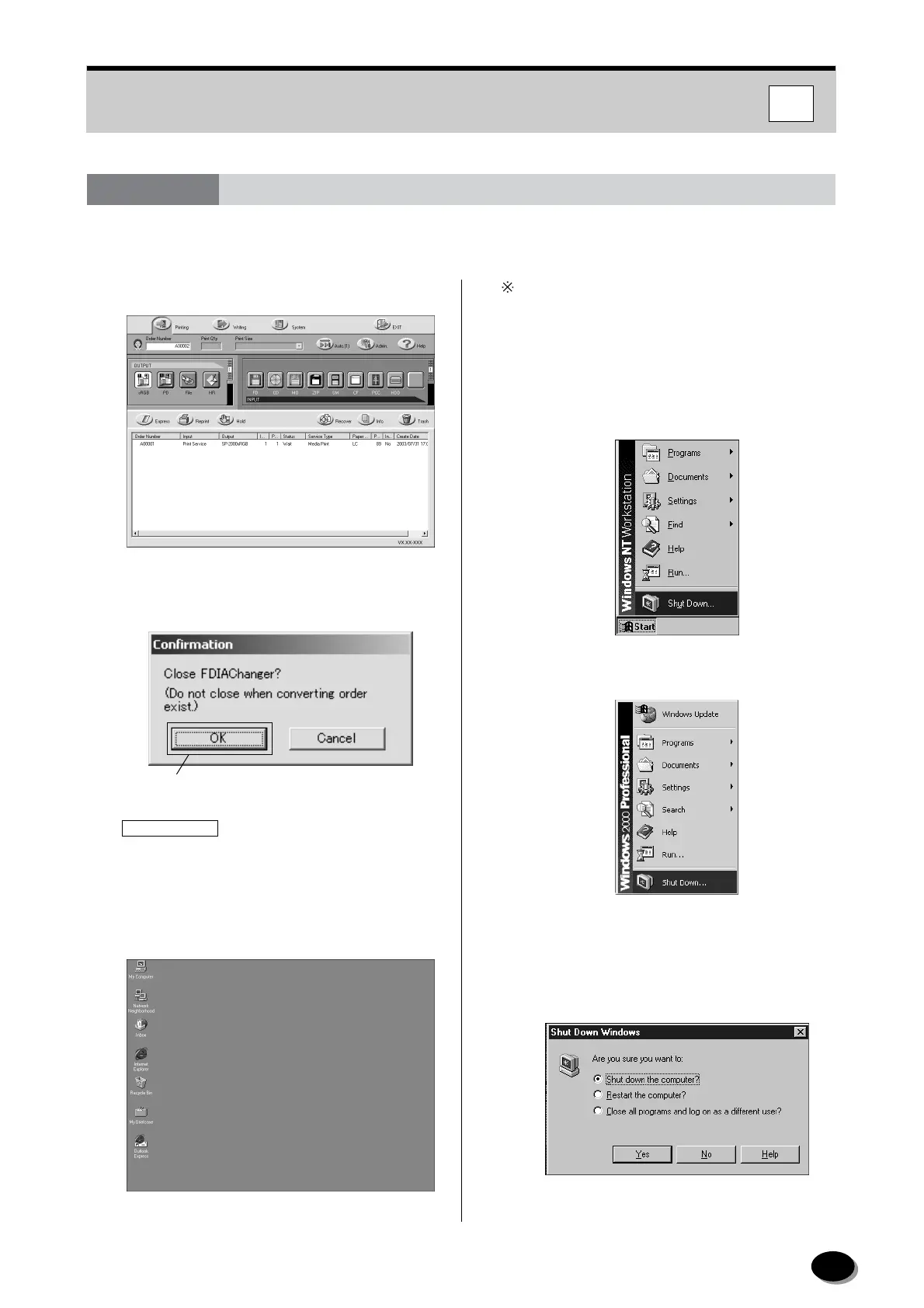
Shut down the Imaging Controller.
1
Click the [Exit] icon on the DI changer.
2
The Confirmation dialog appears. Click the [OK]
button.
IMPORTANT
Do not shut down the Imaging Controller while
orders are being converted.
3
Operation returns to the Desktop of Windows
NT/Windows 2000.
To shut down the computer, click the [Exit] button
while pressing the [Shift] button.
4
Select [Shut Down] from the [Start] menu at the
bottom of the desktop.
[Windows NT]
[Windows 2000]
5
In case of Windows NT, Select the [Shut down
the computer?] and click the [Yes] button.
[Windows NT]
6.4 Shutting Down Imaging Controller
Click.
IC
distributed by www.minilablaser.com



 To Next Page