93
FMPC
8.2.4 Timer Setup (414)
[Selection]
“4 Setup and Maintenance” - “1 System Operation
Setup and Check” - “4 Timer Setup”
[Procedure]
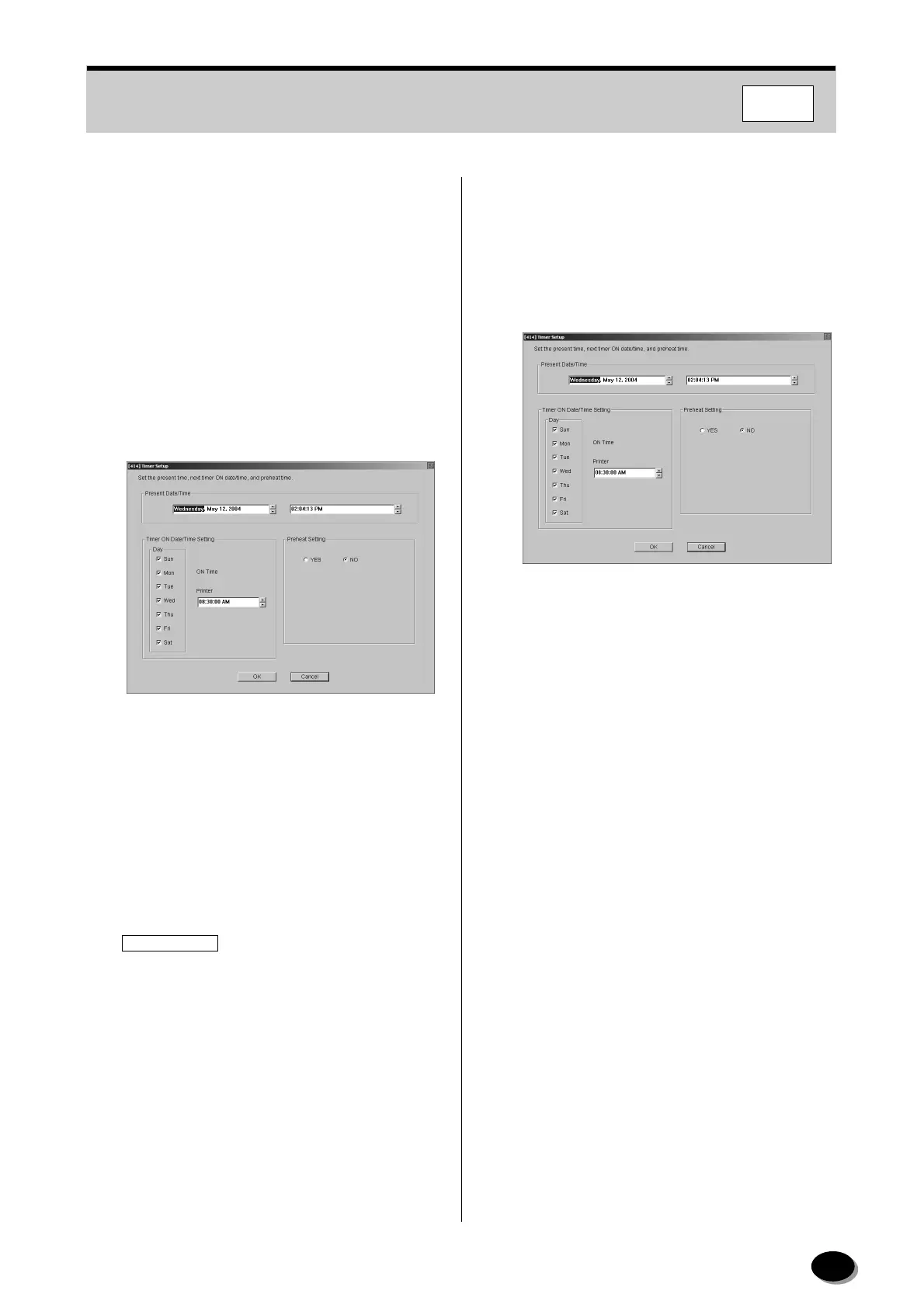
The present date/time, timer ON date/time and
preheat setup times are setup.
1
To update “Present Date/Time”, change the date
and time, and click [OK].
N
TE:
To cancel the update, press the [Cancel] button.
2
To change the timer date and time, check the
day of the week and enter the time in the “Timer
ON Date/Time Setting” box.
3
Setup the preheat timer by following the steps on
the next page, if necessary.
IMPORTANT
The ON time for a night-time preheating
operation must not overlap with the ON time of
the weekly timer since night-time preheating
takes priority and shuts down all power when it is
set OFF.
If, for instance, the calendar timer is set to 5:00
AM and night-time preheating is turned ON at
3:30 AM, all the power will be shut down two
hours later at 5:30 AM.
N
TE:
Night-time preheating is usually conducted when
the room temperature drops below 10 °C (50 °F) at
night and the temperature is not controlled for 8 or
more hours.
(1) Select “YES” for “Preheat Setting”.
• The 1st and 2nd preheat setting boxes appear.
(2) Move the cursor to “1st Preheat” and enter the
time.
(3) Move the cursor to “2nd Preheat” and enter the
time.
N
TE:
•For preheating only once, set the same time for
both the first and second times.
• Select “NO” when no preheat timer is used.
• The second preheating timer is ignored if the
first and second times overlap.
<Example>
1st. preheat time: 2:00 AM
2nd. preheat time: 3:00 AM
With the above settings, night-time preheating
will occur from 2:00 AM to 4:00 AM (2 hours).
4
Click [OK].
• Operation returns to the “4 Setup and
Maintenance” screen.
distributed by www.minilablaser.com



 To Next Page