71
If a strange odor or unusual sound emanates, abnormal heat is generated or smoke appears from the printer/
processor, immediately follow the steps described below, and consult your technical representative.
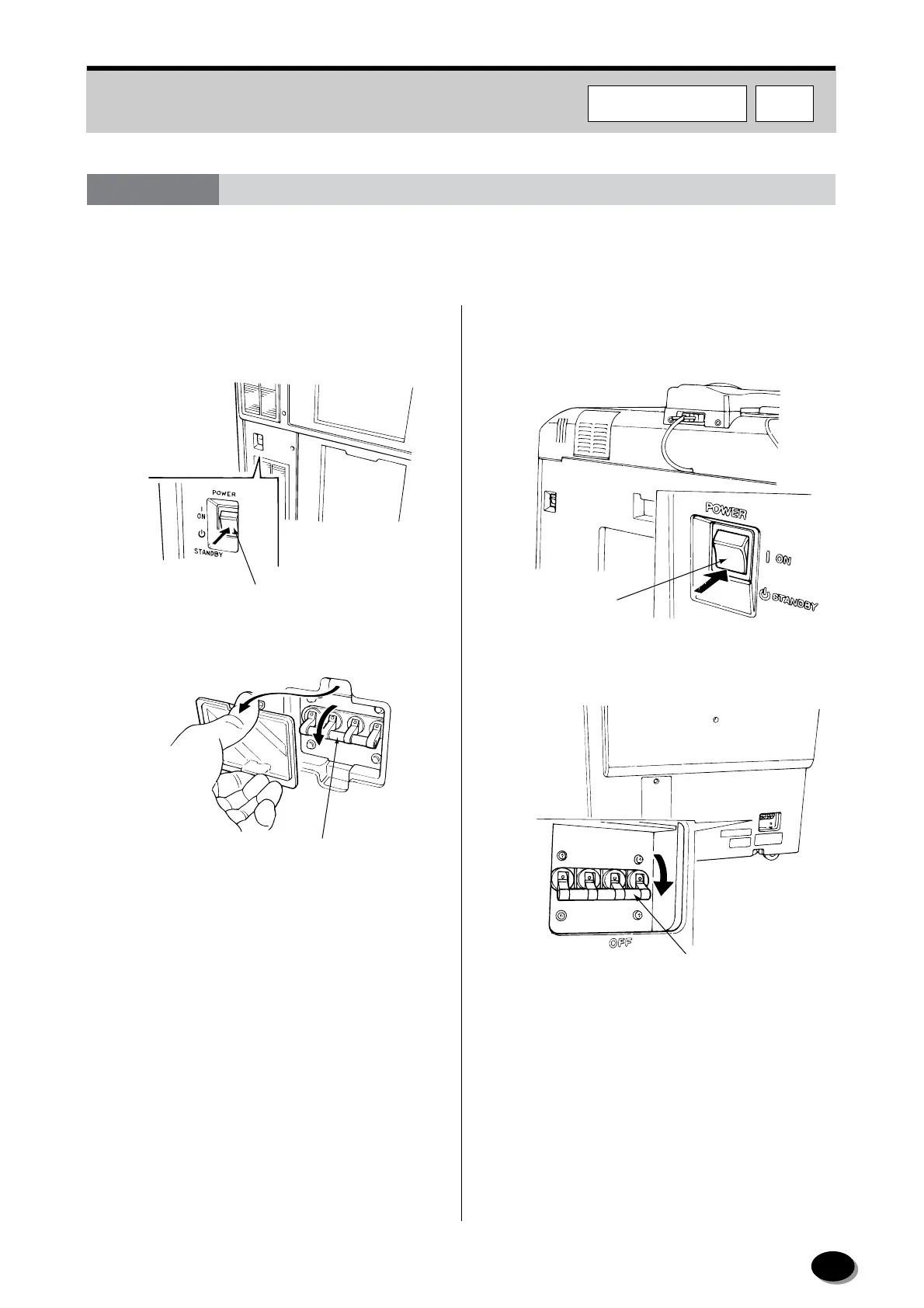
[FRONTIER 350/370/355/375]
1
Immediately turn the power switch to STANDBY.
2
Turn OFF the built-in circuit breaker.
3
Turn OFF the main power circuit breaker.
4
Consult your technical representative.
[FRONTIER 570]
1
Immediately turn the power switch to STANDBY.
2
Turn OFF the built-in circuit breaker.
3
Turn OFF the main power circuit breaker.
4
Consult your technical representative.
7.3 Manual Shut-off of Printer Power
Power Switch
EZ626
Built-in Circuit Breaker
EZ674
Power Switch
L2988
Built-in Circuit Breaker
L2988
F570F350/370/355/375
distributed by www.minilablaser.com



 To Next Page