36
Perform the pre-operational checks in FRONTIER 355/375/570. For the procedures in FRONTIER 350/370,
see “3.3 Pre-operational Checks in FRONTIER 350/370”.
Vacuum or sweep any dirt or dust adhering to the table mat. If the film receiver becomes dirty, remove it and vacuum
any dust and then clean it using a cloth.
1
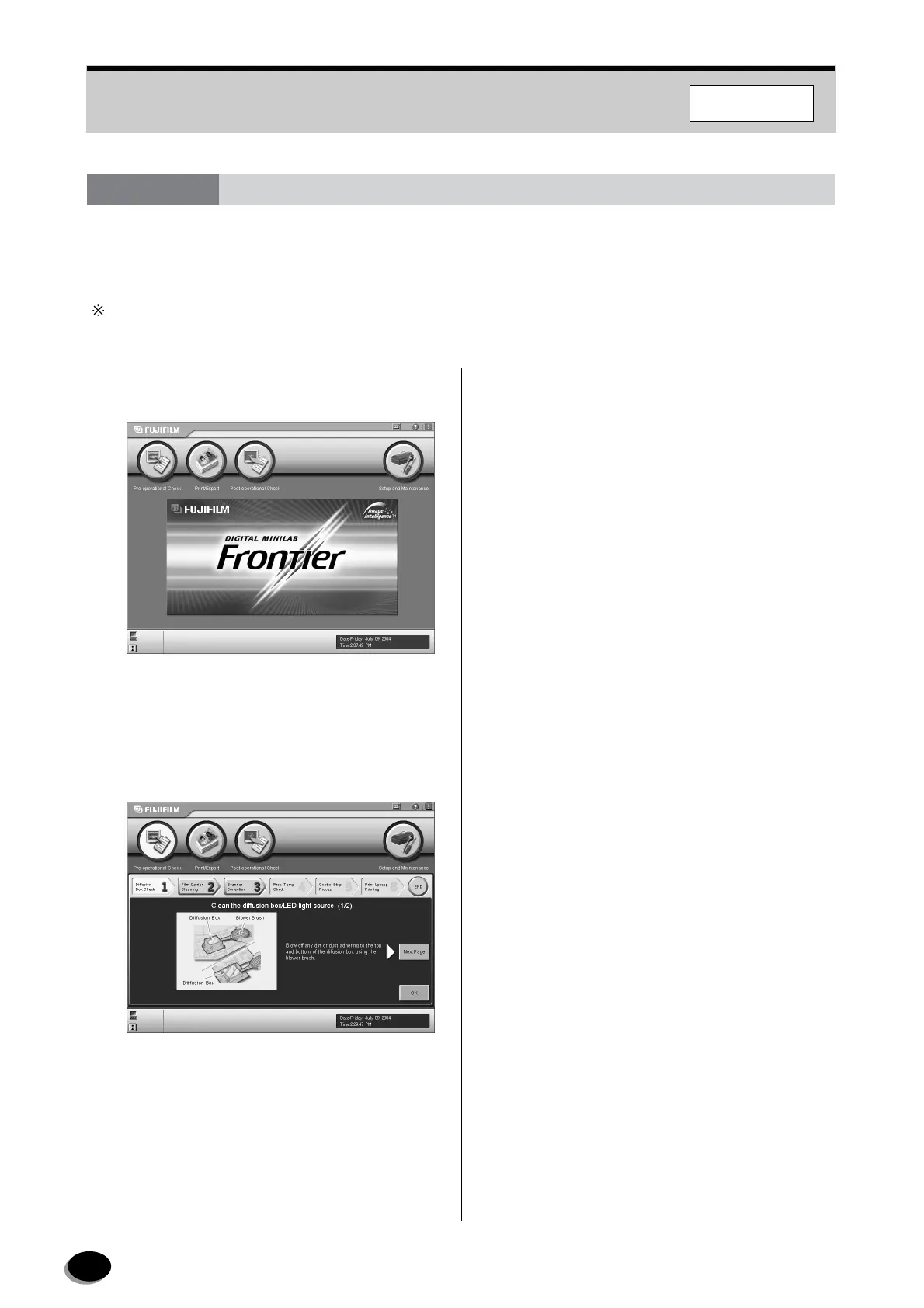
Click the [Pre-operational Check] button on the
Main Menu screen.
• The first screen of “1 Diffusion Box Check”
appears.
2
Perform the pre-operational checks by following
the instructions on the screen.
● Basic operation of the pre-operational
checks
Perform Items 1 to 3 in order.
To proceed to the next item, click the [Next Page]
button. When the [Next Page] button is no longer
displayed, click the [OK] button. Be sure to
complete all items before printing.
● To display the No.1 to No.3 screens after
completing the pre-operational checks
The [1 Diffusion Box Check] to [3 Scanner
Correction] buttons can be used for displaying or
performing each item after completing the pre-
operational checks.
3.4 Pre-operational Checks in FRONTIER 355/375/570
F355/375/570
distributed by www.minilablaser.com



 To Next Page